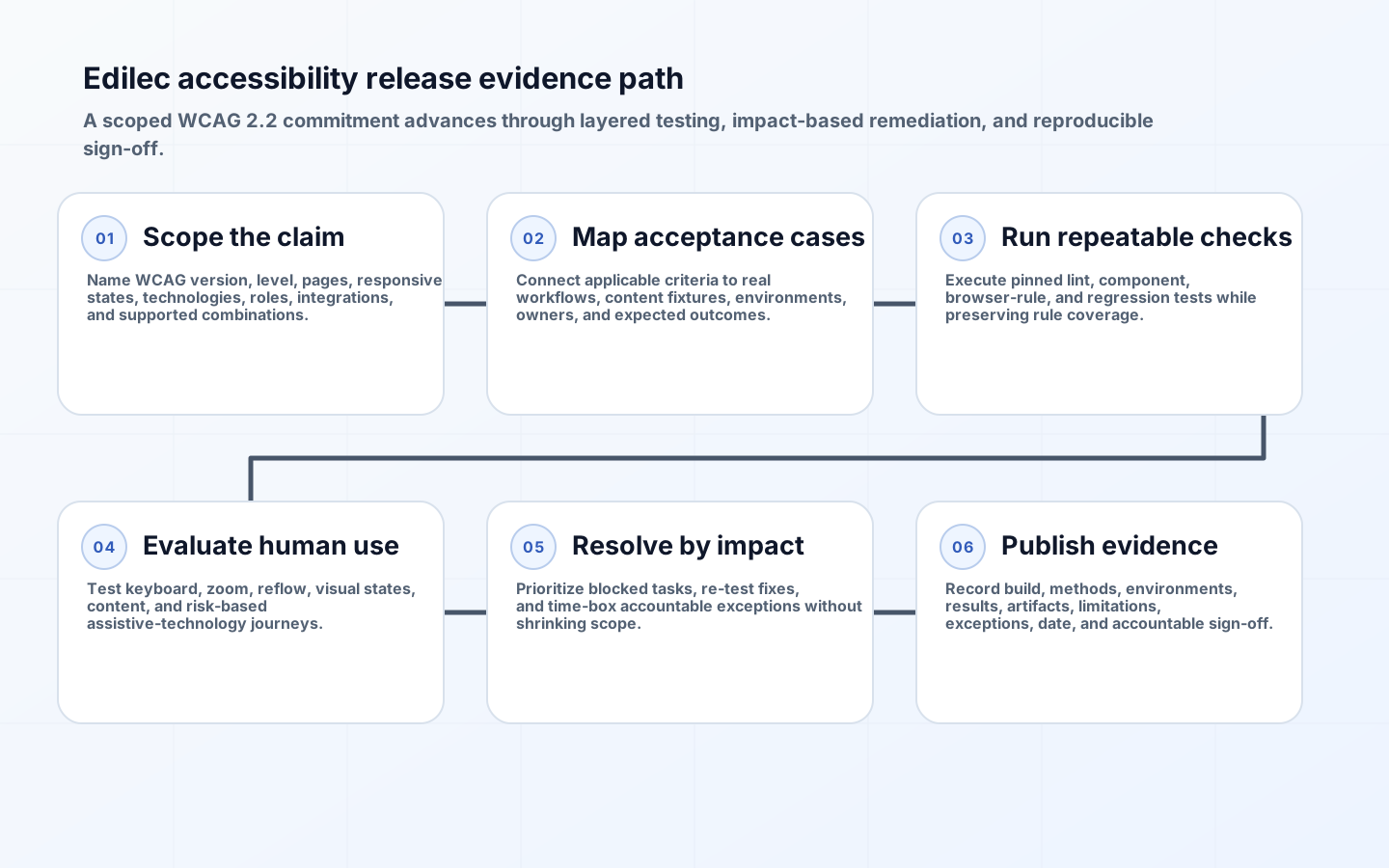
WCAG 2.2 acceptance testing turns an accessibility commitment into release evidence for a defined product scope. An automated scan is useful, but it cannot determine whether focus order follows meaning, instructions make sense, a complex widget works with a screen reader, authentication avoids unnecessary cognitive tests, or an error can be recovered. A credible release process combines machine checks with knowledgeable human evaluation.
Acceptance begins before test execution. The team must name the WCAG version and level, pages and states in scope, technologies relied upon, supported user-agent and assistive-technology combinations, representative workflows, content ownership, and defect policy. Without those boundaries, a green report can describe a small happy path while critical modals, validation errors, mobile variations, or third-party components remain untested.
Define the claim and release scope
WCAG 2.2 defines testable success criteria at Levels A, AA, and AAA and specifies conformance requirements. The official WCAG 2.2 Recommendation states that Level AA requires all Level A and AA criteria, conformance applies to full pages, and responsive variations are included. A contractual or organizational policy may require additional tests even when they are not part of a formal conformance claim.
| Scope dimension | Examples | Evidence needed | Common omission |
|---|---|---|---|
| Page and route | Login, dashboard, editor, settings | URL or route template and version | Only public pages scanned |
| State | Empty, loading, error, validation, success | Reproduction data and screenshot or trace | Error recovery omitted |
| Viewport and input | Desktop, mobile, zoom, keyboard, touch | Viewport, zoom, input method | Responsive menu untested |
| Role and permission | User, manager, administrator | Test account and authorized journey | Privileged workflows ignored |
| Content type | Text, table, chart, audio, video, document | Content-specific result | Sample content cleaner than production |
| Integration | Payment, support widget, identity flow | Owner, boundary, tested version | Third-party component excluded silently |
Create a requirements matrix mapping applicable success criteria to product components, workflows, methods, fixtures, owner, and result. Mark genuinely not-applicable criteria with rationale rather than omitting them. Separate normative requirements from informative techniques; a technique can help meet a criterion, but using one does not replace evaluating the outcome. Retain the exact WCAG URI and date used for the assessment.
Build a layered accessibility test strategy
| Layer | Best at finding | Cannot establish alone | Run cadence |
|---|---|---|---|
| Lint and component tests | Invalid props, missing accessible names, component contracts | Rendered journey usability | Every change |
| Automated browser rules | Programmatic relationships, contrast cases, ARIA misuse | Meaning, complete keyboard operation, good alternatives | Pull request and deployed build |
| Keyboard and visual review | Focus order, traps, visibility, reflow, target behavior | Screen-reader announcements | Feature acceptance |
| Screen-reader workflow | Names, roles, states, reading and interaction sequence | All AT and user experiences | Risk-based matrix |
| Content review | Alternative purpose, headings, instructions, error clarity | Dynamic technical behavior | Content change and release sample |
| User evaluation | Practical barriers in real tasks | Formal criterion coverage by itself | Research and major workflow changes |
W3C's evaluation overview explicitly notes that no tool alone can determine whether a site meets accessibility standards and that knowledgeable human evaluation is required. Use automation aggressively for fast repeatable checks, but report its tested rules and coverage. A zero-issue scan means those rules found no issue in the exercised DOM; it is not a conformance certificate.
Design reproducible acceptance cases
Write cases around user outcomes: sign in, recover an account, create and edit a record, upload content, resolve validation errors, filter a table, complete payment, and sign out. Each case records requirement IDs, preconditions, account role, content fixture, viewport, zoom, browser, assistive technology and version, input method, steps, expected perceivable and programmatic outcome, artifacts, and result. Avoid vague steps such as check screen reader.
For keyboard tests, verify all functionality, logical focus order, visible focus, escape and close behavior, no traps, skip mechanisms, and focus restoration after transient UI. For screen readers, verify accessible name, role, state, value, instructions, error association, live updates, landmark and heading navigation, and reading order. Use native HTML behavior where possible and test custom widgets against documented keyboard interaction patterns.
Cover WCAG 2.2 interaction and authentication criteria
WCAG 2.2 added criteria that directly affect modern application acceptance, including Focus Not Obscured, Focus Appearance at AAA, Dragging Movements, Target Size (Minimum), Consistent Help, Redundant Entry, and Accessible Authentication. Build targeted states: sticky headers and cookie banners over focused controls; drag-and-drop with a non-drag alternative; compact icon actions at relevant target sizes; repeated help placement; multi-step forms that avoid unnecessary re-entry; and authentication that supports alternatives to cognitive function tests.
Do not test only static pages. Open menus near viewport edges, trigger toasts while focus moves, use validation after asynchronous submission, test session timeout and reauthentication, enlarge text, zoom and reflow, switch orientation, enable forced colors where supported, and exercise reduced motion. Include realistic long labels, translated text, dynamic tables, empty values, and errors. Accessibility failures often appear when content escapes the tidy design-system example.
Standardize automated rules without overstating them
Pin engine and rule versions, browser, viewport, fixture, authentication state, and exclusions. Fail delivery on confirmed severe regressions in owned code; route uncertain results for review. Maintain baselines only with issue IDs and expiry. Test shared components in isolation and in representative compositions because accessible behavior can fail when dialogs nest, labels are duplicated, or page CSS obscures focus.
The W3C ACT overview describes a standard format for transparent automated, semi-automated, and manual rules; ACT Rules Format 1.1 was published in February 2026. ACT alignment can improve consistency across tools, but ACT rules are informative and do not cover every criterion or context. Record implemented rule IDs and versions so results from two tools can be compared meaningfully.
Operate the acceptance workflow from change to release
- Identify affected components, routes, states, content, and success criteria during refinement.
- Run component and automated browser checks on every relevant change with pinned fixtures.
- Execute keyboard, zoom, reflow, contrast, motion, and content cases on the deployed candidate.
- Run the risk-based browser and assistive-technology matrix on critical workflows.
- Triage findings by user impact, criterion, scope, ownership, workaround, and recurrence risk.
- Re-test fixes, assemble evidence, review exceptions, and record accountable release sign-off.
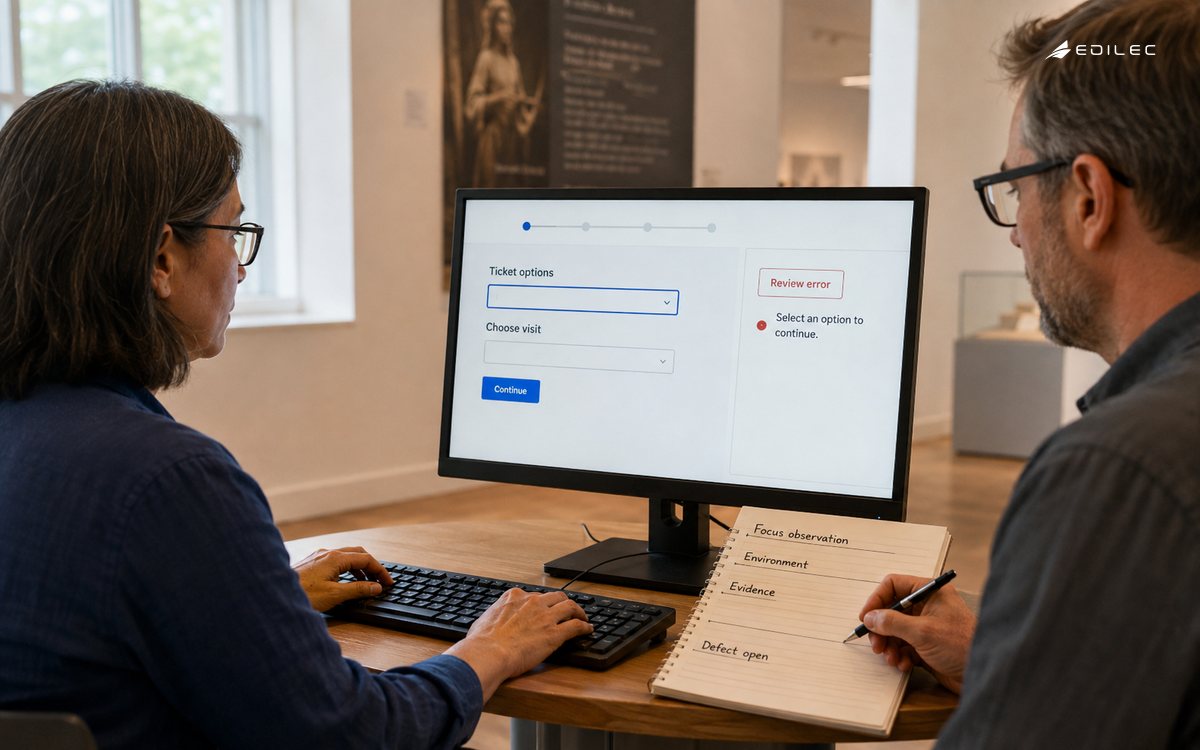
Use risk to scale manual coverage. New custom controls, authentication, money movement, data entry, charts, media, and high-volume customer workflows deserve deeper review. A small copy correction may need targeted checks. Periodically run a broader sample to detect shared regressions that impact analysis missed. Production monitoring and feedback remain necessary because acceptance fixtures cannot represent every content combination or assistive-technology behavior.
Triage defects and exceptions by user impact
A useful defect contains the blocked task, affected users and modes, environment, exact steps, expected and actual outcome, relevant criterion, component owner, evidence, and suggested design intent. Severity should reflect task prevention, lack of workaround, frequency, and scope, not only whether a tool labels the rule critical. A keyboard trap or inaccessible authentication flow can block release even if automated counts are low.
Exceptions need accountable approval, business reason, user impact, workaround, owner, remediation date, affected scope, and monitoring. Time-box them. A third-party limitation is still a barrier to the user and requires supplier escalation, alternative workflow, or replacement plan. Never convert unresolved failures into passes by changing the documented scope after testing.
Assemble evidence that can be reproduced
The release package should include product and build, assessment date, WCAG version and level, scope, pages and states, technologies relied upon, test methods, browser and assistive-technology versions, rule versions, results by criterion and workflow, findings, fixes and re-tests, exceptions, known limitations, and sign-off. Store artifacts with access controls because screenshots and recordings may contain test data.
W3C's accessibility evaluation report template is a useful documentary basis and emphasizes combining semi-automated tools with manual evaluation by an experienced reviewer. Adapt it to release cadence while preserving traceability. Distinguish a scoped acceptance report from a public conformance claim or legal certification, and have qualified stakeholders approve public statements.
Key takeaways
- State WCAG version, level, full-page scope, states, technologies, and supported test combinations.
- Map criteria to workflows and use automation, keyboard, visual, content, and assistive-technology layers.
- Test realistic dynamic states, responsive variations, errors, authentication, and long content.
- Pin rule and environment versions and never treat an automated scan as conformance proof.
- Triage by blocked user outcome and time-box every exception with an owner.
- Publish reproducible scoped evidence and distinguish it from broader certification claims.
WCAG 2.2 acceptance testing FAQ
Which screen readers should a team test?
Choose a documented risk-based matrix from customer usage, platform support, procurement commitments, and criticality. Include supported browser pairings and versions. No finite matrix proves behavior in every assistive technology, so rely on standards, native semantics, component discipline, and user feedback as well as targeted combinations.
Can release acceptance use an automated issue threshold?
A threshold can guard against regression, but zero new issues is stronger than allowing a fixed count, and neither replaces manual checks. Severity and affected workflow matter more than count. Baselines need reviewed issue links and expiration so old barriers do not become permanent policy.
Must every page be tested manually every release?
Not usually. Maintain automated breadth, test changed and high-risk workflows deeply, sample representative templates and content, and schedule broader audits. A formal claim's scope still has to satisfy conformance requirements; sampling is an evaluation method, not permission to exclude failing pages.
Conclusion
Accessibility release evidence becomes credible when it describes real workflows, complete states, explicit methods, and accountable outcomes. A layered WCAG 2.2 acceptance process catches fast machine-detectable regressions while preserving the human judgment required to determine whether people can perceive, understand, navigate, and complete the product's essential work.