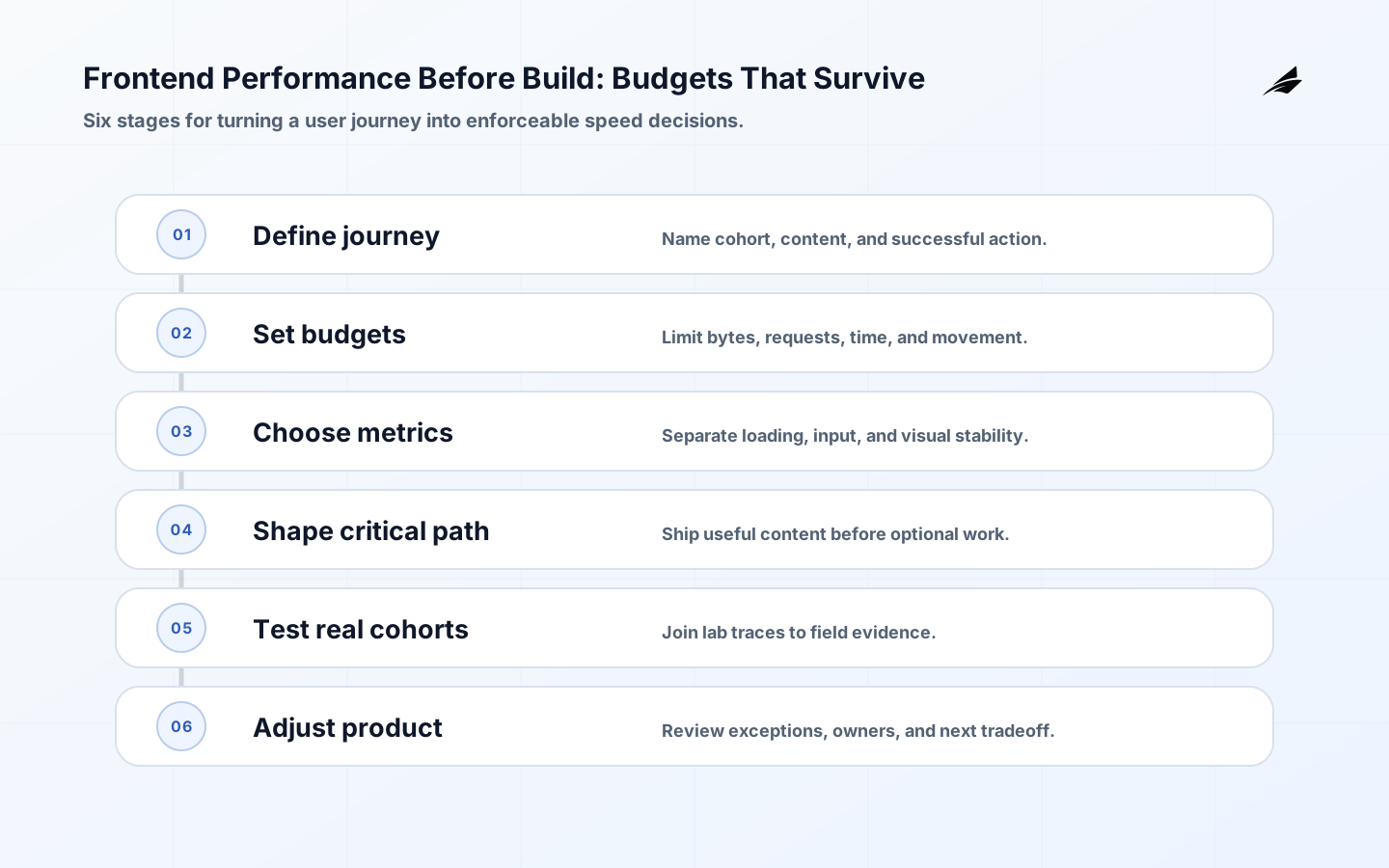
Frontend performance is decided before the first component is built. The important question is not whether a team can adopt a familiar framework; it is whether a representative person can see useful content, understand the page, complete an interaction, and trust the result on the devices and networks that matter. That promise affects design, content, JavaScript, image policy, data fetching, caching, accessibility, and release gates. A practical frontend performance plan turns the journey into budgets, uses different measures for loading, interaction, and visual stability, and connects lab checks with field evidence instead of relying on a single score.
Write the user journey before picking a stack
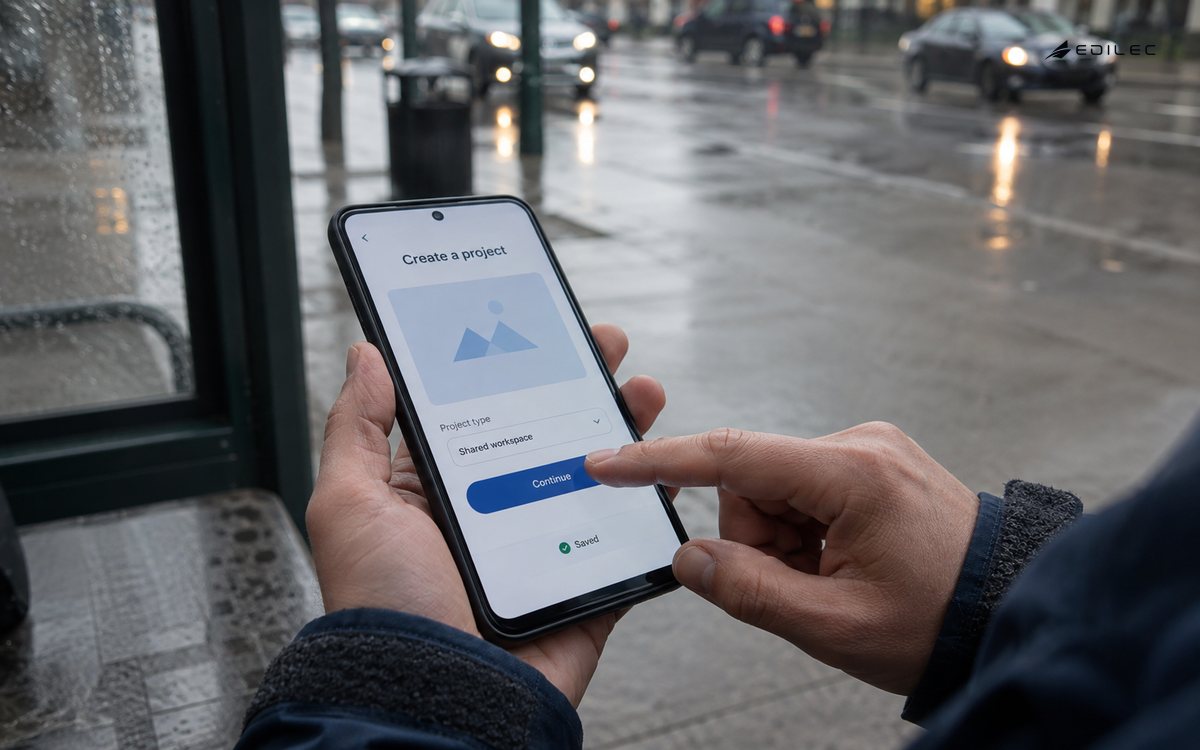
Describe the first meaningful journey in plain language. A product page might need to show a clear offer on a mid-range phone, allow a visitor to select a plan, validate a form, and confirm the next step. An internal tool might need a staff member to open a large list, filter it, edit a record, and see the saved state without losing work. Name the device cohort, network assumption, critical content, action that proves usefulness, and consequence of delay. This makes tradeoffs concrete: a decorative animation, an analytics script, or a high-resolution image should earn its place against the journey rather than against a generic idea of modern design.
Turn the promise into budgets a build can enforce
A performance budget is a limit that guides design and implementation before a regression reaches users. Performance Budgets 101 describes quantity, timing, and user-centric measures; use all three where they answer different questions. Set a page or route budget for JavaScript and image bytes, critical requests, server response, visible-content timing, interaction latency, and layout stability. Write the target cohort and percentile beside the number. A budget without a measurement method becomes an argument; a budget with no owner becomes a suggestion.
| Budget | What it protects | Where to enforce it |
|---|---|---|
| Critical bytes | Download and parse time on constrained networks | Build report and route review |
| LCP target | Time until the main content is useful | Lab trace and field cohort |
| INP target | Responsiveness after a real tap, click, or key press | Interaction test and field data |
| CLS target | Confidence that controls will not move unexpectedly | Visual test and field data |
| Third-party weight | Risk from scripts outside product ownership | Allowlist and change approval |
Use LCP, INP, and CLS for different questions
Core Web Vitals are useful because they describe different moments in the experience. Do not use one metric as a proxy for the whole journey. Segment by mobile and desktop, route, release, and meaningful user cohort. A page can load quickly and still freeze during a form submission, or it can respond well while late images move the button a moment before the user taps it. The W3C Web Performance Working Group is the standards home for the underlying platform work; the local product decision is how these signals connect to a real task.
Use LCP to protect useful arrival
Largest Contentful Paint measures when the largest visible image, text block, or video is rendered relative to navigation. Identify which element should be the meaningful content for the route, then make its data, font, image, and server path deliberate. Do not improve LCP by showing a fast shell that tells the user nothing.
Use INP to protect the next action
Interaction to Next Paint focuses on how quickly the page responds across a user's interactions. Look for long tasks, expensive state updates, large event handlers, and work that runs before feedback appears. Give the interface a visible acknowledgment quickly, then defer nonessential computation when the product state permits it.
Use CLS to protect visual confidence
Cumulative Layout Shift captures unexpected movement of visible content. Reserve space for media, ads, banners, fonts, and asynchronous results; do not make a user chase a control that moved after the page appeared. A zero-shift result is not always the goal if a deliberate user action causes a transition, but unplanned movement near a purchase or approval action deserves attention.
Design the critical path around useful content
Define which content must be present before the first meaningful action and which can arrive later. Keep the critical path small, compress and dimension images, avoid shipping code for routes the user has not opened, and make server and cache behavior visible in the design. Choose rendering and data-fetching strategies by journey, not ideology: a content page, a private dashboard, and an interactive editor may need different tradeoffs. The React state design guide is a useful adjacent read when state ownership and rerender cost are part of the performance decision.
Two neighboring choices often change the critical path: Node.js API decisions can move work between browser and server, while caching strategy decisions determine whether the page shows fresh, private, or stale data. Define those boundaries before optimizing a component in isolation.
Keep interaction work small and predictable
Trace a real interaction from event to visual response to durable result. Avoid rerendering a large tree for a small field change, performing synchronous work in the event handler, or waiting for unrelated data before acknowledging the action. Pagination, virtualization, debounced search, optimistic UI, and background work can help, but each changes the user's understanding of state. Make pending, succeeded, rejected, and conflicted outcomes visible. Test keyboard input and assistive technology along with pointer interactions; a fast control that cannot be understood or focused is not a successful experience.
Reserve space before late content arrives
Layout stability begins in design and content contracts. Give images and embeds intrinsic dimensions, choose font loading behavior deliberately, keep notification regions from pushing primary controls, and model empty, error, and long-content states. A skeleton can reduce uncertainty only when its shape is close to the result; otherwise it creates a second jump. Test slow network, zoom, localization, small screens, and user-generated content. These cases expose layout assumptions that a polished desktop screenshot conceals.
Join lab checks to field evidence
Use a lab trace to find causes and field data to learn what real cohorts experience. Keep device, network, route, release, and task context with the observation. A local high-end laptop can hide a mobile parse cost; a single synthetic run can miss a provider delay or a late interaction. Track conversion or task completion beside the performance metric, but avoid claiming that every change in business behavior came from one timing shift. Review the pages and interactions with the largest consequence, then assign a specific owner to the next experiment.
| Evidence | Best question | Useful follow-up |
|---|---|---|
| Build budget | Did a change add bytes or requests? | Remove, split, compress, or approve |
| Lab trace | Which resource or task causes delay? | Optimize the critical path |
| Field metric | Which cohort experiences the issue? | Segment by device, route, and release |
| Task outcome | Did performance alter completion or correction? | Investigate the user journey |
| Session sample | What did the person actually see and do? | Validate the metric's interpretation |
Make regressions expensive to ignore
Put route budgets and representative interactions into continuous integration, but allow a deliberate exception to carry an owner and review date. Compare a candidate release with a baseline on the same fixture and device profile. When a budget breaks, show the asset, dependency, component, or interaction responsible; a red number without attribution creates negotiation rather than action. Keep a small set of field dashboards with release markers and alerts that distinguish a broad regression from a single route. A performance budget should influence whether a feature ships, not merely appear in a report after launch.
Make design and content share the budget
Performance is often lost at the handoff between visual ambition and implementation. Give designers and content owners a route-level budget for hero media, font families, animation, third-party embeds, and the amount of copy that must be visible before the main action. Define image dimensions and responsive variants before assets enter the repository. When a campaign or feature needs to exceed the budget, record the user benefit, the cost, the owner, and the date to revisit it. This makes performance a shared product tradeoff instead of a late engineering veto.
Include content states in the same review: empty results, validation errors, translated strings, long names, and permission notices can change both bytes and layout. A page that meets its budget only with English sample copy is not ready. Build representative fixtures and check the first meaningful action at realistic widths, zoom levels, and assistive settings.
Frontend performance decisions worth carrying into the first build
- Define a representative journey, device cohort, useful content, and successful action before choosing tools.
- Use byte, request, timing, interaction, and layout budgets with an owner and enforcement point.
- Treat LCP, INP, and CLS as different questions about loading, response, and visual stability.
- Join lab diagnosis to field evidence and the task outcome that matters to the product.
- Make budget exceptions visible, temporary, and tied to a decision rather than a silent waiver.
Questions teams ask about frontend performance planning
Which performance metric should lead planning?
Start with the journey, then choose the measure that represents its risk. LCP is useful for meaningful arrival, INP for responsiveness after interaction, and CLS for visual stability. Pair them with bytes, requests, and a task outcome rather than selecting one universal score.
Can a single-page application be fast?
Yes, if the route ships only what the journey needs, avoids long main-thread tasks, manages state deliberately, and measures real cohorts. The architecture label does not determine performance; the critical path and operating discipline do.
What makes a performance budget useful?
It has a named journey, cohort, metric, threshold, measurement method, owner, and response when the threshold is exceeded. A number with no decision attached is only a dashboard decoration.
Conclusion: make speed a design constraint
Frontend performance becomes durable when the first build encodes the user's journey, budgets, and evidence path. Protect useful arrival, responsive action, and stable layout with decisions that design, engineering, and operations can all inspect. Then use field results to refine the budget instead of discovering the product's performance promise after customers have paid for it.