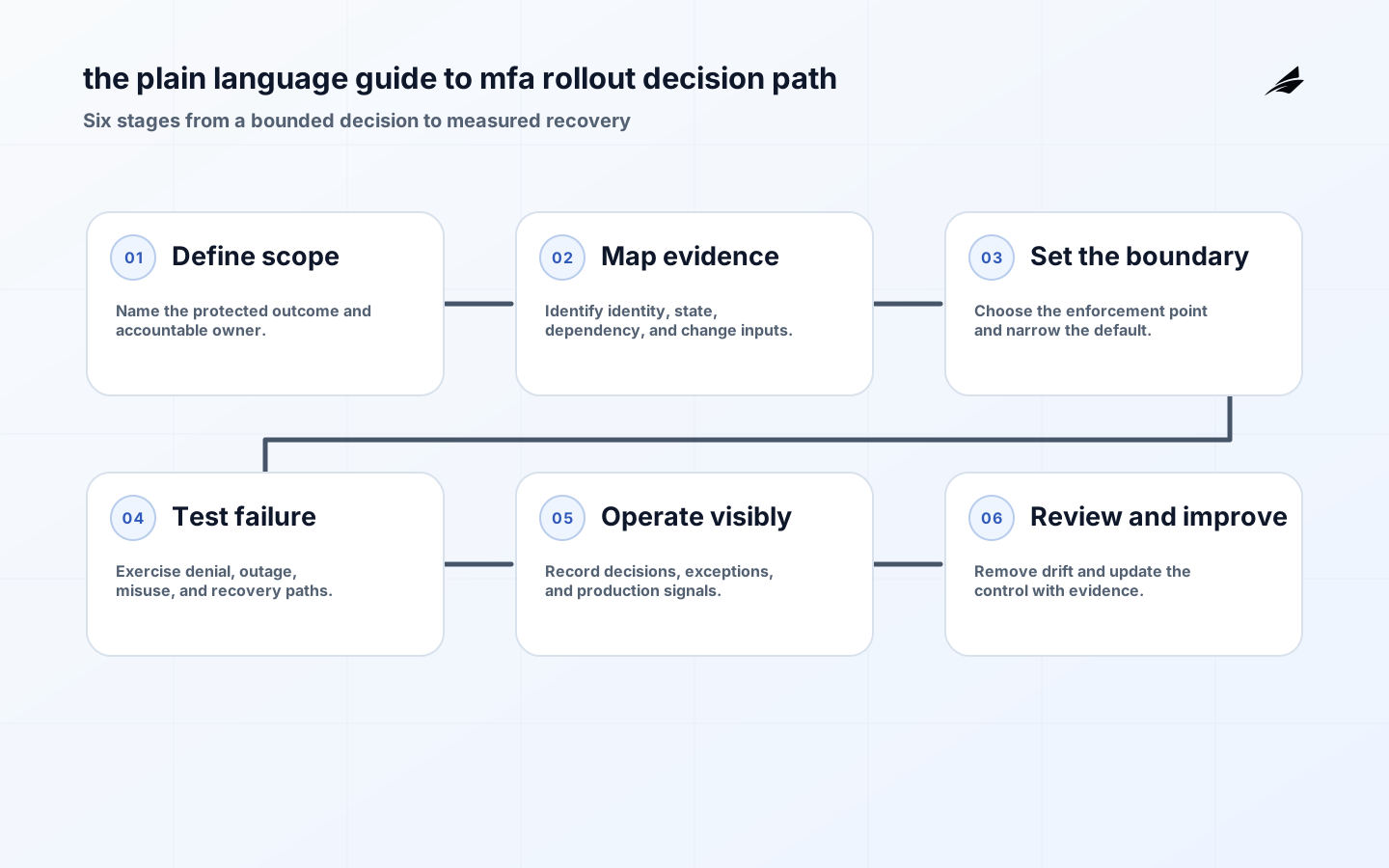
An MFA rollout succeeds when people can sign in securely on an ordinary day and recover safely on a difficult one. It is more than turning on a second prompt in a single application. The program has to cover workforce and administrator paths, account recovery, service accounts, federation, legacy protocols, and the help desk procedures that attackers may try to exploit.
Set the assurance target
Start with the consequence of account takeover. The current NIST digital identity guidance distinguishes assurance levels and calls for phishing-resistant options at higher assurance levels. That does not make every deployment identical; it means a payroll system, production console, and ordinary internal wiki should be assessed for the harm of compromise, not assigned a factor by fashion.

Inventory the real sign-in estate before announcing a deadline. Include identity-provider sign-in, locally authenticated applications, VPN, administration consoles, APIs, command-line access, noninteractive workloads, and recovery flows. A strong workforce login does not compensate for a legacy administrative portal that accepts a reusable password. Separate human authentication from service identity design so the rollout does not create shared accounts as a workaround.
| Design decision | Question to answer | Evidence |
|---|---|---|
| Account path | Preferred control | Recovery consideration |
| Workforce web sign-in | Phishing-resistant authenticator option | Verified, rate-limited factor reset |
| Privileged administration | Phishing-resistant MFA and step-up | Separate emergency access with review |
| Service workload | Short-lived workload identity | Rotate credentials without human recovery |
Inventory every authentication path
Enrollment and recovery deserve the same threat modeling as the primary login. NIST notes that passwords are not phishing-resistant and that WebAuthn can provide verifier-name binding. Offer a supported path for security keys or platform authenticators, define proof requirements for recovery, rate-limit recovery attempts, and log every factor reset. The OWASP Authentication Cheat Sheet is a practical companion for login protections and account lifecycle controls.
- Avoid: Protecting only browser-based single sign-on while leaving administrator or legacy paths outside it.
- Test for: Using knowledge-based recovery that an attacker can research or socially engineer.
- Do not accept: Allowing permanent SMS or email fallback for accounts that require stronger assurance.
Design enrollment and recovery
The practical standard for multi-factor authentication deployment is not a perfect diagram or a successful demonstration. It is whether the control still makes the intended decision when data is incomplete, a dependency is slow, an operator is rushed, or an attacker chooses the least protected path. Use focused tests for denial, stale state, unusual volume, and recovery. Keep the result with the change record so later reviewers can see what was expected and what was actually verified.
| Operating signal | What it may reveal | First investigation |
|---|---|---|
| Rollout signal | Interpretation | Action |
| High enrollment abandonment | Journey or device issue | Test the failing step with affected users |
| Repeated fallback use | Primary method is not reliable | Fix compatibility before enforcing |
| Recovery spikes | Potential abuse or unclear procedure | Review cases and alert thresholds |
Roll out in measured cohorts
Pilot with a cohort that represents real constraints: shared devices, travel, assistive technology, contractors, and support staff. Monitor enrollment completion, fallback use, help-desk contacts, lockouts, and successful recovery. Do not lower protection permanently because the first cohort finds friction. Fix unclear instructions, device registration gaps, or broken application integrations, then broaden the cohort with a published support and exception route.
Use a short review cadence for the parts of multi-factor authentication deployment that can cause material harm: privileged access, exception paths, high-value data, and emergency changes. The NIST Cybersecurity Framework 2.0 is helpful as an organizing model because it links governance, protection, detection, response, and recovery. The goal is a control that a named owner can explain, test, and improve rather than a setting no one revisits.
Implementation details for assurance and recovery
For MFA coverage, test protocol-level routes instead of trusting an application inventory. A web application behind federation may be protected while an older POP, IMAP, RDP, VPN, or API path authenticates differently. Include vendor-managed administration portals and “break glass” accounts in the review. An exception should identify the system, risk, compensating measure, accountable executive, and expiration. This turns an unavoidable legacy limitation into a managed risk rather than a silent password-only door that outlives the rollout.
Authenticator choice has usability consequences that should be handled openly. Platform passkeys, hardware security keys, and managed-device authenticators vary in portability, accessibility, shared-device support, and replacement procedures. Offer more than one approved phishing-resistant route when the population needs it, but avoid a weak permanent fallback that bypasses the policy. Test enrollment without a personal phone where possible, and make clear how a person can replace a lost device without giving a help-desk caller the power to defeat identity proofing.
Administrative accounts deserve stricter separation. A person should not normally use the same session for email and production changes, because a compromise of the everyday device or browser becomes a privilege event. Use dedicated privileged identities, approved endpoints, short session lifetimes, and step-up authentication for material actions. Monitor for factor enrollment and reset activity on these accounts. That evidence can reveal an attacker establishing persistence even when the original sign-in appeared valid.
Plan communications as an operational control. Users need a deadline, a supported enrollment path, a clear explanation of accepted authenticators, and a way to report suspected phishing or fatigue prompts. Support teams need runbooks for registration failures, travel, accessibility needs, and recovery escalation. Track the difference between a user who cannot enroll and a user who has not tried; the first calls for technical remediation, while the second may need targeted outreach. Good rollout reporting keeps leadership from mistaking quiet noncompliance for successful adoption.
Practical Takeaways
- Tie MFA rollout decisions to a bounded action and a named owner.
- Make enforcement happen in a trusted service or policy boundary, not in a browser or a document (plain-mfa-context).
- Treat exceptions, recovery, and observability as part of the design from the start (plain-mfa-context).
- Use representative negative tests and review evidence after changes, not only before launch (plain-mfa-context).
Plain-language MFA choices and recovery
Explain MFA in plain language: a passkey or security key is designed to resist phishing; an authenticator code is useful but can be relayed; Text-message recovery is a transition method for constrained users, not the strongest option for privileged access. Enrollment instructions should explain the screen, lost-device path, and confirmation test. Support must verify identity without asking for the factor or recovery code. Separate device, account, and provider failures before resetting a method. A reset should invalidate the lost factor, create a traceable recovery event, and require fresh enrollment. Track repeated resets and unusual locations as review signals.
| Method | Passkey/key | Authenticator app | SMS | Backup code |
|---|---|---|---|---|
| Best fit | Privileged and supported users | Broad transition coverage | Temporary constrained access | Controlled one-time recovery |
| Support language | Explain the assurance target | Describe enrollment and fallback | State recovery proof requirements | Give the escalation route |
MFA rollout FAQ
Is MFA rollout a one-time implementation? No. The initial design establishes a baseline, but systems, identities, dependencies, and risks change. Review it whenever a high-impact workflow changes and use incidents or recurring exceptions as evidence that the operating model needs adjustment.
What should be measured first for MFA rollout? Start with the decision it protects, then measure successful and denied actions, exception volume, corrective work, and the time required to establish what happened. Those signals reveal whether MFA rollout is supporting the intended workflow or simply moving risk to a less visible path.
How should a small team start with MFA rollout? Choose one high-consequence workflow, map its current inputs and failure states, assign an owner, add the smallest dependable control, and test both normal and adverse cases. That bounded work creates evidence for the next MFA rollout decision without claiming the entire estate can be redesigned at once.
An MFA rollout should include formal exit criteria for each cohort. Confirm that the covered applications enforce the required policy, the intended authenticator methods work for the population, recovery has been exercised, exceptions have owners and expiry dates, and monitoring shows expected sign-in behavior. Keep leadership reports honest by separating enrolled accounts from accounts that have successfully used a strong method on every required path. For users who cannot use a preferred authenticator because of accessibility, hardware, or location constraints, provide an approved alternative with equivalent risk analysis instead of an unbounded waiver. The rollout is mature when a new application and a new administrator account inherit the MFA requirement through a standard provisioning path rather than through a special project.
Keep a small set of test accounts for MFA readiness checks, including an ordinary user, a privileged user, a recovery case, and an account with a documented exception. Exercise them after identity-provider, device-management, or application changes. A routine check catches enrollment and federation regressions before the next high-pressure access request exposes them.
Also validate that terminating employment or revoking a privileged role immediately affects active sessions and registered authenticators according to policy. Account lifecycle timing is part of MFA assurance, particularly where administrators can retain browser sessions or offline access after a directory change.
The words support staff should use
Support language should be calm and precise: explain that the factor is never requested by staff, that a reset invalidates the old method, and that the user will be asked to enroll again. Give the user one official route and a way to report a suspicious prompt. When a user cannot meet the preferred method, record the approved alternative and its end date. This avoids two common failures at once: blaming users for confusing provider behavior and creating an invisible bypass that attackers can target.
Conclusion
MFA rollout is dependable when it maps to real work, uses authoritative inputs, makes a defensible decision at the point of action, and leaves an evidence trail for review. Start with one bounded workflow, make the recovery path real, and expand only after the team can explain what the control prevented, what it allowed, and who owns the next decision.
Related Edilec guidance for MFA assurance: session security decisions, OAuth security for growing teams, and zero trust for growing teams. For assurance and enrollment checks, consult NIST Digital Identity Guidelines, NIST authenticator requirements, CISA phishing-resistant MFA, and Microsoft authentication methods.