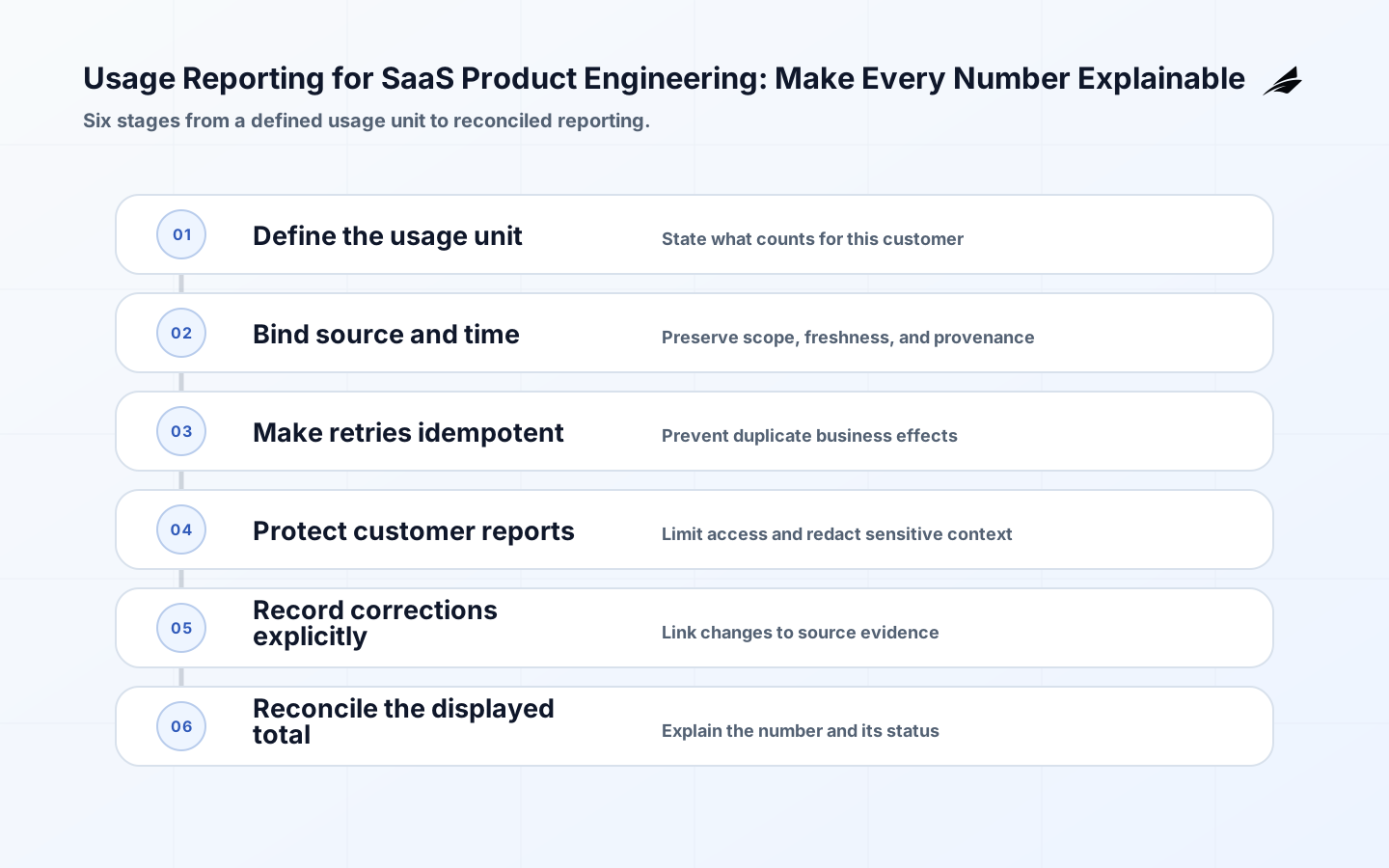
Usage reporting is where product behaviour becomes a number a customer, finance team, or operator may rely on. The hard part is not displaying a counter; it is deciding what counts, when it counts, who can change it, and how to explain a correction after an event arrives late or twice. Stripe's usage-based billing documentation provides a concrete provider reference for recording usage, while the FinOps FOCUS specification offers a shared vocabulary for cost and usage dimensions. Combine those with OWASP guidance on authorization and logging to build reporting that is durable, scoped, and reviewable. For a wider commercial context, see billing workflows for SaaS product engineering.
Define the usage unit before building the report
State the unit in language a customer and an engineer can both test: one processed document, one active seat-day, one API request that completed a named operation, or one GB-hour under a defined scope. Specify whether an attempt, success, retry, or human-approved result counts. Add the actor, tenant, resource, time basis, source system, and correction rule. If the unit is “job,” define whether a failed job, retried job, or batch of ten items is one or ten units. Ambiguity at this level becomes a billing dispute, a misleading limit, or a report that cannot be reconciled.
| Usage question | Choice to make | Evidence needed |
|---|---|---|
| What counts? | Attempt, accepted item, completed result, or time slice | Event definition and outcome |
| When does it count? | Event time, processing time, invoice period, or settlement | Timestamp and time zone |
| Who owns it? | Customer, workspace, project, or service | Stable scope identifier |
| Can it change? | Correction, reversal, or immutable record | Reason, actor, and effective date |
Name the source of truth and the reporting path
A usage report should not quietly invent facts from a front-end counter. Identify the source event, the service that records it, the durable store, the aggregation process, and the consumer that displays or bills it. Stripe's API reference describes recording usage with identifiers and timestamps; adopt the underlying discipline even when the provider differs. Store the original occurrence and the derived period total separately when a correction may be needed. If a report is eventually consistent, show its freshness and reconciliation state. “Current” is an operational claim that requires a time basis and a defined lag.
Prevent duplicate usage through idempotent processing
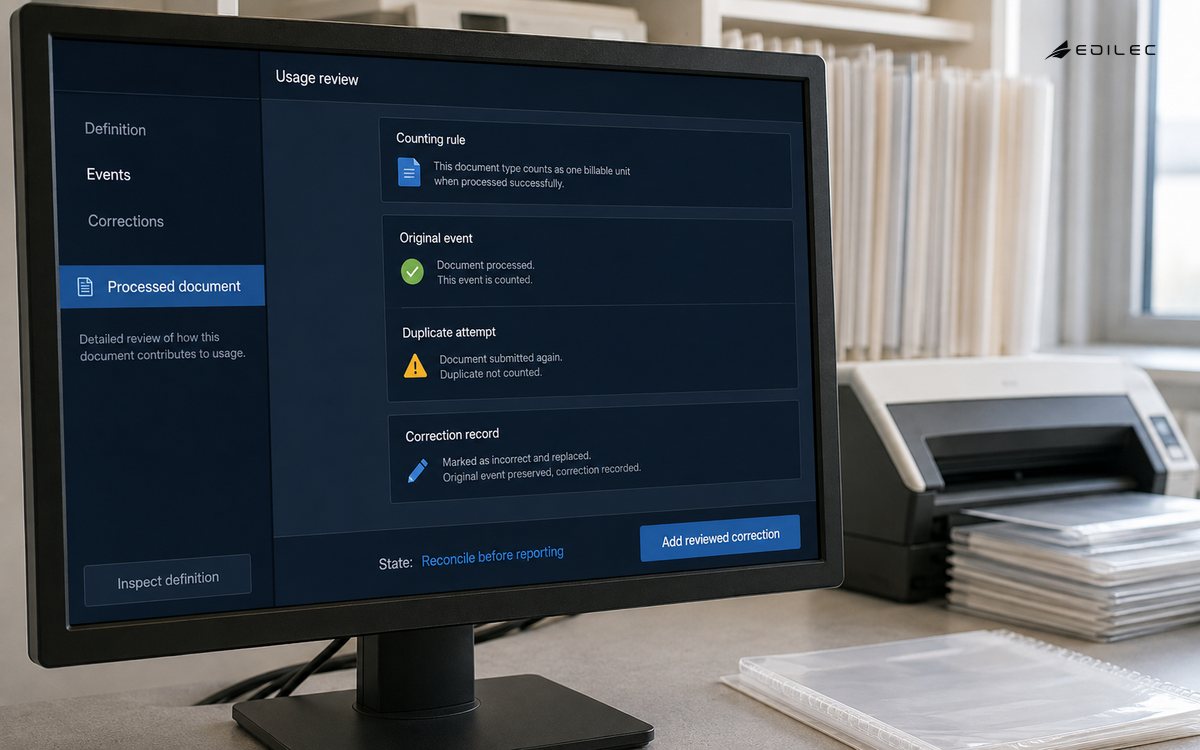
Retries are normal, so the ingestion path must know whether it has already accepted an occurrence. Use a durable event identifier supplied by the producer or generated at the business boundary, not a request timestamp alone. Define how two events with the same business meaning but different identifiers are handled; sometimes deduplication needs a domain key and a time window. Keep the raw event, acceptance result, duplicate decision, and downstream aggregation reference. Reconciliation should compare accepted occurrences with source totals and flag unexplained differences rather than silently adjusting the report to match an expected number.
Enforce report scope and correction authority
Usage can expose account structure, operational volume, or commercial detail, so report access needs the same care as any other customer resource. OWASP recommends least privilege, deny by default, checking permissions on every request, and protecting static resources as well as APIs. Apply that to downloads, scheduled exports, support tools, and correction commands. A customer may view its own period totals; support may need a masked event history; finance may need invoice-level adjustments; engineering may need technical fields but not broad customer access. Make each role and purpose explicit.
| Audience | Useful view | Restricted action |
|---|---|---|
| Customer | Period total, unit definition, freshness, and detail allowed by plan | Cannot edit source usage |
| Support | Scope, event status, correction history, and next action | No broad export by default |
| Finance | Invoice period, adjustment reason, and reconciliation status | Approval required for correction |
| Engineering | Technical event, pipeline status, and trace reference | Customer content masked where possible |
Treat corrections as first-class usage events
A late event, provider outage, bad release, or customer dispute can make a previous total wrong. Do not overwrite the original occurrence without an audit link. Record the correction type, source, actor, reason, scope, effective time, previous value, new value, and whether an invoice or entitlement is affected. Decide whether the customer sees a revised total, an adjustment line, or a pending reconciliation state. Make the correction repeatable and bounded; a support agent should not need direct database access to fix one missing usage event. The report should teach the reader how to interpret a revised number.
Build quality checks around the decision
Check completeness, uniqueness, timestamp validity, scope consistency, status mapping, and reconciliation against a source total or ledger. Monitor the age of unprocessed events, the size of the correction queue, duplicate rate, and unexplained delta by period. Keep thresholds tied to impact: a small late event may be acceptable in a live activity chart but not in an invoice preview. FOCUS's specification is useful as a reminder that consistent dimensions make cost and usage data comparable; adopt only the dimensions that help the actual decision and keep their definitions stable.
Log enough to investigate without collecting everything
OWASP's Logging Cheat Sheet treats logs as a detective and investigation control, with attention to consistent structure, access, and sensitive data. For usage reporting, keep event ID, scope, producer, outcome, processing time, aggregation period, schema version, decision, and correlation key. Avoid logging full customer payloads when a classification or resource reference is enough. Make correction and export actions attributable. Retain evidence for the period in which a report can be disputed or reconciled, then apply the appropriate deletion or minimisation rule. Operational usefulness and privacy should be designed together.
Release changes with parallel reconciliation
When the unit or aggregation logic changes, run old and new calculations against a reference window. Compare counts, scope, period boundaries, duplicates, and customer-facing totals. Label the version and announce the expected effect to support and finance. If the change is not backward-compatible, keep a translation or adjustment record rather than pretending historical numbers used the new definition. Test replay, late delivery, provider retry, tenant migration, and time-zone edges before expanding. A report change is a product and commercial change even when the code is in a pipeline repository.
Reconcile one reporting period by hand
Choose a short period and trace a sample from source occurrence to customer total. Include one successful event, one retry, one late event, one rejected event, and one correction. For each, record the identifier, scope, event time, processing result, aggregation period, and visible outcome. Compare the derived total with the source system and explain every difference. This exercise quickly exposes whether the report's time basis is understood, whether a retry can double count, and whether an adjustment is visible to the person who sees the total. Automate the checks that recur, but keep the manual example as a support and finance reference. When the usage unit or provider integration changes, rerun the example before publishing a new report definition.
Make the report definition visible at the moment a number is used. A customer statement, an invoice preview, and an internal capacity chart may use related but different units; label the period, source, freshness, and adjustment state rather than presenting a universal usage count. When teams share a term such as request, seat, run, or active user, keep a small glossary with examples and exclusions. It prevents product, finance, and engineering from making reasonable but incompatible assumptions and reduces the number of disputes that require a custom explanation.
A usage report should have one named owner for the unit definition and another accountable owner for the pipeline if the teams differ. That split prevents a dashboard maintainer from quietly changing commercial meaning and prevents a billing team from assuming technical counters are already reconciled. Review the definition when a new plan, integration, retry mode, or data residency path is introduced. Small changes in product behaviour can otherwise create large, unexplained differences in the next reporting period.
Key takeaways
- Define the usage unit, time basis, scope, and correction rule in language customers can understand.
- Keep source occurrences, derived totals, reconciliation state, and revisions linked.
- Use durable identifiers and idempotent processing so retries cannot double count silently.
- Apply least privilege to customer reports, exports, support views, and corrections.
- Log structured, minimised evidence that can explain a disputed number without exposing unnecessary content.
- For adjacent systems, See customer feedback loops for SaaS product engineering and When SaaS Admin Consoles Move into Production.
Frequently asked questions
Should a retried request count twice?
Only if the business definition says two billable or reportable occurrences happened. Make the distinction explicit and use an occurrence identifier or domain key so technical retries do not become accidental usage.
How should late usage appear?
Choose a policy based on the report's purpose: show a pending period, revise a total with an adjustment, or hold finalisation until a cutoff. State the freshness and preserve the event and correction evidence.
What should customers see in a usage report?
Show the unit definition, scope, period, total, freshness, notable adjustments, and a clear route to ask about a discrepancy. Do not force a customer to infer how a private internal counter became a commercial number.
Conclusion: make the counter accountable
Usage reporting earns trust when every number has a defined unit, source, scope, time basis, duplicate policy, access rule, and correction path. Build the smallest durable event model first, then derive views that are appropriate for customers, support, finance, and engineering. Reconcile changes before they become disputes, and keep the evidence that lets a person understand what happened. A report is not merely a measure of activity; it is a promise about how the product interprets work.
The smallest useful improvement to usage reporting for SaaS product engineering is often a sharper boundary, not another feature. Make usage reporting corrections visible, scoped and reversible during a controlled rollout.
For usage reporting for SaaS product engineering, test a duplicated request before treating the first release as complete. Give usage reporting a named owner and a review date.
A practical example for usage reporting for saas product engineering is an operator loses access during a handoff. Explain usage reporting pending and denied states before expansion.
Ownership is clearer when usage reporting for SaaS product engineering separates the customer-facing promise from the data pipeline. During normal handling, verify the report owner, source events, aggregation window, and correction path.
This decision also connects to Customer Feedback Loops for SaaS Product Engineering Teams, Tenant Isolation for SaaS Product Engineering: A Practical Guide, When SaaS Admin Consoles Move into Production. Review those boundaries together when usage reporting for saas product engineering shares identity, data, billing, or support evidence with another workflow.
For Usage Reporting, Authorization Cheat Sheet defines scope; Logging Cheat Sheet supports the control; Recording usage with the API clarifies evidence; FOCUS Specification guides recovery. Reconcile usage reporting changes against the original record.
Evidence for “Usage Reporting for SaaS Product Engineering” is grounded in Authorization Cheat Sheet, Logging Cheat Sheet, Recording usage with the API, FOCUS Specification; each source informs a specific decision, test, or operating trade-off described in this guide.