A Field Guide to Admin Consoles for Growing Teams
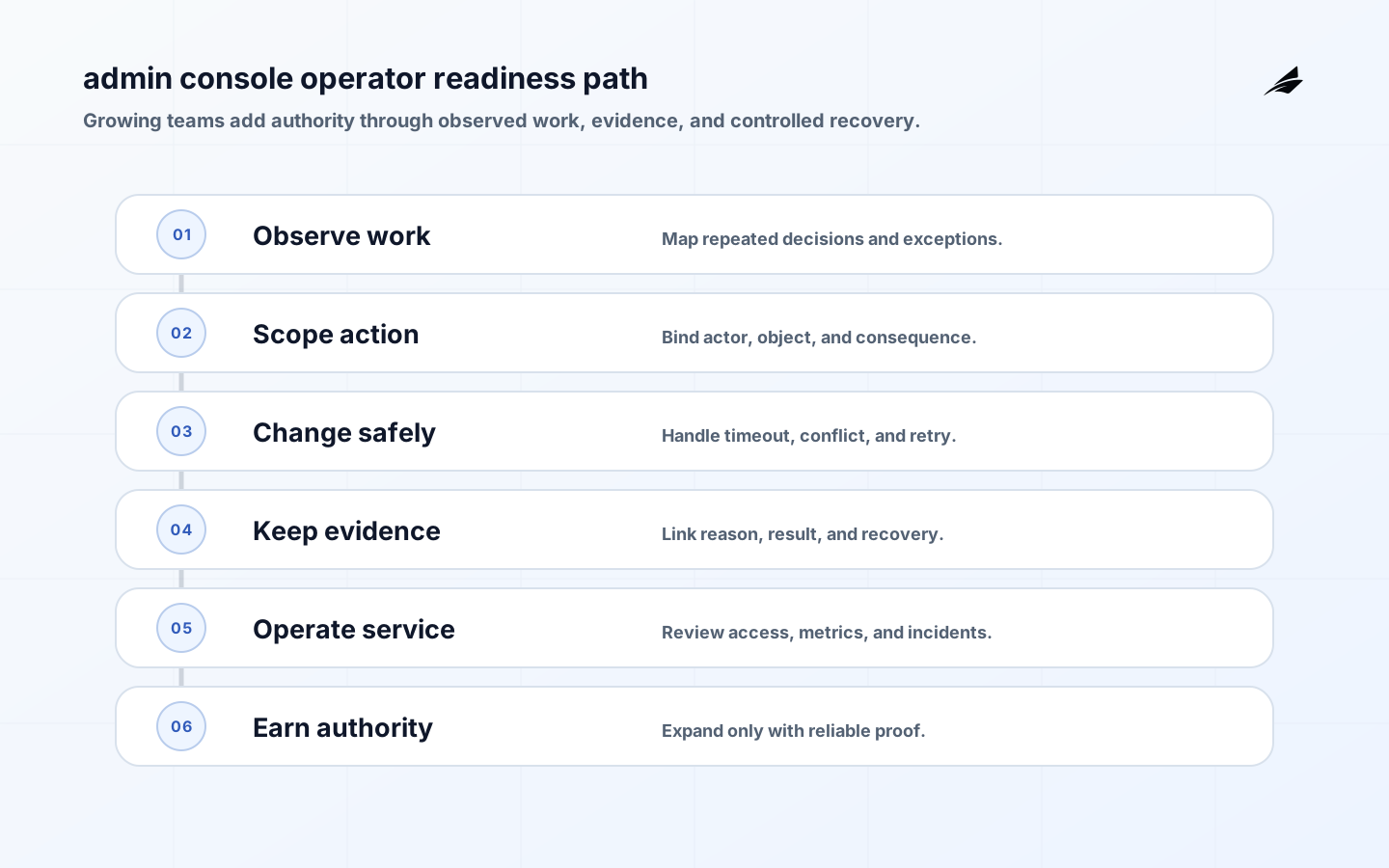
Growing teams often build an admin console in response to a queue of urgent requests: find an account, retry a job, change a plan, investigate a report, or help a customer recover. The danger is not that the team moves quickly; it is that every shortcut creates an unspoken authority model. This field guide turns the console into a managed product surface. Start with actions and consequences, enforce scope at the server, make state changes recoverable, preserve evidence, and review how the tool is actually used. The result is a console that helps a small team move faster without turning one broad role into permanent operational risk.
Start with the work, not the menu
Interview the people who handle real exceptions and write down the decisions they repeat. A support agent may need to explain a failed payment; an operations lead may need to retry a job; a security owner may need to remove a grant. For each, capture the actor, object, precondition, permitted action, expected result, and recovery. Link to Admin Console Planning: Define Authority First for the planning model. Avoid one “manage everything” page until you can show why the same actor needs the same authority across every object.
| Work pattern | Useful console capability | Boundary to set |
|---|---|---|
| Explain state | Scoped search, history, and source context. | Mask sensitive fields and log access. |
| Retry operation | Precondition check and idempotent retry. | Limit job, tenant, and batch scope. |
| Correct record | Validated edit with reason and version. | Require object and state authorization. |
| Change authority | Review, approve, and revoke grant. | Separate requester and approver. |
Make authority visible and narrow
Use roles, attributes, relationships, and context only to the degree the business policy needs. The OWASP Authorization Cheat Sheet is a practical reference for least privilege, deny-by-default, and checking authorization consistently. The UI should show tenant, organization, object, and role context near the action. The backend must repeat the checks with stable identifiers. Add a break-glass path only when the business needs it, and make it more visible and temporary than ordinary access. Review roles by real actions rather than by how many navigation items a user can see.
Build for imperfect state transitions
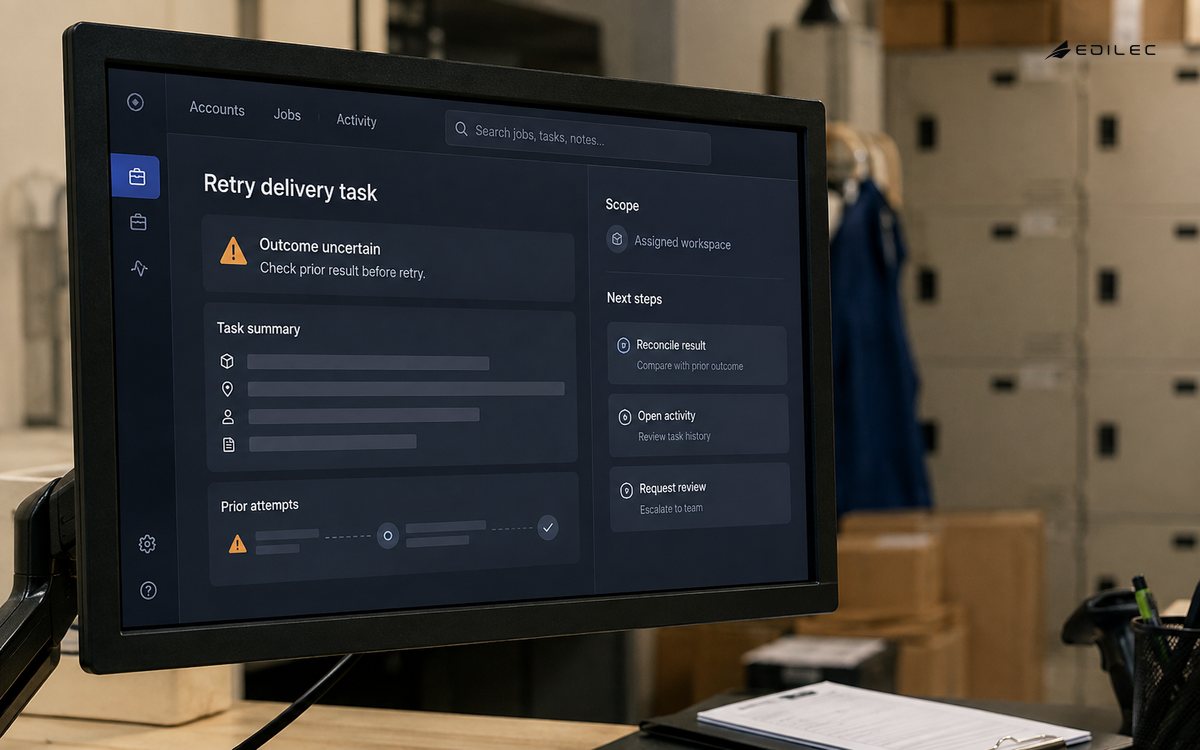
Admin work happens across services, so a request can time out after the downstream system accepts it. Use idempotency keys, version checks, clear pending state, and a reconciliation view. For bulk actions, preview the scope and report each result. For edits, show the current version and conflict details. Do not turn a timeout into a suggestion to click again. A good console makes uncertainty explicit and gives the operator a safe next step: refresh durable state, inspect the event, wait for a worker, or escalate to the owner. Test these paths before adding more actions.
Keep evidence that supports the next question
Audit entries should help answer why a change happened, not only prove that a button was clicked. Use actor, tenant, action, target, timestamp, reason, approval, old and new state, correlation identifier, and outcome where appropriate. OWASP’s Logging Cheat Sheet provides guidance on event selection, attributes, protection, and verification. Do not record secrets or entire sensitive payloads by default. Give support a safe way to see the event and the resulting state, and protect high-value audit data from ordinary editing paths.
| Evidence need | Record | Why it helps |
|---|---|---|
| User action | Actor, scope, action, and time. | Explains responsibility and sequence. |
| Decision basis | Reason, approval, and relevant state. | Supports review and policy learning. |
| System outcome | Result, downstream reference, and error. | Enables reconciliation after timeout. |
| Recovery | Compensation, rollback, or follow-up. | Shows closure rather than only intent. |
Treat usability and accessibility as controls
A hurried operator needs a workflow that is readable, predictable, and forgiving. Follow WCAG 2.2 for keyboard operation, focus visibility, labels, contrast, error identification, headings, and target size. Keep scope and impact visible in confirmations. Preserve form input after validation failure, distinguish saved from pending, and make session expiry recoverable without losing the proposed action. Test with keyboard-only navigation and zoom as well as the normal mouse path. A console that is accessible to more operators also reduces dependency on one person who knows a fragile sequence of shortcuts.
Operate the console like a service
Assign owners for the UI, API authorization, role definitions, audit store, downstream actions, and incident response. Measure failed actions, authorization denials, privileged sessions, reconciliation backlog, bulk size, time to resolve, and frequent manual overrides. NIST SP 800-207 reinforces the value of evaluating access based on explicit policy and context rather than a trusted internal location. Review access grants and action patterns periodically. If the console is unavailable, document the approved alternative and ensure the alternative has equal or stronger authority controls.
Example: a growing team’s job retry tool
A team needs to retry failed exports. The first version lists jobs only for the user’s organization, shows failure reason and last attempt, and allows retry when the job is in a retryable state. The API checks organization, job owner policy, current state, and an idempotency key. A retry creates a durable event and shows pending until the worker reports success or a bounded failure. The operator can inspect the downstream reference and open a support handoff without editing the job directly. Bulk retry is added only after the team measures false retries, queue impact, and reconciliation time. This small surface solves the operational need without becoming a general-purpose database console.
Grow capabilities through observed evidence
Add authority in stages. Begin with read and explain, then introduce narrow actions with strong evidence, then consider bulk or cross-tenant operations only when the team has a tested reason. Use the OWASP ASVS to organize verification around authentication, access, validation, error handling, and logging. Every new action should include an owner, risk tier, acceptance tests, rollback or compensation, metric, and disable switch. Growing teams do not need a perfect console on day one; they need a way to learn without making each new shortcut permanent.
Key takeaways
- Start from repeated decisions and exception work.
- Show scope and enforce it for every object and action.
- Handle timeout, conflict, duplicate, and partial outcomes explicitly.
- Record useful evidence without leaking secrets or sensitive payloads.
- Make high-consequence workflows accessible and recoverable.
- Expand authority only when observed evidence supports the next step.
Frequently asked questions
What should a small team build first?
Build one read-and-explain workflow or one narrow, reversible action with a clear owner. Choose work that is easy to verify and has a known manual fallback.
When is bulk action appropriate?
After the single-item path has reliable authorization, idempotency, evidence, and recovery. Add preview, caps, per-item results, and a reconciliation view before allowing larger scope.
A practical delivery rhythm for a small team
A small team can keep an admin console healthy by making each new action follow the same short rhythm: name the work, map scope, define the state transition, implement server checks, add evidence, test failure, and observe use. Keep the action list in the product repository or an accessible decision record so it is reviewed with code. Avoid creating a second hidden permission system in documentation. When a request arrives as “just add a button,” translate it into actor, object, action, consequence, approval, and recovery before estimating the work.
Build a shared test fixture for tenant, role, object state, concurrency, and downstream failure. The fixture should make it easy to test a support user, an organization administrator, an internal operator, a revoked account, and a user with two organizations. Run direct API requests as well as browser flows. Use admin console production guidance to keep release checks focused on outcomes, and RBAC design for internal tools to review role boundaries. Repeatable fixtures turn authorization from a one-time audit into ordinary engineering work.
Give operators a safe vocabulary for uncertainty. A job may be queued, running, completed, failed, or unknown; a membership may be proposed, active, suspended, or revoked; a refund may be accepted by the product but pending at a provider. Use the same states in UI, API, logs, and support guidance. Add a reconciliation view before adding more retry buttons. When a team can see the durable state and its evidence, it can resolve exceptions without asking an engineer to inspect a database or repeat an action blindly.
Schedule a lightweight review of high-consequence activity. Look for unusual exports, repeated access denials, broad role assignments, large bulk actions, high override rates, and records changed outside the expected workflow. Audit logs for SaaS platforms is a useful companion for deciding what an evidence review should surface. Use findings to simplify the workflow, tighten a role, add an approval, or improve a recovery state. A field guide is valuable only if it changes what the team does when the product meets reality.
Keep a visible boundary between emergency support and ordinary operations. If an engineer must run a manual query or script, capture the request, scope, approval, command or change, result, and follow-up rather than letting the script become an undocumented console. Repeated manual work is a signal to design a safer action, but not every manual action should be productized. Use secure admin panel design to evaluate the boundary and audit logs for SaaS platforms to make evidence useful. This discipline helps a growing team learn which operations deserve a product surface and which require a specialist with stronger review. It also prevents a temporary workaround from becoming an invisible permanent privilege.
Keep the field guide short enough to use during an incident. For each action, show the allowed scope, preconditions, expected result, audit location, and recovery owner. For each role, show the actions it can perform and the conditions that remove them. Review the guide when the service changes, not only at annual access review. That rhythm lets a small team replace folklore with a shared operating model without turning documentation into a separate bureaucracy.
Use a simple maturity question each quarter: which action would cause the most harm if the console were wrong, and what evidence shows that its boundary still works? Review that action’s permissions, state checks, audit record, recovery, and operator training. If the answer is unclear, pause expansion and repair the contract. A growing team gains more from a dependable narrow tool than from a large console whose authority is difficult to review.
When the team adds a new action, compare it with the console’s existing language and states. A user should not see one service call described as completed and another as accepted when both are still pending. Consistent state words reduce operator mistakes and make the audit trail easier to search. Keep the recovery owner beside the action contract, and include a small example of the expected event in the implementation ticket. These habits make the console easier to extend without multiplying undocumented behavior.
Conclusion: let the console earn its authority
A growing team’s admin console should make important work clearer, not merely faster. Start from real decisions, enforce narrow authority, preserve evidence, and expand through observed reliability. That approach keeps the tool useful as the product and the team become more complex.