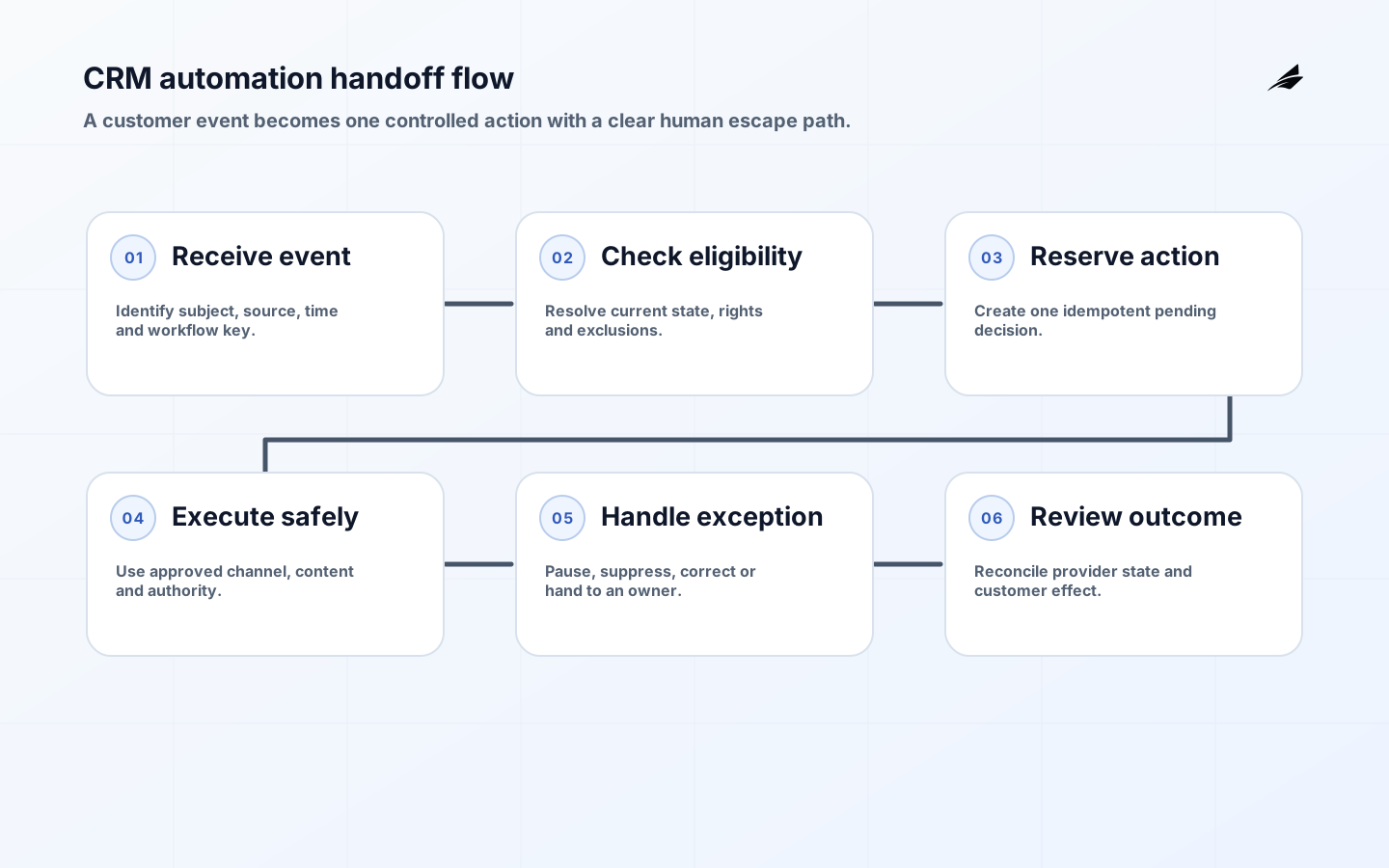
CRM automation should remove predictable coordination work while preserving customer choice and accountable ownership. A trigger that sends messages faster but uses stale status, ignores consent, or creates duplicate tasks is not an efficiency. The useful unit is a controlled customer workflow: an eligible event enters, current policy is evaluated, one action occurs, an owner receives exceptions, and the outcome returns to the customer record.
This CRM automation guide is aimed at operations teams implementing journeys, routing, follow-up, and service handoffs. Use Edilec's plain-language CRM guide, approval workflow guide, and workflow exception guide for adjacent design patterns.
Key takeaways
- Automate one customer decision with explicit eligibility, owner, time window, and stop conditions.
- Separate identity, consent, preference, commercial status, and channel deliverability; each has different authority.
- Use idempotent actions and a durable event record so retries cannot create duplicate messages or tasks.
- Design suppression, manual takeover, exception queues, correction, and replay before broad rollout.
- Measure customer and process outcomes, not emails sent, tasks created, or automation coverage alone.
Write the customer workflow contract
Describe the event, eligible population, exclusions, evidence time, action, deadline, owner, and exit. 'Follow up with dormant leads' is vague. 'Create one sales task when an opted-in business contact has no open opportunity, no support escalation, and no human activity for 30 days' is testable. It exposes the need for identity matching, consent, opportunity state, service status, activity timestamps, and assignment.
| Contract element | Example | Control question |
|---|---|---|
| Trigger | Qualified lead event | Can it arrive twice or late? |
| Eligibility | Region, relationship, product, consent | Which source is authoritative? |
| Action | Create task or send approved message | Who owns content and authority? |
| Suppression | Complaint, active case, opt-out, manual hold | How quickly does it take effect? |
| Exit | Reply, conversion, expiry, human takeover | What closes pending steps? |
Choose the right automation shape. Field updates are appropriate for deterministic internal housekeeping. Rules can route work when inputs are current and explainable. Sequences coordinate timed steps but need exit and suppression. A person should decide exceptions, sensitive communications, negotiated terms, and ambiguous identity. Do not use a model score as the sole reason for a consequential customer treatment without a separate governance case.
Map data authority and timing
Draw the record path from source event to CRM object and downstream action. Declare which system owns customer identity, contact point, consent, account status, order, case, and opportunity. Store source identifiers and business timestamps. A nightly sync may be acceptable for segmentation but unsafe for an unsubscribe or fraud hold. Define freshness by consequence and make stale inputs fail closed where customer rights or harm are involved.
Use the NIST Privacy Framework to map purpose, data processing, roles, and adverse privacy effects. Collect only attributes needed for the workflow, restrict audience exports, and set retention. The EU's GDPR text includes a right to object to direct marketing, including related profiling; applicable legal requirements vary, so policy owners must approve jurisdiction-specific logic.
Make actions idempotent and suppressible
Assign every workflow instance a durable key based on event and policy version. Before sending or creating work, check whether that action already succeeded. Retries should resume, not duplicate. Record eligibility inputs, rule result, template version, channel, provider identifier, assignee, and timestamps. Never rely on a free-text activity note as the only evidence.
Suppression is a first-class, low-latency control. Check global and channel opt-out, legal hold, complaint, do-not-contact, active negotiation, open service incident, invalid address, frequency cap, and manual pause immediately before action. The FTC's CAN-SPAM business guide explains requirements for commercial email, including accurate headers, non-deceptive subjects, identification, address, and an opt-out mechanism. Treat legal review as a release dependency, not copy editing.
| Failure | Visible symptom | Recovery |
|---|---|---|
| Duplicate event | Repeated email or task | Idempotency check and duplicate cancellation |
| Stale consent | Message after opt-out | Stop journey, reconcile, investigate lag |
| Wrong owner | Task sits untouched | Fallback queue and assignment repair |
| Partial provider failure | CRM says sent but provider rejected | Status reconciliation and safe retry |
| Bad rule release | Unexpected population enters | Kill switch, version rollback, affected-record review |
Build human handoffs and exception queues
Exceptions need categories, priority, evidence, and service-level ownership. Route ambiguous identity, conflicting consent, missing account owner, unsupported region, template failure, and provider rejection separately. The handler should see why automation stopped, the relevant record versions, permitted actions, and whether a deadline is approaching. A generic 'automation error' queue produces archaeology, not operations.
Manual takeover must cancel or pause future steps atomically. When a salesperson replies personally, the sequence should not send a scheduled message five minutes later. Define who may resume and whether eligibility is recalculated. Corrections should update the authoritative source and replay only where doing so remains appropriate; do not patch a derived CRM field and leave the upstream defect intact.
Pilot a renewal reminder safely
Start with one product and region. Thirty days before renewal, create an owner task for active customers with a valid agreement and no cancellation or support escalation. After owner review, send an approved reminder only through a permitted channel. A reply, cancellation, case escalation, or owner pause exits the journey. Ten days later, a second task is created rather than an automatic pressure message.
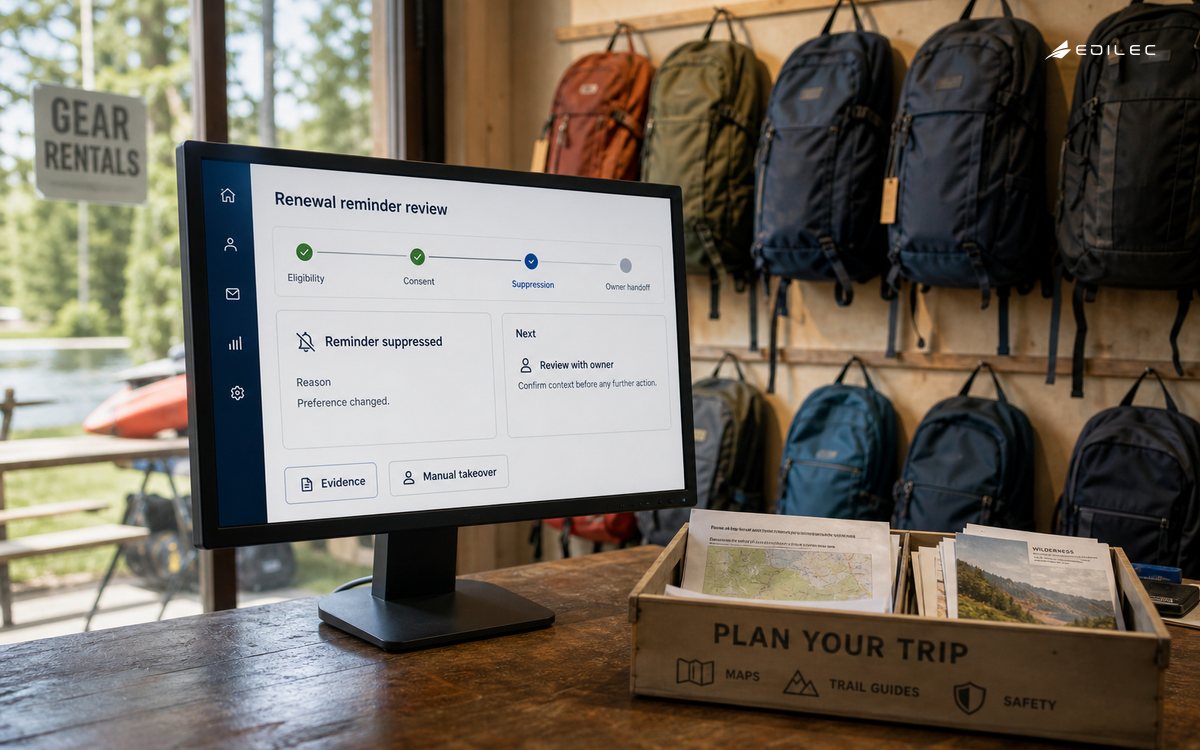
- Replay six months of historical events in dry-run mode and inspect the eligible and suppressed populations.
- Test duplicate, late, out-of-order, and corrected contract events.
- Use seeded records for opt-out, complaint, missing owner, and active incident.
- Canary with a small account cohort and review every action for one cycle.
- Keep a one-step disable control and reconcile provider status before expanding.
Measure outcomes and customer pressure
Track time to first owned action, queue age, completion, duplicate prevention, suppression reasons, manual takeover, corrections, provider failures, and workflow abandonment. Pair them with renewal, response, resolution, complaint, opt-out, and customer effort where appropriate. A rising response rate may not justify a rising complaint rate. Segment by cohort and channel, and avoid attributing every outcome to automation without a credible comparison.
Monitor user-visible symptoms and actionable causes. Google's monitoring guidance favours signals that reflect service impact. Page on consent-check unavailability or a runaway duplicate action; review slower trends such as ownership imbalance in an operations meeting. Use the NIST Cybersecurity Framework to maintain governance, protection, detection, response, and recovery around privileged CRM integrations.
Use an operations readiness scorecard
Before enabling actions, have sales, service, marketing operations, privacy, and engineering review the same dry-run population. For a meaningful sample, each team should explain why a record is eligible or suppressed and what will happen next. Disagreement exposes policy ambiguity or conflicting data authority. Compare projected action volume with owner capacity and channel limits; an accurate workflow can still fail when it creates more tasks than a team can handle within the promised window.
| Readiness area | Evidence | Stop condition |
|---|---|---|
| Population | Dry-run counts and reviewed sample | Unexplained eligibility or exclusion |
| Rights | Current consent and suppression tests | Withdrawal can arrive after action check |
| Capacity | Owner and exception workload forecast | Queue exceeds service objective |
| Execution | Idempotency and provider reconciliation | Retry can duplicate customer contact |
| Recovery | Kill, rollback, replay, and manual route | Pending steps cannot be cancelled safely |
Run a game day with a stale source, provider timeout, missing owner, and rule misconfiguration. Confirm the kill control stops future actions while preserving history, then identify all customers affected by completed actions. Practise correcting authoritative data and recalculating pending eligibility. The objective is not a flawless rehearsal; it is proof that operations can see the blast radius, protect customers, and restore service without manual queries known to only one developer.
After launch, hold a short weekly review for the first month. Inspect every complaint, override, unexpected suppression, duplicate prevented, and aged exception. Compare actual owner workload with the forecast. Approve expansion by cohort only when the first group remains within quality and customer-pressure limits. This turns rollout into an evidence sequence and gives policy owners a clear opportunity to stop before a small mistake becomes a campaign-wide event.
Frequently asked questions
What should a team automate first?
Choose a frequent, bounded internal handoff with reliable data and reversible consequences, such as task creation after a qualified event. Avoid beginning with sensitive outbound communication or a workflow that depends on unresolved identity and consent data.
Should CRM automation use native tools or custom code?
Use native workflow features when they provide the required identity, versioning, tests, observability, and recovery. Use an external orchestrator when the process spans systems or needs stronger state and idempotency. Custom code still requires business-operable controls.
What proves CRM automation is successful?
Evidence that eligible work is completed sooner or more consistently without increasing errors, complaints, rights violations, or exception burden. Activity volume is a capacity measure, not proof of value.
Control templates and customer-facing content
Treat templates, merge fields, links, localisation, and sender identity as versioned workflow dependencies. Preview with realistic long names, missing optional fields, right-to-left text where applicable, and every supported client. Restrict who can publish, separate draft from approved content, and retain the exact version sent. Validate links and unsubscribe behavior immediately before release.
Content approval does not replace eligibility. A compliant template can still be harmful when sent at the wrong moment or frequency. Coordinate transactional, service, sales, and marketing contact so each automation sees recent customer pressure across channels. Define priority when a service notice and promotional sequence collide. Give customer-facing teams a quick way to suppress an account without editing the workflow itself.
Conclusion
Good CRM automation is respectful coordination encoded as a recoverable workflow. Contract the decision, establish data authority, check rights at action time, make retries safe, equip human owners, and measure customer outcomes. Expansion should follow evidence that the first journey behaves correctly under both normal and exceptional conditions.