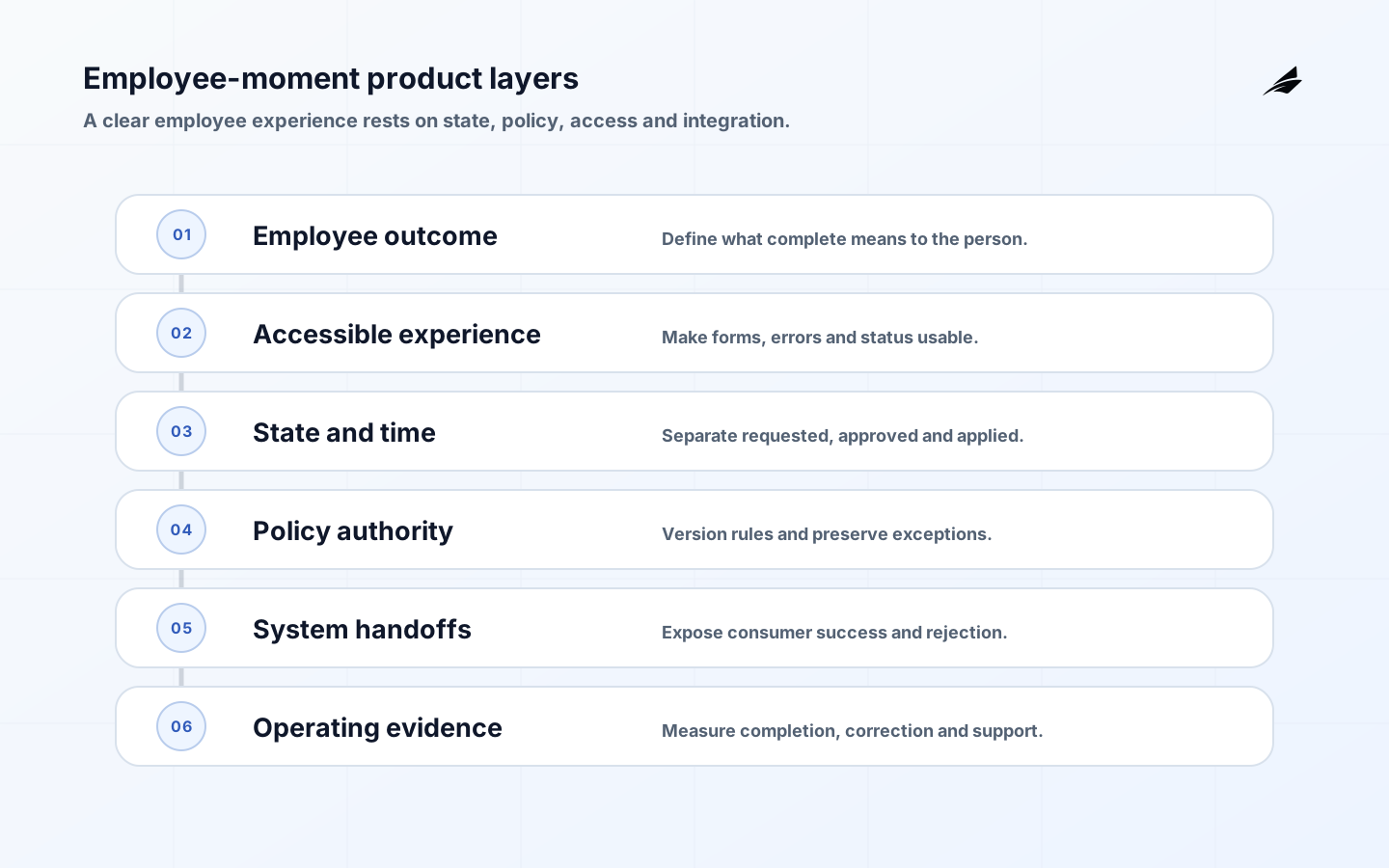
HRMS workflow design should begin with an employee moment, not a catalog of forms. Someone is joining, changing role, requesting leave, correcting personal information or leaving. They need to understand what is requested, why information is needed, who will decide, when a change becomes effective and what happens next. Product teams must also serve managers, HR specialists, payroll, identity administrators and auditors without exposing every detail to every role.
A strong product model makes status and responsibility legible while keeping policy outside hard-coded interface assumptions. The system-of-record design guide clarifies data authority, and the role-based operations guide helps turn responsibilities into usable permissions.
Key takeaways
- Frame the product around employee moments and expected outcomes.
- Show current state, effective date, next action and accountable role.
- Separate policy decisions from configurable workflow mechanics.
- Design accessible forms, review pages, errors and authentication.
- Preserve source, version and correction history across handoffs.
- Research edge cases with employees and operational teams before scaling.
Map the employee moment end to end
Observe recent real cases and map trigger, user goal, required evidence, policy decision, downstream changes and completion. Include waiting, questions and workarounds. A leave request is not complete when submitted; it is complete when the employee receives a clear decision and schedule, payroll and relevant teams have the right dated state. Define failure from the person's perspective, including silence, contradictory status and inaccessible help.
Write a service blueprint that separates frontstage interactions from policy and system work. Use plain labels such as awaiting manager review or payroll update rejected. Avoid exposing internal queue names as status. Give each state an owner, expected duration and escalation route. The master data management guide helps when location, position or cost-center choices differ across systems.
| Employee moment | User must understand | Product proof |
|---|---|---|
| Join | What is needed before day one | Readiness across payroll, access and equipment |
| Change role | What changes and when | Old and new state with effective date |
| Request leave | Evidence, policy route and decision | Status, reviewer and downstream schedule |
| Correct data | Which record changes and who verifies | Source, correction history and propagation |
| Leave company | Last-day actions and support | Access, pay and asset completion |
Design states and records before screens
Model draft, submitted, needs information, approved, rejected, scheduled, applied, partially applied, cancelled and corrected where they have real meaning. Do not collapse approval and execution. An approved change may still fail in payroll or identity. Preserve requested, approved and applied values, plus actor and time. Effective dating needs explicit timezone and treatment for retroactive corrections.
Keep policy rules versioned and explainable. The workflow should record which policy version and facts produced a route, while authorized specialists handle exceptions. Avoid encoding sensitive inference into opaque scores. The NIST Privacy Framework is useful for asking whether each data element is necessary for the purpose and how people can understand or correct processing.
| Design decision | Preferred pattern | Failure avoided |
|---|---|---|
| Approval | Exact values and policy context shown | Reviewer approves an ambiguous summary |
| Effective date | Separate from submission and processing time | Change acts in the wrong pay period |
| Correction | New linked event with reason | History disappears through overwrite |
| Partial failure | Consumer-specific status | Green workflow hides failed access |
| Help | Contextual route with accountable receiver | Employee starts a parallel email process |
Make the complete workflow accessible
Accessibility covers forms, review steps, status updates, documents, errors and authentication. W3C's WCAG 2.2 includes requirements for labels, error identification, predictable interaction, status messages and error prevention for legal, financial and data submissions. Test keyboard navigation, screen readers, zoom, contrast, focus order, time limits and mobile use with representative users.
Do not rely on color to communicate approval or rejection. Keep entered data after validation errors, identify the exact field and suggest a correction. Let users review high-impact changes before submission and provide confirmation that can be revisited. Authentication should be secure and usable; NIST's Digital Identity Guidelines provide current technical guidance on identity proofing, authentication and federation.
Prototype exceptions, not only the happy path
Prototype a transfer crossing country, manager and pay period; a leave request missing evidence; a name correction after payroll cutoff; a withdrawn resignation; and a manager who becomes unavailable. Invite employees, HR operations, payroll, identity and support to walk through each case. Ask what they believe is authoritative, what action they can take and what happens if a downstream system rejects the change.

Instrument the outcome: completion by effective date, time in each state, repeated data entry, corrections, partial failures, support contacts and accessibility defects. Avoid optimizing submission speed while increasing downstream repair. Use event-level traces with privacy-conscious identifiers so product and operations teams can follow a case without copying sensitive content into analytics.
Research the workflow with every participant
Recruit by role and circumstance rather than only by department. Include a new employee using a phone, a manager with delegated responsibility, an HR specialist handling exceptions, a payroll analyst near cutoff and an identity operator responding to an urgent exit. Include people using assistive technology and people working in a second language where the product supports them. The goal is to understand how the same case changes meaning across participants, not to average their needs into one generic persona.
Use a recent case reconstruction before showing a prototype. Ask participants what triggered the work, which facts they trusted, where they waited, how they knew it was complete and what they did when the formal path failed. Then test the proposed flow with ambiguous information and a downstream rejection. Observe whether status labels help people predict the next step. A label is successful when different roles interpret its consequence consistently, not when it sounds tidy in a design review.
Treat privacy as part of the experience. Explain why a field is needed at the point of collection, avoid exposing an attachment to reviewers who need only its verified outcome, and let employees see where a correction is pending. In research recordings and analytics, minimize real personal data and restrict access. A realistic test does not require copying an employee's medical, financial or identity documents into a design environment.
Write an observable product contract
For each employee moment, define an outcome contract: eligible users, required evidence, states, policy decision, effective-time behavior, consumers, completion condition, correction and support. Add service expectations for each waiting state. This gives design, engineering and operations a shared object to test. It also exposes false completion, such as a hire marked done while the identity consumer remains rejected.
Specify events for product analytics without putting sensitive values in them. A status transition can include workflow type, pseudonymous case identifier, prior and new state, timestamp, role class and error category. Keep compensation, health details, personal identifiers and document text out unless a narrowly governed purpose requires them. Join analytics with operational detail through controlled investigation rather than making the analytics store a second employee record.
Release one complete slice and hold a weekly case review. Examine an on-time completion, a late case, a correction, a rejection and an accessibility issue. Product owns confusing states and missing affordances; policy owners address ambiguous rules; integration owners fix handoffs; operations owns queue treatment. Verify improvements against later cases. This cadence prevents a dashboard average from separating employee experience from the downstream work that makes the promise true.
Design notification preferences without making essential status optional. Let users choose channel and digest where policy permits, while critical decisions and deadlines remain visible in the product. Each message should identify the case, current state, required action, due time and safe route back to the workflow. Avoid sensitive details and links that bypass authentication. Test messages with screen readers, small screens, expired sessions and delegated approvers, because the notification is often the actual entry point to the task.
Use content design as a control. Replace internal terms such as interface pending or job failed with language that explains whether the employee's change was applied and who is acting next. Separate a request for more information from a rejection, and explain whether the effective date is at risk. Maintain approved content for high-consequence moments such as pay corrections and exits, but allow localized guidance to be versioned. Clear language reduces duplicate submissions and unsafe workarounds while improving trust.
HRMS product checklist
- The workflow is framed by a user outcome and complete operational result.
- Every state shows meaning, owner, effective date and next step.
- Requested, approved, applied and corrected values remain distinguishable.
- Policy versions and exception decisions retain context and authority.
- Forms, review, errors, status and authentication are accessibility-tested.
- Integration failures remain visible and recoverable to users and operators.
- Research includes cross-border, late, cancelled and corrected cases.
- Measures connect employee experience with downstream accuracy and support effort.
Frequently asked questions
Is a form builder enough for HRMS workflows?
It may support intake, but the product also needs state, authority, effective dating, integration acknowledgement, privacy, correction and evidence. Use forms as one interface over a lifecycle model rather than treating submission as completion.
Should policy be hard-coded into the product?
Stable validation can be code, but changing policy should be versioned, owned and testable without unsafe releases. Preserve the applicable policy and facts for each decision. Complex or high-consequence exceptions still need qualified human review.
What is a sensible HRMS workflow MVP?
Choose one event, one legal context and a bounded employee population. Include the complete path through one or two critical consumers, plus correction and support. A narrower end-to-end workflow teaches more than broad intake that stops at an HR inbox.
Conclusion
Product teams should make HRMS workflows understandable from the employee moment through the applied result. Model state and time, preserve policy evidence, design accessibility throughout and expose partial failure honestly. The result is a people system that supports trust because users can see what happened, what happens next and who can help.