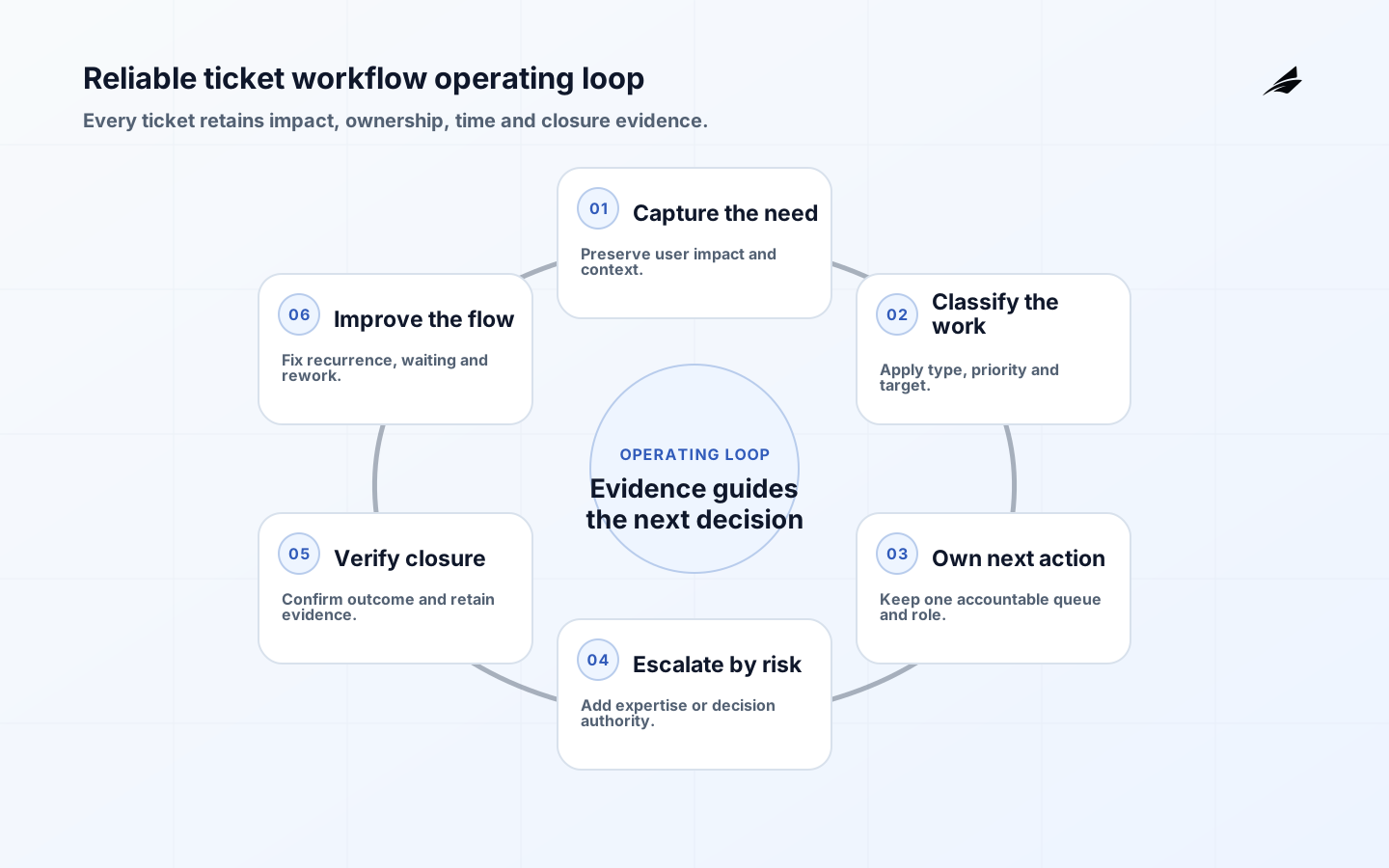
Reliable ticketing workflows turn an incoming need into a visible commitment: the impact is understood, the next action has one owner, time is managed and closure can be verified. The ticket is an operating record, not a substitute for service design or human coordination. This checklist covers incidents, requests, problems and operational work while keeping their different authority and urgency clear. Pair it with Edilec's ticketing buyer guide, workflow exceptions checklist and system-of-record checklist.
Define ticket types and system boundaries
List the work entering the platform and separate service request, access request, incident, security incident, problem, change, task and complaint. Each type has different fields, urgency, approvals, communications and closure. Define which system is authoritative for status and which channels may create or update records. Chat and email can support conversation, but decisions and commitments must return to the governed record.
Map service catalog item, user, affected service, source event, assignment group, dependencies and linked changes. Decide how duplicate reports are related without losing individual impact or communication needs. Identify records that require restricted access, legal handling or separate incident systems. A universal form usually either burdens simple requests or omits evidence needed for serious events.
| Ticket class | Primary decision | Essential evidence | Closure authority |
|---|---|---|---|
| Service request | Is fulfillment authorized? | Requester, item and approval | Fulfillment owner |
| Incident | How is service restored? | Impact, timeline and actions | Service owner |
| Security incident | How is risk contained? | Protected investigation record | Incident authority |
| Problem | How is recurrence reduced? | Linked incidents and cause evidence | Problem owner |
| Change | Is risk acceptable for release? | Plan, test and rollback | Change authority |
Design low-friction, high-quality intake
Capture who needs help, affected service, observable symptom or requested outcome, location, start time, business impact and contact path. Use conditional fields and service-aware forms instead of asking users to select internal teams. Preserve the original description while allowing structured enrichment. Validate attachments, protect secrets and sensitive data, and support accessible channels. A user should receive an identifier, expected next step and a way to add information.
Automated events need source, rule, service, environment, deduplication key and evidence link. Prevent a storm from creating thousands of independent tickets. Correlate cautiously: distinct customer impact can share one technical cause, while similar text can represent unrelated failures. Monitor failed ticket creation and integration queues so “no tickets” is not mistaken for healthy service.
Classify impact, urgency and priority
Define impact by affected users, critical transaction, safety, security, financial or regulatory consequence. Define urgency by how quickly harm grows or a deadline expires. Derive priority from both, with examples and authority for override. Do not let requester seniority silently replace impact. Record why a priority changed and notify the accountable team. Review whether categories produce consistent outcomes across services and user groups.
Service targets should distinguish acknowledgement, meaningful response, restoration, fulfillment and resolution. Pause rules must be explicit and visible; waiting for an internal team should not automatically stop the customer clock. Measure elapsed user time as well as working time. Targets guide action and expectation, but a team should not close and reopen records merely to protect a metric.
Make ownership and handoffs explicit
At every state, identify one queue and one person or role responsible for the next action. A transfer requires reason, evidence, accepting group and timer behavior. Reject loops and orphan states automatically. Keep the service owner accountable for restoration even when several technical teams investigate. Use subtasks for parallel work while the parent record preserves impact, decisions and communication.
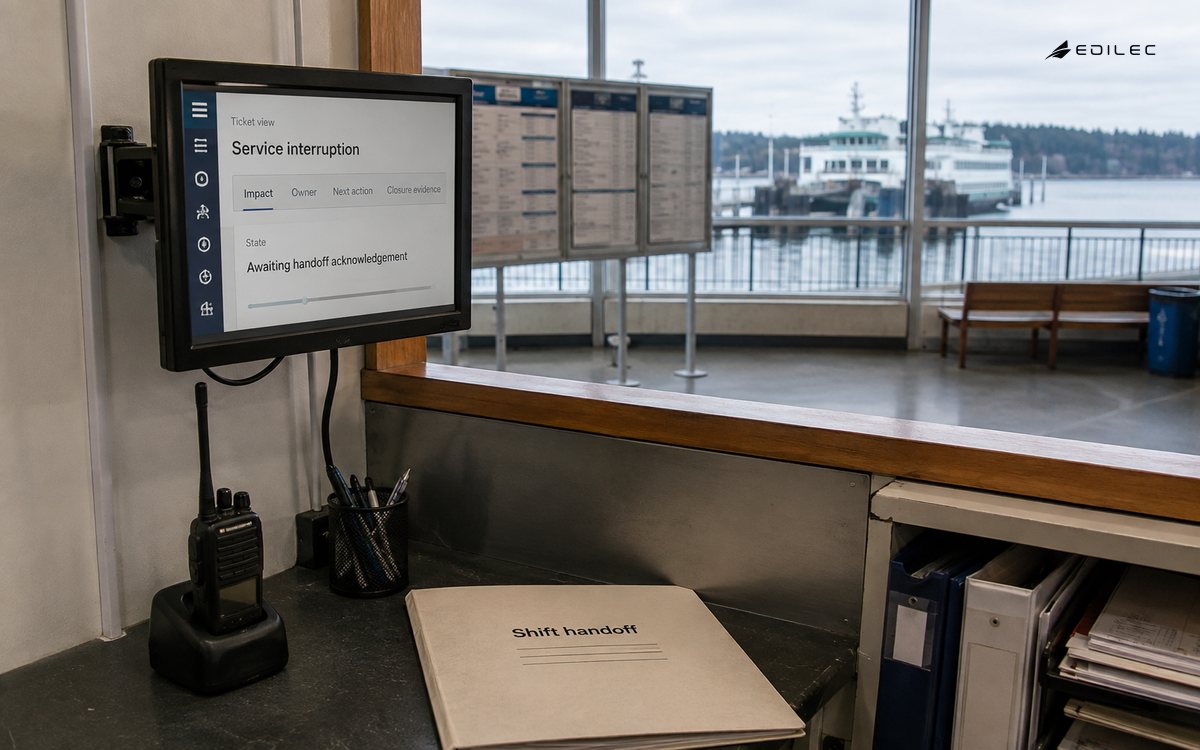
Define escalation by time, impact, missed dependency and authority needed. Functional escalation brings expertise; hierarchical escalation obtains priority or risk decisions. Contact trees need backups and out-of-hours coverage. For significant incidents, move from ordinary queue handling to an incident command model. The Google SRE incident guide separates command, operations and communications so responders can coordinate without every person doing every job.
| Workflow signal | Useful measure | Diagnostic question | Bad incentive to avoid |
|---|---|---|---|
| Intake quality | Recontact for missing facts | Which form or channel loses context? | Making forms excessively long |
| Flow | Age by state and owner | Where does work wait? | Bulk reassignment before reports |
| Outcome | Restoration or fulfillment quality | Did the user need repeat contact? | Closing on first response |
| Reliability | Reopen and recurrence rate | Was closure verified? | Suppressing reopened tickets |
| Equity | Targets by user and channel | Who experiences longer effort? | Optimizing only averages |
Connect tickets to incident response
Cybersecurity incidents need protected evidence, approved roles, communication and recovery practices. NIST SP 800-61 Revision 3 integrates incident response across the NIST Cybersecurity Framework, rather than treating response as an isolated phase. Configure the workflow to link preparation, detection, response, recovery and improvement while enforcing need-to-know access.
CISA's practical cybersecurity goals recommend creating, maintaining and exercising incident response plans. The ticketing platform should support those plans but must not be the only copy; identity, email or the platform itself may be unavailable. Exercise offline contacts, restoration ordering and later reconciliation into the authoritative incident record.
Automate bounded workflow decisions
Good candidates include assignment from reliable service metadata, duplicate suggestions, approvals, reminders, status synchronization and standard fulfillment with clear preconditions. Keep rules versioned, explainable and observable. High-consequence access, deletion, payment, security containment or customer promises require stronger confirmation and separation. Every automatic action needs an owner, failure queue, retry limit and rollback or compensating action.
Test automation against missing fields, stale directory data, conflicting approvals, integration timeout, duplicate delivery and manual edits. Make overrides visible and analyze them; frequent override indicates the rule does not fit reality. Do not add generative summaries to sensitive tickets without access, retention, evaluation and confidentiality controls. A shorter description is harmful if it drops the timeline or changes meaning.
Require closure evidence and learning
Define resolution codes that describe outcome rather than team activity. Verify restoration or fulfillment with objective evidence and user confirmation when proportionate. Preserve timeline, decision, affected configuration item, change link, workaround and follow-up. Automatically closing idle tickets may be appropriate for low-risk requests after notice, but not for unresolved safety, security, access or financial matters.
Use blameless review for material incidents and recurring failure. The Google production practices connect pages to immediate action and defects to tracked work. Convert lessons into owned changes with due dates, then verify completion. A postmortem document without changed monitoring, architecture, runbook or training is unfinished work.
Implement the workflow in six stages
- Inventory ticket classes, services, channels, authorities and sensitive records.
- Map states, owners, targets, handoffs, escalation and closure evidence.
- Configure a minimal workflow and migrate only clean required reference data.
- Test normal, denied, duplicate, urgent, integration-failed and offline scenarios.
- Pilot with real queues while measuring age, rework, quality and user effort.
- Scale after ownership is stable and retire parallel trackers deliberately.
Audit a ticket workflow from the user perspective
Sample complete records from each priority and channel, including abandoned, reopened and transferred cases. Reconstruct what the user experienced against the internal state history. Check whether acknowledgement, updates, workaround, restoration and closure were meaningful and timely. A record can meet internal timers while the user repeatedly supplies information or waits in an unmeasured state.
Analyze queue aging by state, service, assignment group and user population. Look for work parked in pending, approvals that restart, tickets reassigned before a target breach and categories used as catch-alls. Interview operators about parallel spreadsheets and chat channels. These are clues that the configured workflow lacks authority, context or usable views. Fix the decision path before adding more mandatory fields.
Review access and audit. Ensure requesters see only appropriate records, sensitive incidents are restricted, support staff cannot alter history without attribution and exports do not bypass controls. Test leavers, temporary workers, delegated approvers and emergency support. Attachments and copied email threads need the same classification and retention discipline as structured fields.
Exercise platform continuity. Create and prioritize work when single sign-on, email, monitoring integration or the ticket service is down. Use approved offline contacts and forms, then reconcile identifiers, timestamps and decisions after restoration. Prevent duplicate fulfillment during replay. The minimum operating path should be short enough that teams can use it during a real service crisis.
Report findings as service improvements rather than agent rankings. Volume and closure speed often reflect assignment and case mix. Combine flow measures with quality, user effort and recurrence. Give owners dates to remove obsolete categories, rules and queues. Re-audit after a material catalog, organization or platform change because ticket routing encodes the current enterprise structure.
Validate reporting definitions against workflow configuration. State whether age starts at creation or submission, how merged tickets and reopened records count, and which pending states pause which target. Version reports with rule changes. Managers should be able to reproduce a sample measure from record history. Without that trace, teams can spend time debating dashboards while users wait. Publish limitations and resist retrospective metric changes made only to present a more favorable service trend.
- Compare internal state with user experience.
- Inspect hidden waiting and parallel trackers.
- Test sensitive-record access and exports.
- Rehearse offline intake and reconciliation.
- Improve the service, not leaderboard scores.
Key takeaways
- Separate ticket classes according to their decisions and evidence.
- Keep one accountable next-action owner through every handoff.
- Measure user outcome and waiting, not only closure volume.
- Connect major incidents to exercised command and recovery plans.
- Automate reversible rules and learn from overrides and recurrence.
Frequently asked questions
How many ticket fields are enough?
Enough to route, act, communicate and prove closure for that ticket class. Use defaults and conditional fields, collect enrichment during work, and remove fields whose values do not affect a decision or obligation.
Should every ticket have the same SLA?
No. Targets should reflect service, impact, urgency, item and commitment. Keep the model understandable and auditable; hundreds of hidden variants are difficult for users and operators to manage.
Can chat replace tickets?
Chat is useful for coordination. Consequential commitments, approvals, decisions and evidence should be synchronized to the governed record. Otherwise history becomes inaccessible, metrics become partial and ownership disappears when people leave the channel.
Conclusion
Ticketing workflows support reliable digital operations when they make impact, ownership, time and evidence visible. Design around distinct work classes, preserve a single operating record, escalate by consequence and close only after outcome verification. The result is not simply a tidier queue; it is a dependable control loop from need to action and learning.