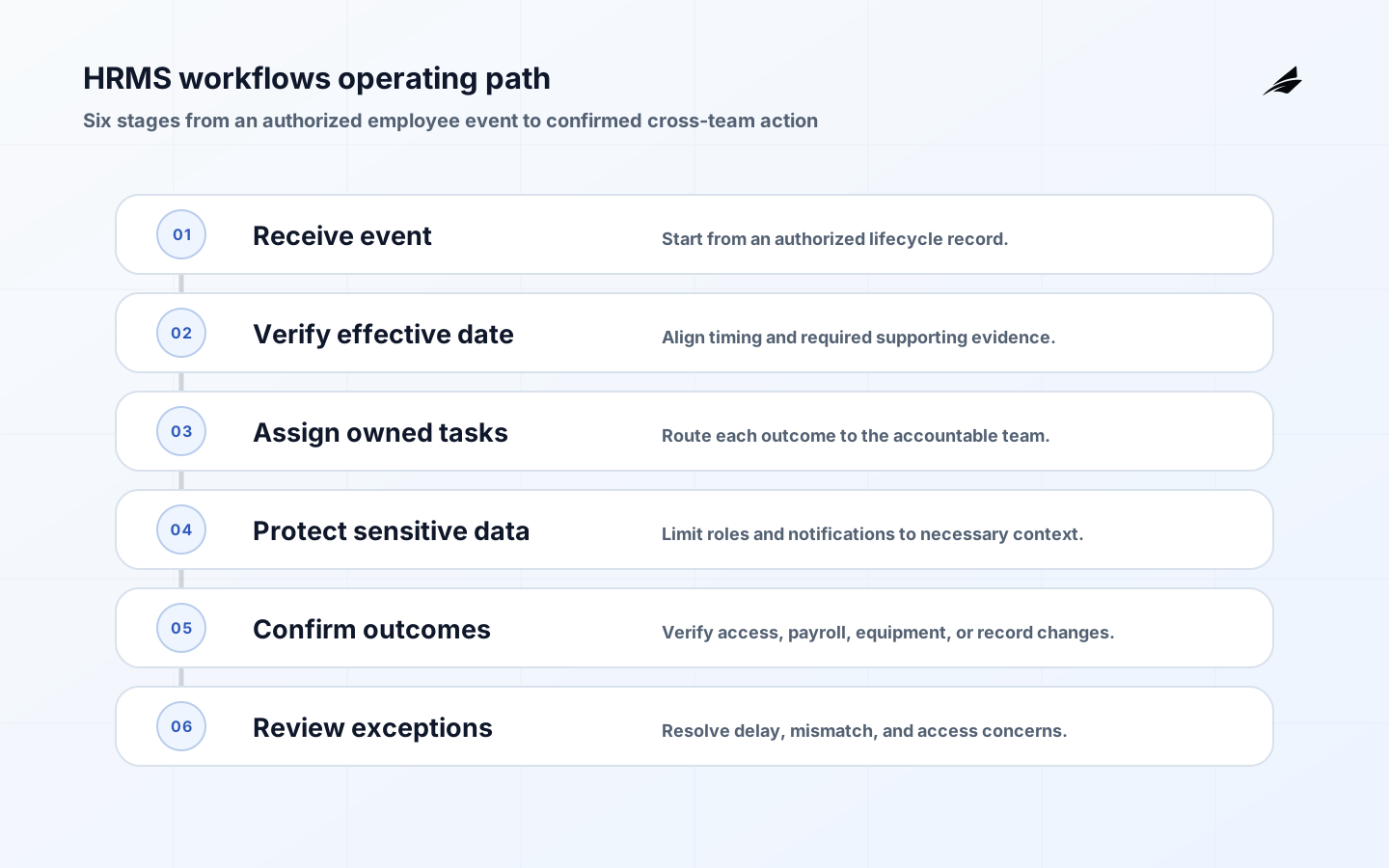
HRMS workflows are the practical machinery behind employee changes: a person joins, changes manager, takes leave, updates personal details, receives equipment, or leaves the organization. These events touch sensitive personal information and trigger work across people operations, finance, IT, and managers. Founders should design for dependable handoffs and respectful access early, before growth turns a shared spreadsheet and private messages into the default system.
Build HRMS workflows around an accountable operating model
Choose the employee lifecycle events that create immediate operational risk, often joiner, mover, and leaver processes. For each event, define the initiating source, required evidence, owner, due date, systems affected, and final confirmation. Keep employment-law, payroll, and benefits advice with qualified internal or external experts; the workflow should route approved policy, not invent it. Distinguish personal-profile updates from actions that change pay, access, or employment status. Teams planning adjacent work should also consider this master data management guide, because shared records and handoffs often determine whether an apparently local improvement survives production use.
Define the records and states that make HRMS workflows explainable
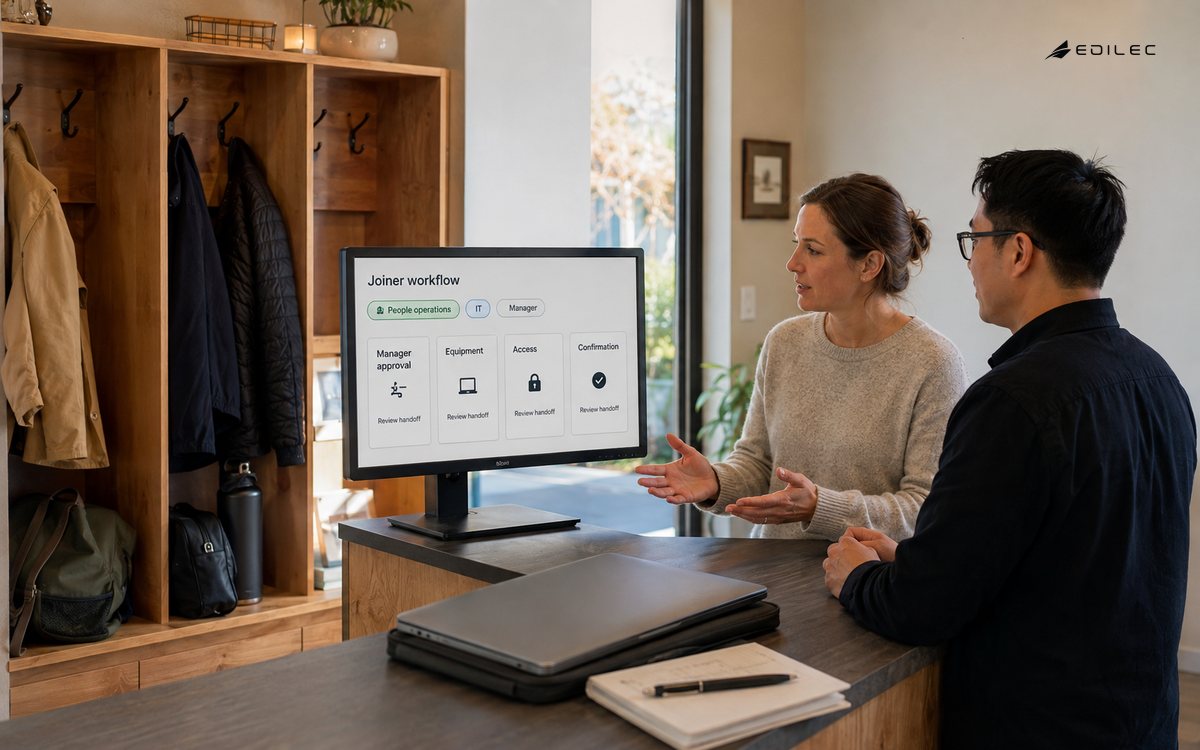
Use a worker identifier that persists through manager or department changes, and separate the employment record from application-specific accounts. The workflow should capture effective dates because a future start date or planned departure affects when access and tasks should occur. Build steps around outcomes: manager confirmed, equipment prepared, payroll data accepted, access provisioned, or accounts disabled. Avoid exposing unnecessary sensitive details to every participant just because they need to complete one task.
| Decision | Practical definition | Why it matters |
|---|---|---|
| Lifecycle event | Joiner, mover, leaver, or personal-data change | Sets the required handoffs and timing |
| Effective date | Start, transfer, or end date from authorized record | Aligns downstream actions |
| Task visibility | Minimum information needed for each role | Protects sensitive employee data |
| Escalation | Overdue owner, emergency departure, or mismatch | Prevents risky delay |
Set ownership and controls before automating the happy path
People operations owns the workforce policy and record accuracy; managers own timely confirmation; IT owns account and device actions; finance may own payroll or cost-center review. Roles should reveal only the information necessary for the task. Changes to compensation, bank details, legal identity, or employment status deserve stronger verification and an audit trail. Define an escalation route for overdue offboarding because delayed deprovisioning can become a security concern as well as an operational failure. The related ticketing workflows guide is a useful comparison when the design includes cross-team rules, because both practices depend on knowing whose decision controls the next state.
- Map one joiner and one leaver event from trigger through final confirmation.
- Use a stable worker ID and record the effective date for every lifecycle change.
- Assign each task to the team that owns the actual outcome.
- Restrict sensitive fields and notifications to the minimum necessary audience.
- Test withdrawn, future-dated, urgent, and delayed-integration cases.
- Review deprovisioning, exception age, and data correction patterns routinely.
Deliver HRMS workflows in slices and make exceptions visible
Start with one joiner and one leaver path, using representative roles and locations. Test a future-dated hire, a withdrawn offer, a same-day departure, manager change, contractor conversion, missing equipment, and a system integration delay. Give participants a single place to see task status and a way to report a mismatch without exposing the entire employee record. Confirm that permissions are removed or changed according to the approved event, not merely when a checklist is marked complete.
Use operating signals that lead to an action
Measure readiness by the start date, completion of required tasks, late or failed deprovisioning, correction rate for worker data, and the age of unresolved exceptions. Do not overcollect employee data just to improve a dashboard. Periodically review which roles can view sensitive fields and whether workflow notifications disclose more than a recipient needs. The best measures improve the employee experience and protect the organization at the same time.
| Control area | Signal to review | Accountable role |
|---|---|---|
| Readiness | Required tasks complete by start date | People operations |
| Offboarding | Late account or device action | IT and people operations |
| Data quality | Correction and integration exception rate | HR system owner |
| Privacy | Sensitive role access and export review | Privacy owner |
Common HRMS workflows failure modes and practical responses
HRMS workflows have their own failure patterns. A configured tool can still fail because a key record is ambiguous, authority is missing, or an integration hides a rejected change. Treat each repeated exception as a case with evidence, a named owner, and a specific decision about whether policy, data, process, or code must change. That approach preserves operational learning without normalizing a workaround as part of the system.
Use a decision workshop before expanding scope
A useful decision workshop for HRMS workflows starts with a concrete operating case rather than a platform diagram. Put the people who create the record, apply the policy, consume the result, and repair failures in the same discussion. Ask them to trace the first design choice: lifecycle event. The team should agree on joiner, mover, leaver, or personal-data change and why it matters: sets the required handoffs and timing. Then repeat the exercise for effective date. Disagreement is useful evidence; it often reveals that two teams have been using the same term for different business conditions.
Turn the workshop into a short operational rehearsal. First, map one joiner and one leaver event from trigger through final confirmation. Next, use a stable worker id and record the effective date for every lifecycle change. Then test whether the team can assign each task to the team that owns the actual outcome. Do this with a representative, non-sensitive record and an ordinary time constraint. A review that only describes the ideal path will miss the handoff, authorization, or missing-data condition that causes the real escalation. The purpose is to make ownership and evidence usable before more users depend on the workflow.
The exception path deserves equal design attention. Use the next steps as a practical test: restrict sensitive fields and notifications to the minimum necessary audience. Also, test withdrawn, future-dated, urgent, and delayed-integration cases. Finally, review deprovisioning, exception age, and data correction patterns routinely. Record the decision with the relevant source evidence and avoid repairing a symptom in a private message. When an exception returns, compare it with the earlier case; recurrence is a signal to change the input rule, policy, mapping, or service boundary rather than simply closing another ticket.
As scope grows, preserve the second set of design choices. For task visibility, the operating definition is minimum information needed for each role; this matters because it protects sensitive employee data. For escalation, use overdue owner, emergency departure, or mismatch so the team can prevent risky delay. These details are where a pilot becomes a service other teams can rely on. They also give reviewers a stable way to distinguish a legitimate exception from an undocumented bypass.
Review evidence on a regular cadence with the people able to change the system. Look at readiness through required tasks complete by start date, owned by people operations. Pair that with offboarding: late account or device action. The goal is not a perfect dashboard. It is a short list of decisions: which failure needs an immediate repair, which trend needs a policy change, and which measurement no longer represents the operating outcome the team cares about.
Use a written acceptance test for the next release of HRMS workflows. The test should show that a normal record completes, an invalid record is stopped with a useful reason, and a corrected record can continue without creating a second outcome. It should also prove the policy behind lifecycle event remains visible to the person reviewing the result. These tests create shared confidence between the business owner and the delivery team, especially when a change crosses an integration boundary.
Keep the review practical by sampling a recent case and asking the questions users actually ask: What should an HRMS workflow automate first? How can a small company protect employee information? Why is offboarding a workflow priority? Then compare the answers with the current evidence in the system. The control view should help the responsible team inspect data quality through correction and integration exception rate, and decide whether the next improvement belongs in policy, data, product behavior, or operations. This small discipline prevents a growing system from accumulating unexplained exceptions.
Key HRMS workflows takeaways
- A worker lifecycle event is a cross-functional process, not only an HR record update.
- Effective dates and stable identities keep people, access, and payroll actions aligned.
- Least-necessary visibility matters in both records and workflow notifications.
Frequently asked questions about HRMS workflows
What should an HRMS workflow automate first?
Start with repeated coordination that has clear evidence and owners, such as onboarding task assignment or offboarding deprovisioning follow-up. Keep sensitive employment decisions and policy interpretation with the authorized people rather than turning them into automatic rules.
How can a small company protect employee information?
Limit access by role, use a trusted identity process, avoid sharing sensitive details in broad notifications, and review who can export or change records. The exact obligations vary by jurisdiction, so use appropriate legal and privacy advice for the organization.
Why is offboarding a workflow priority?
A departure can affect systems, devices, payroll, benefits, customer access, and security. A visible, time-bound process helps teams complete necessary actions and investigate a missed step before it creates a larger problem.
Conclusion
HRMS workflows should make a sensitive lifecycle event predictable for the employee and accountable for the organization. Begin with the handoffs that most often fail, use effective dates and least-necessary access, and rehearse exceptions before volume arrives. A clear workflow can remain humane while giving founders the evidence that critical people and access actions happened on time.