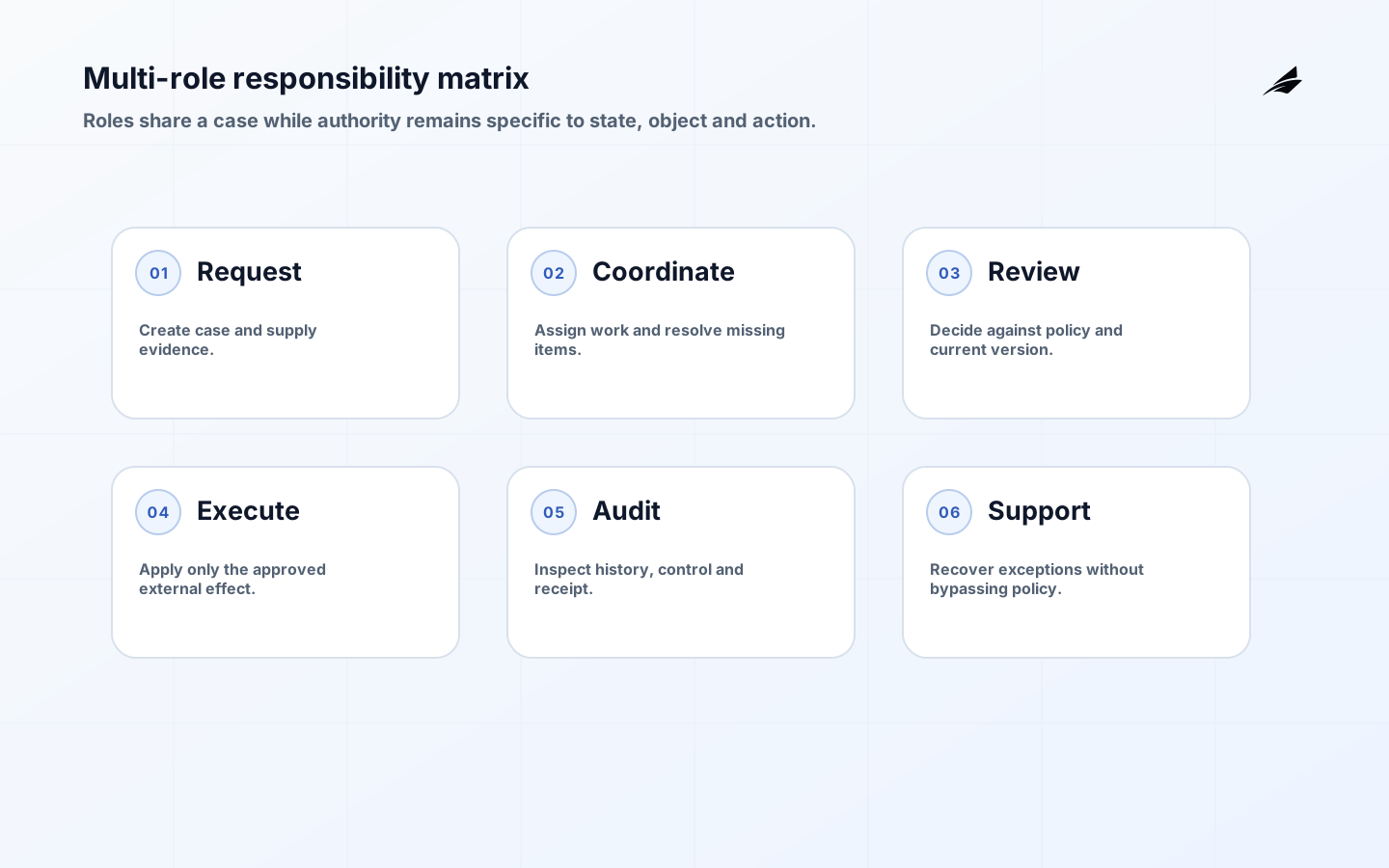
Multi-role business applications support one shared process while giving different people the context and actions required by their responsibilities. A requester, coordinator, reviewer, specialist, manager, auditor and support operator may work on the same case without sharing the same authority. The design challenge is not to create a separate dashboard for every job title. It is to model responsibilities, object relationships, state transitions, separation of duties and evidence so the application remains understandable as the organization changes. This checklist helps teams plan internal operations software that keeps work moving without granting broad access or hiding handoffs in private messages.
For connected implementation decisions, see maintainable React applications, internal tools for operations teams checklist for a new product launch, admin dashboard architecture checklist for client-facing workflows, and business process digitization checklist for regulated business processes. These guides are most useful when their controls are adapted to the same records, owners and consequences rather than applied as independent checklists.
Separate responsibility from permission
Begin with activities and consequences: who may request, view, assign, decide, execute, correct and audit each object in each state. The NIST RBAC project formalizes users, roles, permissions, hierarchies and separation-of-duty constraints. Roles provide a stable administrative baseline, but context often matters too. NIST’s ABAC project explains decisions based on subject, object, action and environment attributes. A practical application may use a role to identify a reviewer, then require that the reviewer belongs to the case’s region, has no conflicting relationship and acts before an expiry time.
Enforce policy server-side for every request and object. OWASP authorization guidance recommends least privilege, deny by default and validation on every request. NIST SP 800-53 Rev. 5 connects access control to audit, account management and ongoing assessment. Make queues and actions usable under WCAG 2.2: keyboard operation, visible focus, programmatic names, clear errors and status announcements matter especially for staff who repeat dense workflows throughout the day.
Test a case that crosses four responsibilities
Consider a customer credit adjustment. A service agent opens the case and supplies evidence but cannot approve or post the adjustment. A team lead reviews policy and may approve within a limit. Finance posts the approved transaction, while an auditor can inspect the decision and receipt without editing either. The case displays the current owner, allowed next action and reason for waiting. If the amount changes after approval, the old decision is invalidated because it applied to a different version. This state-aware rule is safer than a static button hidden for some roles.

Now test organizational change. If the approver moves teams, their active role assignment ends, but historical decisions remain attributed to the identity that made them. If the finance integration times out, the case becomes a controlled exception with a reconciliation owner rather than returning to an ambiguous approved state. If urgent handling requires one person to cross normal duties, a time-limited break-glass path records the reason and triggers review. These cases reveal whether the design can preserve service and accountability instead of merely rendering different menus.
| Responsibility | Allowed action | Boundary to verify |
|---|---|---|
| Requester | Create and clarify a case | Cannot approve own consequential request |
| Coordinator | Assign and request missing evidence | Cannot alter protected decision fields |
| Reviewer | Approve within policy and scope | Decision binds to current case version |
| Executor | Apply approved external effect | Cannot change approval basis |
| Auditor | Inspect history and receipts | Read-only access is scoped and monitored |
Key takeaways
- Model the work item and states before role-specific screens.
- Grant permissions for actions, objects, and relevant context.
- Keep all roles connected to one authoritative record.
- Log material changes and exceptional access in usable form.
- Roll out through real operational journeys and exception drills.
Multi-role operations
Map responsibilities around actions, not job titles alone. Reading a queue, assigning a case, changing a delivery commitment, approving a credit, exporting records, and changing a policy are different permissions even when one person can perform several. For each action, record the object, relationship, condition, evidence, and recovery consequence. Roles should be a maintainable starting point, not a promise that every employee in a department has identical access. When a rule depends on account ownership, amount, location, or state, evaluate that context at the action boundary.
| Planning element | Decision to make | Accountable role |
|---|---|---|
| Work item | Define the stable record and lifecycle states. | Process owner |
| Role action | List allowed command, object, and context. | Role owner |
| Shared fact | Name the record allowed to correct the value. | Data steward |
| Exception | Specify urgent access or recovery with review. | Operations manager |
Design the multi-role business applications operating boundary
Build a shared state model before designing each role’s dashboard. A case should explain what has happened, who owns the next step, why it is blocked, and which transitions are allowed. Give each role a view optimized for its decisions while keeping the underlying record authoritative. For example, an operator may need a prioritized work queue, a supervisor needs workload and exception visibility, and finance needs a controlled approval view. Do not let each role create a private copy of status. One lifecycle, with role-specific projections, makes handoffs and incident investigation much more reliable.
Build controls and evidence
Least privilege is useful when it is practical. Apply authorization to commands and exports in the backend, then make the interface reflect the result. NIST’s Cybersecurity Framework can help frame governance and protection responsibilities, while OWASP ASVS gives implementation-level checks for authorization and logging. Record material changes with actor, time, reason, prior value, and correlation identifier. Design a break-glass path for urgent work, but require an explicit reason, limited duration, and post-event review. Hidden convenience access is usually more dangerous than a visible, governed exception.
| Condition | Control or test | Owner |
|---|---|---|
| Case is reassigned | Preserve prior owner and handoff reason. | Queue supervisor |
| User needs urgent access | Use governed break-glass access with expiry. | Duty manager |
| Permission denied | Explain safe next action without exposing protected data. | Application owner |
| Two views disagree | Trace back to the authoritative lifecycle record. | Service owner |
Roll out with real work
Start with one end-to-end operational journey rather than a complete replacement of every team screen. Shadow current work, compare decisions, and identify where the new application changes timing or authority. Train using representative cases, including incomplete information, duplicate requests, and a handoff that misses its target. Give supervisors a migration dashboard that shows unassigned work, old-system dependencies, and exceptions without encouraging them to maintain two sources of truth indefinitely. Decide in advance when the old route loses authority and how late changes will be reconciled.
Measure and improve
Measure whether each role can make its decision with fewer unsafe workarounds. Review reassignment rate, time in blocked state, unauthorized attempts, break-glass use, correction rate, and aged queue volume by reason. Pair these with interviews from people doing the work; an efficient-looking queue may be hiding calls, spreadsheets, or informal escalation. Use findings to simplify ambiguous rules and retire permissions that no longer map to real responsibility. Role design is a living part of operations, not a one-time access project.
Design handoffs as explicit commitments
A handoff occurs when responsibility for the next legitimate action changes, not merely when a record changes owner. Require the sender to provide the receiving role with the state, reason, priority, relevant evidence, and expected response. Require the receiver to accept, decline, or return the work with a visible reason. This prevents cases from disappearing into a generic queue while still allowing teams to balance workload. Handoff rules should also account for absence and shift changes. A supervisor needs to see work that has no viable owner before it becomes a missed customer commitment.
Avoid role explosion while preserving control
Teams often react to an exception by creating another permanent role. Over time, this produces a permission model nobody can explain. Prefer a small set of business responsibilities combined with contextual policies and time-limited grants where appropriate. Review the access model against actual usage: permissions that are never used may be obsolete, while repeated denied attempts may indicate an unmet operational need. Keep policy rules in a discoverable form and test them when roles or workflows change. The goal is not minimum permissions in the abstract; it is the minimum durable authority needed to complete real work safely.
Prepare for audit and organizational change
Operational teams change shape through hiring, acquisitions, seasonal coverage, and new products. Build an access review and role-change process that can accommodate those events without bulk granting broad permissions. Make it possible to answer who had authority over a case at a point in time, particularly when a material decision is challenged. Test offboarding, delegated coverage, and manager transfer paths as carefully as onboarding. This evidence is useful not only for formal audits but also for resolving ordinary disputes about responsibility and customer communications.
Set an operating cadence
Put role design under change control whenever a new protected action, integration, or department enters the process. The request should explain the operational need, affected records, proposed authority, test cases, training implication, and review date. Test the revised policy with realistic cases before broad assignment, including a user who has more than one role and an employee moving between teams. Permission changes can alter workload and customer outcomes as much as a feature change. By treating them as an operational change, the organization can detect both over-broad access and bottlenecks introduced by an overly narrow rule.
Acceptance example
Practical example: an operations coordinator needs to correct an address on an urgent shipment after the normal case owner’s shift ends. The application permits the coordinator to propose the change, checks that the account relationship and case state allow it, then routes a high-value order to a supervisor for approval. Acceptance evidence includes tests for ordinary and high-value orders, an audit record of the proposed and approved values, and a dashboard showing unaccepted handoffs. The decision criterion is whether the urgency justifies a bounded alternate route without granting the coordinator an unrestricted ability to alter every customer record.
Verify the completed workflow
Before release, verify a conflict matrix for the actions that can occur on the same case: reassignment, correction, approval, cancellation, and export. The matrix should state which action wins, which is rejected, and how users learn about a stale view. This prevents role-specific screens from producing inconsistent results when two people act at nearly the same time.
Implementation checklist
- Model the work item and states before role-specific screens.
- Grant permissions for actions, objects, and relevant context.
- Keep all roles connected to one authoritative record.
- Log material changes and exceptional access in usable form.
- Roll out through real operational journeys and exception drills.
Frequently asked questions
Is role-based access control enough for a multi-role application? It is often a useful base, but many operations need contextual checks too: whether the user owns the account, whether the case is in a particular state, or whether the action exceeds a value threshold. Keep the policy understandable and test representative combinations of role, relationship, state, and action.
How should administrators be handled? Separate administration of configuration from unrestricted access to operational records where possible. Administrators may need to manage users or rules without reading every customer case. Give exceptional access an explicit route, record its use, and review it like any other consequential permission.
Conclusion
A strong multi-role application makes shared work more legible: one authoritative lifecycle, permissions tied to actions and context, and a recovery route that operators can use under pressure.