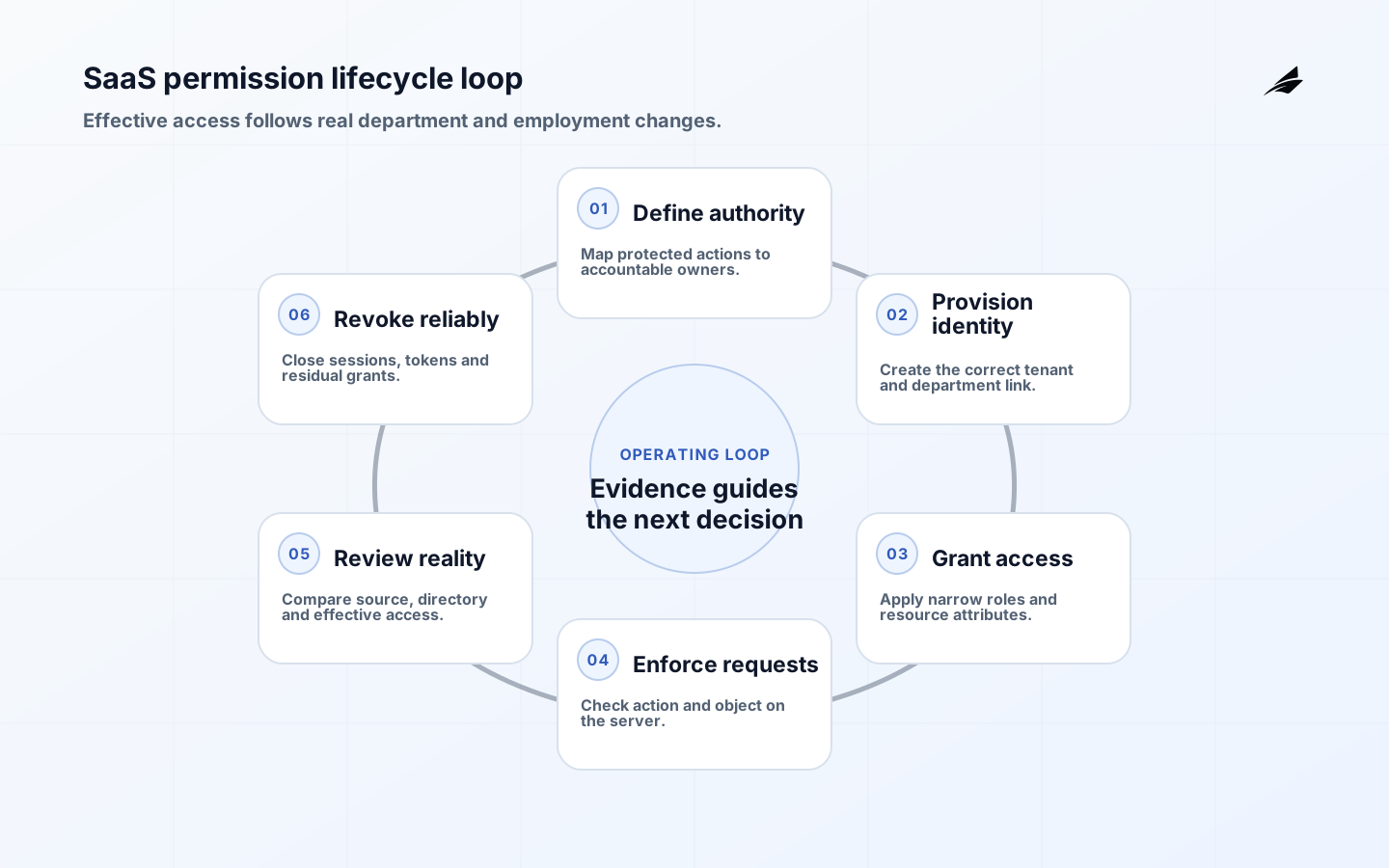
A multi-department permissions checklist for SaaS growth starts with the work people need to do, not a list of job titles. As a company grows, sales, service, finance, product, security, and operations often accumulate broad access because it was expedient at twenty people. That access becomes difficult to explain when a customer record is exported, an invoice is changed, or an automated rule is edited. Map protected actions across a real workflow: read, create, change, approve, delete, export, administer, and impersonate. Then identify the business relationship, decision authority, and context required for each action.
Map protected actions and business boundaries
Separate the ability to view a record from the ability to alter a commitment or expose a data set. A support agent may need current case context, while finance may need billing data and an administrator may need a narrowly controlled recovery function. Account for organization, region, customer relationship, environment, device, and time where those conditions matter. Put the check where the protected action occurs; hiding a button is not enforcement. The result should be a concise policy model that explains why a person can act, not a growing collection of exceptions nobody can safely review.
| Action | Policy question | Evidence |
|---|---|---|
| Read customer case | Does the user have a current service relationship? | Role, team, and access decision. |
| Approve refund | Is delegated authority and segregation satisfied? | Limit, approver, and decision history. |
| Export records | Is the purpose and data scope justified? | Request, approval, and audit event. |
| Administer permissions | Is access administration independently controlled? | Privileged role and change review. |
Build roles around work, then add attributes deliberately
Start with a small number of stable roles that describe recurring responsibilities, such as service agent, account manager, billing specialist, or security administrator. Add attributes for organization, account assignment, geography, or case sensitivity only where a role alone is too broad. Avoid creating a role for every person or temporary exception; that turns access into unmaintainable configuration. Document the owner, intended users, protected actions, conflicting permissions, and test cases for each role. A permission model should be understandable to the manager approving access and the engineer enforcing it.
Design joiner, mover, leaver, and emergency access
Access control fails most often at lifecycle boundaries. Define the trusted event that starts access, the approver, the default duration, the review cadence, and the revocation trigger when someone changes team, contract, or employment status. Connect identity and application events where practical, but retain reconciliation for failed provisioning or deprovisioning. Emergency access can be necessary during an incident; make it time-bound, justified, logged, and independently reviewed afterward. Never normalize shared credentials as a shortcut. The access lifecycle should leave a clear answer to who had a permission, why, and for how long.
| Lifecycle event | Required control | Recovery path |
|---|---|---|
| New role | Approve least-privilege baseline before activation. | Hold incomplete requests with an owner. |
| Team change | Remove old grants and evaluate new conflict risks. | Reconcile identity and application state. |
| Urgent access | Issue time-bound elevated access with reason. | Review and revoke after incident. |
| Departure | Disable promptly and verify application removal. | Escalate unmatched accounts. |
Test and review access as an operating control
Test normal and prohibited scenarios: one user should complete an allowed task, another should be denied a sensitive export, and a third should be blocked from combining conflicting approvals. Test direct APIs and background jobs as well as screens. Monitor failed authorization, privileged changes, dormant accounts, unusual exports, and approval overrides, but do not interpret every denial as suspicious; it may reveal a missing legitimate role. Conduct periodic manager and owner reviews with clear evidence, then remove or correct access promptly. Review results should feed role design, training, and workflow improvements.
Implementation checklist
- List protected actions and the business relationship required for each.
- Use stable roles for recurring work and attributes only where necessary.
- Enforce authorization at the protected operation, including APIs and exports.
- Design access start, change, expiry, review, and revocation paths.
- Keep emergency access time-bound, logged, and independently reviewed.
- Test allowed and denied scenarios, then use review evidence to improve roles.
Frequently asked questions
Make identity lifecycle events testable
Permission design is incomplete until the system can change access reliably when a person joins, moves or leaves. The IETF SCIM protocol specification defines HTTP-based operations for provisioning and managing identity resources across domains. SCIM can standardize exchange, but it does not decide the business policy: which department owns an account, whether a contractor belongs in a group, when a manager change removes approval authority, or which tenant a request may affect. Those rules need named owners and testable outcomes in the SaaS product.
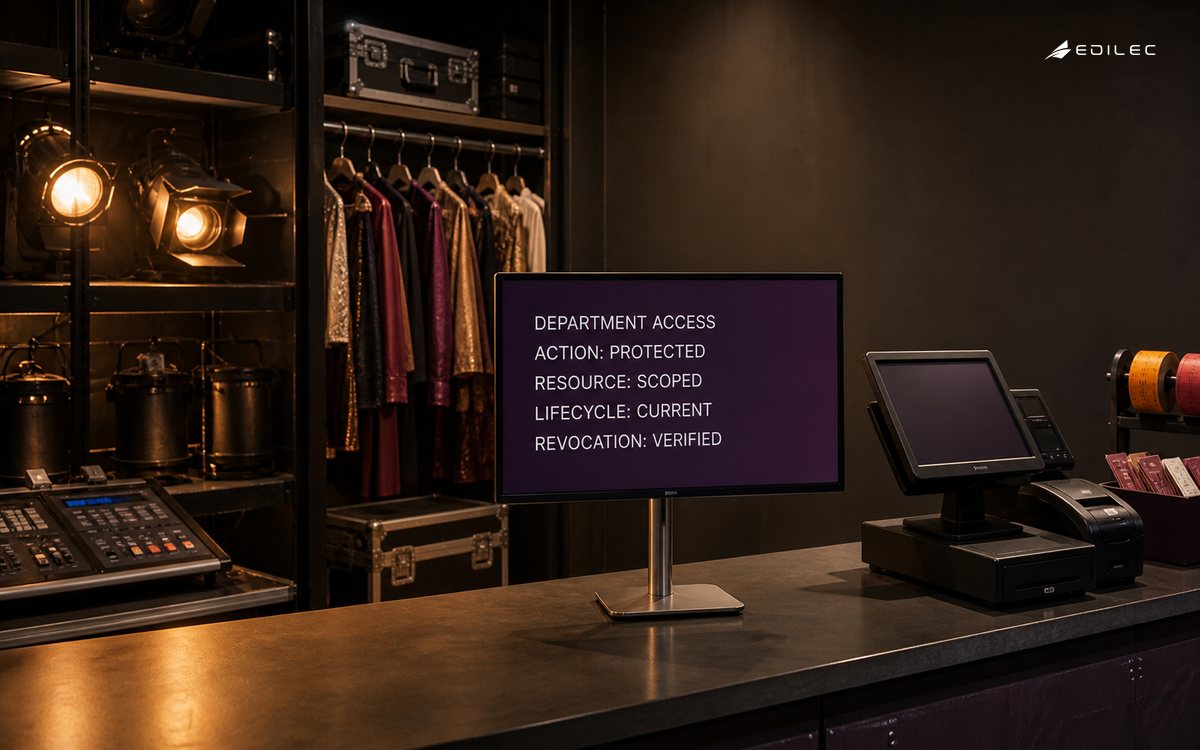
Model lifecycle events as idempotent business operations. A repeated provisioning request should not create a second identity. A department transfer should remove incompatible old privileges before or with new grants, not days later. Deactivation should close interactive sessions, revoke tokens and service credentials where applicable, preserve required records, and surface failures for a named operator. Emergency access should be time-limited, purpose-bound, independently visible and automatically returned to the normal baseline. Reconciliation must compare the identity source, product directory and effective authorization state rather than trusting a successful API response.
| Lifecycle event | Expected authorization change | Failure control |
|---|---|---|
| Joiner | Grant baseline access for a verified department and workspace | No account until required owner and attributes are valid |
| Mover | Remove incompatible authority and add approved new access | Flag residual old grants and delayed downstream updates |
| Leaver | Disable entry, sessions and delegated credentials promptly | Escalate every system that fails to confirm revocation |
| Temporary duty | Grant narrow access with a fixed expiry | Automatic expiry plus owner notification |
| Emergency access | Enable a recorded break-glass role for one purpose | Independent review, short lifetime and post-use reconciliation |
Pair the growing-company permission guide with the access-planning guide and the record ownership checklist. This sequence connects the role model to lifecycle automation and governance. Test one joiner, one cross-department mover, one leave, one failed downstream update and one emergency grant. The acceptance criterion is effective access at each resource boundary, not merely synchronized group names.
Should everyone in one department share a role? Only when they perform the same protected actions under the same boundaries. Department membership is a useful starting signal, not proof of authority. Use task and relationship details to avoid giving broad access to people who need only a small part of the workflow.
How often should access be reviewed? Use a risk-based cadence: privileged and sensitive access needs more frequent review than low-risk, automatically expiring access. Also review on role change, incidents, major workflow changes, and before expanding a system to a new department.
Implementation evidence worksheet
- Permission lifecycle checkpoint 1: Write the business outcome in one sentence and name the person who can accept that outcome on behalf of the organization.
- Permission lifecycle checkpoint 2: List every material state, its entry condition, its permitted next states, and the evidence that proves a change is legitimate.
- Permission lifecycle checkpoint 3: Create a field register for identifiers, effective dates, owner, sensitivity, source, consumer, and correction route before configuring automation.
- Permission lifecycle checkpoint 4: Run a normal case and a deliberately incomplete case with the people who will operate the process; capture every manual step and undocumented decision.
- Permission lifecycle checkpoint 5: For every handoff, state what the sender guarantees, what the receiver validates, how duplicate delivery is handled, and who owns a rejection.
- Permission lifecycle checkpoint 6: Define a customer-safe or requester-safe status for each delay so frontline staff can explain progress without exposing internal notes or speculation.
- Permission lifecycle checkpoint 7: Prepare a reconciliation that compares counts, material values, state, and age between the initiating record and the resulting operational record.
- Permission lifecycle checkpoint 8: Choose thresholds that open owned work rather than merely sending alerts; record the queue, service target, escalation point, and recovery authority.
- Permission lifecycle checkpoint 9: Test a failed dependency, an out-of-order update, an unauthorized action, and a correction after downstream work has begun; retain the resulting evidence.
- Permission lifecycle checkpoint 10: Document which roles may read, change, approve, export, administer, or override the process, including temporary access and delegated authority.
- Permission lifecycle checkpoint 11: Keep original context when a fact is corrected: prior value, source, time, actor or process, reason, approving authority, and correlation identifier.
- Permission lifecycle checkpoint 12: Publish the smallest useful contract for each interface or report: purpose, scope, required inputs, freshness expectation, limits, owner, and support route.
- Permission lifecycle checkpoint 13: Rehearse a support conversation around a confusing or delayed case so the communication path is as deliberate as the technical recovery path.
- Permission lifecycle checkpoint 14: Inspect a sample of completed cases for evidence quality, not only elapsed time; a quick result that cannot be explained is not an operational success.
- Permission lifecycle checkpoint 15: Set a release decision with explicit go, hold, and rollback criteria, and identify who can make each decision when information is incomplete.
- Permission lifecycle checkpoint 16: Use a short post-release review cadence that pairs operational measures with a few real cases and records a single accountable improvement for each finding.
- Permission lifecycle checkpoint 17: Version rules, definitions, mappings, and approval thresholds. Explain historical comparison breaks rather than silently replacing prior meaning.
- Permission lifecycle checkpoint 18: Minimize the data carried into the workflow or view, and review access, retention, sharing, and export behavior against the stated business purpose.
- Permission lifecycle checkpoint 19: Identify the workaround that experienced staff use today, then decide whether the target design should formalize, retire, or replace it with an owned exception.
- Permission lifecycle checkpoint 20: Give every exception a stable identifier, severity, current state, next action, accountable owner, and a link to the business record it affects.
- Permission lifecycle checkpoint 21: Confirm training with hands-on completion of a real task and an exception, rather than attendance alone; update the runbook from what the exercise reveals.
- Permission lifecycle checkpoint 22: Review recurring overrides and repeated corrections as design evidence. They often signal unclear policy, bad data, missing capacity, or a brittle integration.
- Permission lifecycle checkpoint 23: Protect audit and operating evidence from routine cleanup. Retention and retrieval instructions should let a future reviewer reconstruct a material decision.
- Permission lifecycle checkpoint 24: End the implementation review by deciding what evidence would prove the next expansion is safe, useful, and supportable for the people doing the work.
Key takeaways
- Permission design starts with protected actions and accountable business authority.
- Roles should describe repeatable work, with attributes used sparingly.
- Lifecycle controls and reconciliation prevent access drift during growth.
- Testing and review make least privilege practical rather than aspirational.
Conclusion
Multi-department permissions support SaaS growth when people can do legitimate work without carrying invisible, excessive access. Model the action, relationship, and authority; operate the full access lifecycle; and review real evidence regularly. That makes security and service delivery reinforce each other as teams and systems expand.