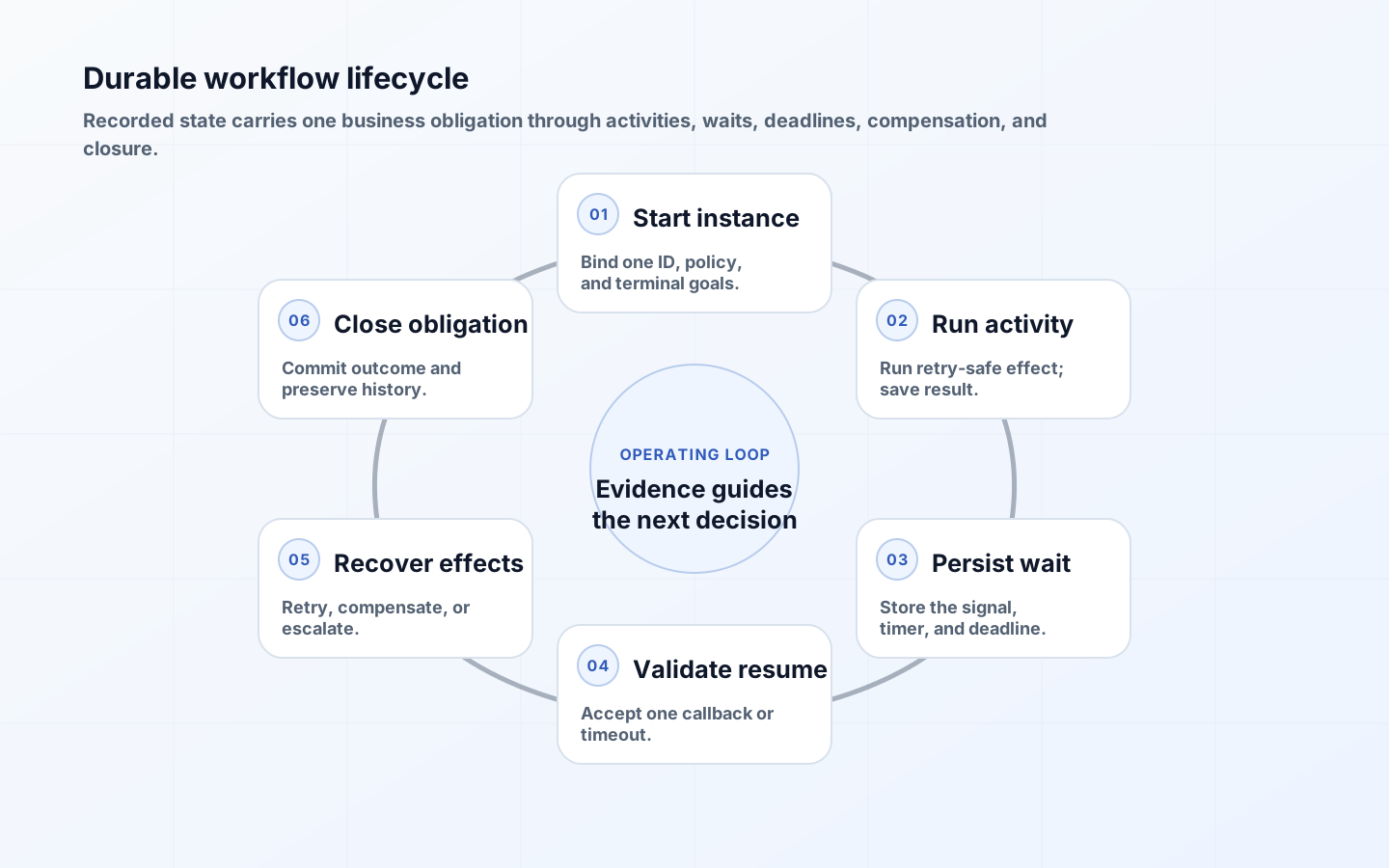
Long-running workflow orchestration coordinates business work that cannot complete inside one request or database transaction. An onboarding process may wait days for documents, call several systems, ask a person to resolve an exception, and then continue after a deployment or infrastructure restart. Ordinary in-memory control flow cannot preserve that state reliably, and holding database locks while people decide is neither practical nor safe.
A durable workflow records progress as events or checkpoints and recreates execution when new work, a timer, or an external signal arrives. That capability solves persistence, but architecture still has to define state, identity, retries, timeouts, compensation, human authority, version changes, and evidence. The engine can resume instructions; only the process design can decide what resumption should mean.
Define the workflow boundary and terminal outcomes
Begin with one business instance and one correlation identity, such as claim, order, hire, permit, or service request. Name its initiating command, participants, state owner, and terminal outcomes. Completed, rejected, cancelled, expired, and failed are usually distinct because they drive different customer messages, accounting treatment, and reporting. A technical exception is not automatically a business rejection, and a customer cancellation may require cleanup even though the software is healthy.
Keep orchestration state compact: identifiers, decisions, step results, deadlines, and references to business records. Do not turn workflow history into the system of record for large documents or mutable customer profiles. Each activity should receive an immutable input snapshot or a versioned reference and return a small result. This keeps replay predictable and makes clear which system owns current business data versus historical execution evidence.
| State | Meaning | Allowed next action | Operator evidence |
|---|---|---|---|
| Running | An automated activity is eligible or executing | Complete, retry, fail, or pause | Attempt, activity ID, input version, heartbeat |
| Waiting | A timer, event, or human response is required | Resume on validated signal or deadline | Correlation key, due time, expected signal |
| Compensating | Prior accepted effects are being addressed | Continue, retry, or escalate compensation | Completed effects and compensation results |
| Completed | The intended business outcome is committed | No forward activity; follow-up starts a new instance | Terminal result and completion timestamp |
| Closed exception | A person resolved an unrecoverable path | No automatic replay without new authorization | Disposition, approver, residual obligations |
Separate deterministic orchestration from side-effecting activities
Durable engines commonly rebuild an orchestrator by replaying its history. Microsoft documents that Durable Task orchestrator code must be deterministic because event sourcing and replay reproduce state. Current time, random values, direct network calls, and unrecorded environment lookups inside the orchestrator can produce a different path on replay. Use engine-provided deterministic APIs and place side effects in activities whose inputs and outputs are recorded.
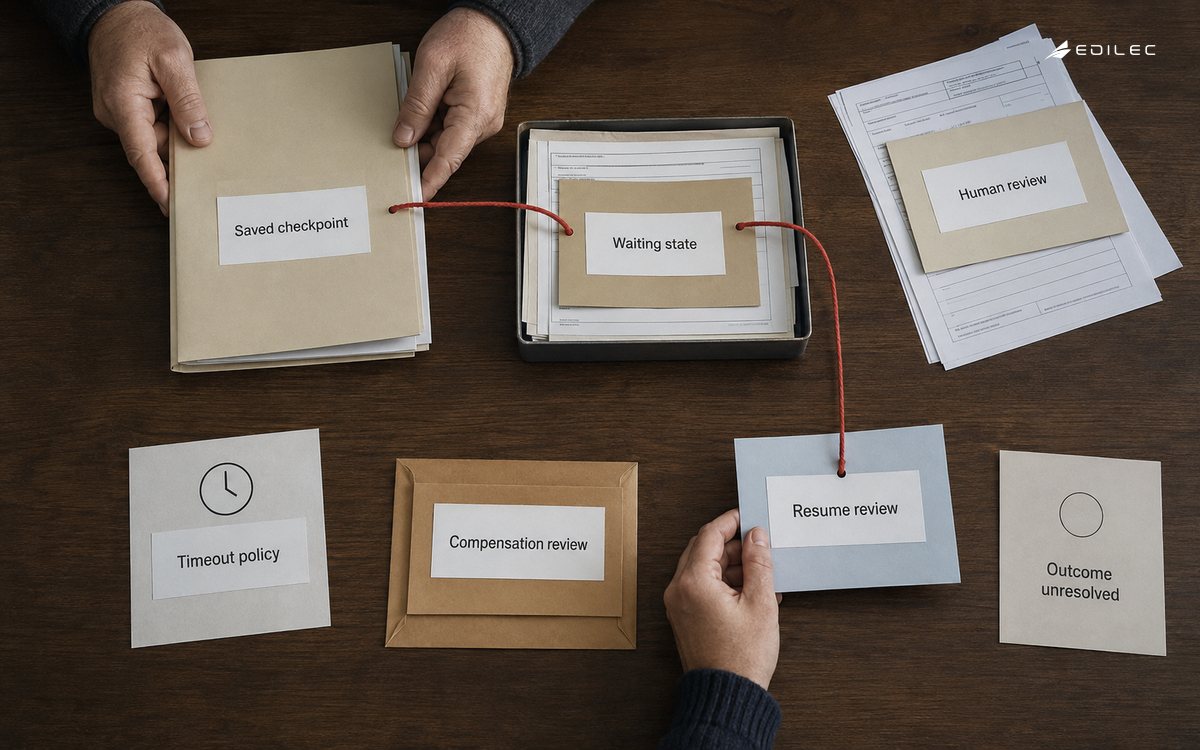
Make every activity safe to retry. Assign a stable operation ID, use an idempotency key with external APIs, and write local state with a unique business constraint. Record the remote request and result identifiers. An activity completion can be lost after the remote side effect succeeds; rerunning must retrieve or return the accepted result rather than create another effect. Set bounded activity duration and heartbeat genuinely long work so abandoned execution can be detected.
Model timeouts as business policy
A timeout should name what deadline expired and what consequence follows. Distinguish an activity execution timeout, a response deadline, a business calendar due date, a maximum workflow age, and an infrastructure visibility lock. A supplier response due in three business days is not equivalent to an HTTP call limited to ten seconds. Persist deadlines explicitly, use durable timers, and calculate calendar rules through a versioned service or stored result.
Race the expected signal against its timer and make the winner atomic. If approval and expiry arrive together, one transition must win while the other becomes a harmless duplicate. Define reminders separately from expiry; reminders do not extend a deadline unless policy says so. After expiry, choose among default decision, escalation, cancellation, compensation, or manual queue. Silent infinite waits conceal abandoned obligations and make service-level reporting meaningless.
Treat human tasks as durable work records
Create a human task with its own stable ID, subject, reason, permitted decisions, assignee or eligible group, required role, due date, priority, evidence links, and callback correlation token. Store it outside a personal inbox so it can be searched, reassigned, escalated, and audited. Microsoft describes the human interaction pattern as an orchestration that pauses for external input and can combine that wait with a time limit; the same principle applies regardless of engine.
Validate every callback against task state and authority. A person may act only while the task is open and while their role permits the decision. The transition that closes the task and emits the workflow signal should be atomic or idempotent. Preserve the decision, actor, timestamp, delegated authority, entered reason, and evidence version. Late responses receive an explicit closed or expired result rather than reviving the workflow accidentally.
| Wait type | Correlation | Deadline behavior | Duplicate or late signal |
|---|---|---|---|
| External system callback | Workflow ID plus one-time operation token | Poll, escalate, or compensate after deadline | Return accepted terminal status; do not rerun effect |
| Human approval | Task ID and decision version | Remind, reassign, escalate, or expire | Reject after terminal decision and retain attempt |
| Document arrival | Case ID, required document type, submission ID | Continue with exception path or close incomplete | Attach new version only under explicit resubmission policy |
| Scheduled effective date | Workflow instance and timer name | Wake once at stored instant | Ignore duplicate timer events after transition |
| Manual recovery | Incident-approved recovery command | No automatic deadline | Require current state check and one-use authorization |
Design compensation as new business work
A saga coordinates local transactions and uses compensating actions when a later step fails. Compensation is not a database rollback across services. Cancelling a shipment, issuing a refund, releasing inventory, or marking a record void creates new facts and may have fees, delays, or irreversible consequences. For each forward activity, document whether it is compensable, retryable, or a pivot after which the workflow must drive forward to a consistent outcome.
Record the information required to compensate at the moment the forward action succeeds: reservation ID, amount, terms, version, and authority. Compensation can itself fail and must be resumable and idempotent. The Azure compensating transaction guidance notes that reversal need not follow exact reverse order and may sometimes run in parallel. Encode dependencies and risk rather than mechanically traversing a stack. Route impossible or materially lossy reversals to a person with the full effect ledger.
Version workflows without marooning active instances
A process that lasts weeks will overlap deployments. Prefer additive changes that preserve event names, activity contracts, and stored state. Pin each instance to a workflow definition version unless a tested migration explicitly transforms it. Keep old workers and activity implementations available until their instances drain, or provide compatibility adapters. Never reinterpret an old recorded decision using a new rule merely because the deployment changed.
Classify changes before release: presentation-only, new optional branch, activity implementation change, event contract change, state migration, or business policy change. Replay old histories against the new orchestrator in a test environment to detect nondeterminism. For urgent defects, decide whether to patch in place, terminate and compensate, or migrate selected states. Preserve the original history and an authorized migration record so later audit can explain the path.
Operate workflows through business and technical views
Expose instance state, current step, wait reason, business due date, last progress, owning team, retry count, compensation status, and linked records. Technical telemetry should correlate orchestration, activity attempt, message, task, and downstream request. Business dashboards should show age by stage, breached deadlines, exception inventory, compensation value, abandonment, and completion outcome. A green compute dashboard can coexist with customers waiting indefinitely; both views are required.
Provide controlled operator commands: retry a failed idempotent activity, resubmit a signal, reassign a task, extend a deadline with authority, begin compensation, or close with documented disposition. Every command checks current state, records actor and reason, and is itself idempotent. Do not let operators edit orchestration tables directly. Run failure drills that stop workers, duplicate events, delay callbacks, deploy a new version, and break compensation dependencies.
Key takeaways
- Persist one business instance with explicit terminal outcomes and keep orchestration state separate from systems of record.
- Keep replayed orchestration deterministic and put retry-safe side effects in activities with stable operation identities.
- Represent deadlines, human tasks, signals, and compensation as durable state transitions rather than sleeping threads or inbox messages.
- Pin active instances to compatible definitions and test history replay before changing long-lived workflows.
- Give operators state-aware commands and both technical and business-age observability.
Frequently asked questions
When is a durable orchestrator necessary? Use one when work must survive process restarts, wait beyond a request, coordinate multiple independently committed systems, or resume from human and timer events. A short single-database transaction or simple stateless queue handler may not justify the operational complexity.
Should every failure trigger compensation? No. Retry transient failures first, choose an alternative when that preserves the desired outcome, and compensate only when completed effects must be addressed. After a pivot, driving forward may be safer than attempting reversal.
Can active workflows move to a new version? They can, but migration must map every reachable old state and pending signal to the new contract. Pinning and draining is simpler. Migrate only with tests, observability, rollback or compensation planning, and an auditable authorization.
Conclusion
Durability is more than keeping a process alive. A production design makes time, authority, uncertainty, version, and recovery explicit. When each effect is identifiable, each wait has policy, each compensation has evidence, and each operator action is controlled, long-running workflow orchestration can carry business obligations safely across days, deployments, and failures.