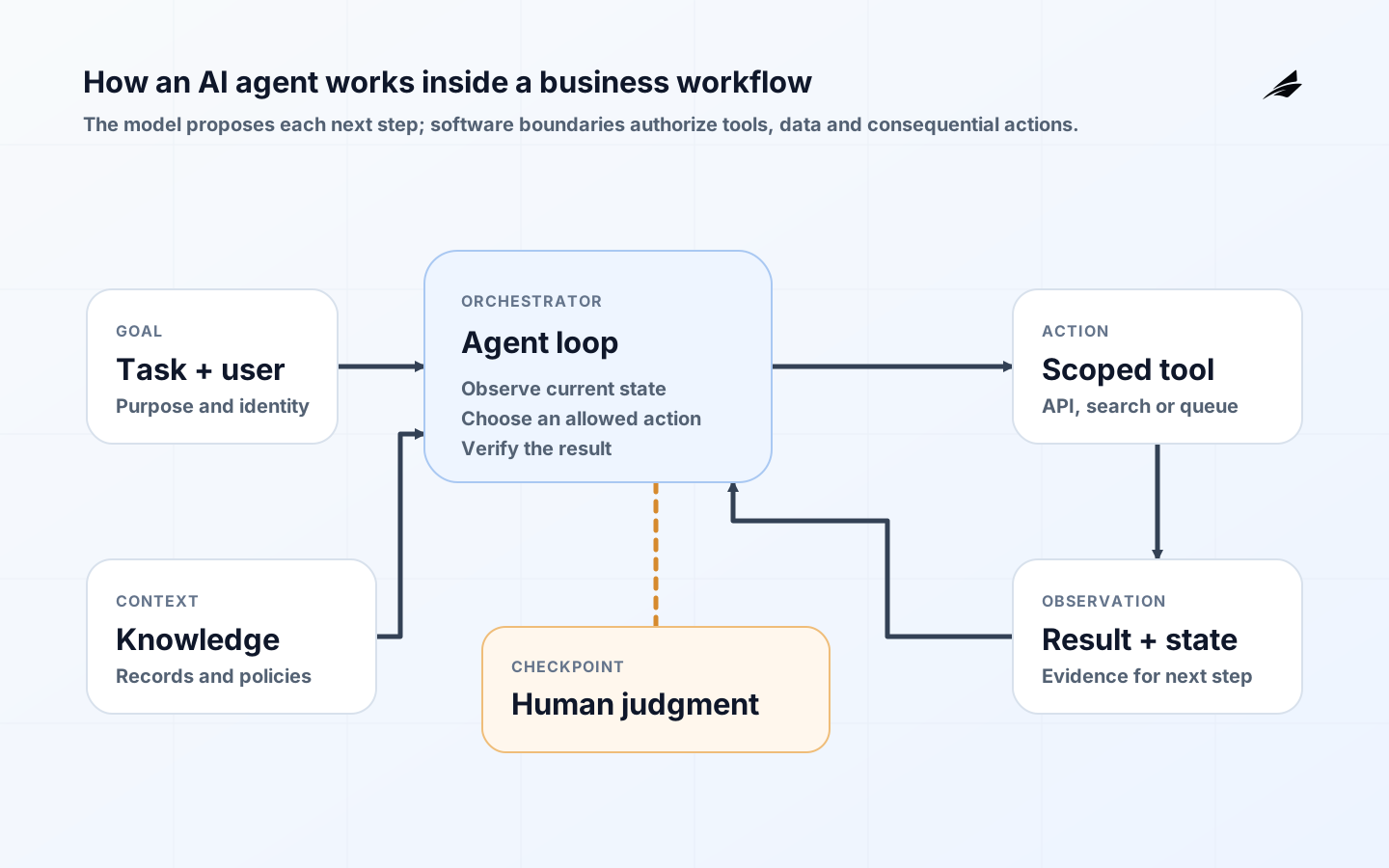
An AI agent becomes business software when it can pursue a bounded goal, obtain approved context, choose from permitted tools, observe results and stop safely. The language model is only one component. Identity, workflow state, APIs, approval rules, logs and fallback queues determine whether the agent produces dependable work or merely an impressive demonstration. This guide explains what happens inside the loop, which architecture components are required, where people should intervene and how a team can roll out an agent without surrendering control.
Workflow, agent or assistant: choose the right operating pattern
A conventional workflow follows paths written in code: if an invoice is above a threshold, route it to a manager. An assistant generates or retrieves information while a person remains the operator. An agent chooses its next step within a defined action space. Anthropic's implementation guidance makes a similar distinction between workflows with predefined code paths and agents that dynamically direct their own process and tools. That distinction matters because autonomy adds latency, variable cost and new failure paths. It is valuable when the work contains ambiguity or exceptions, not when a small rules engine already expresses the answer.
| Pattern | Best fit | Control model | Example |
|---|---|---|---|
| Deterministic workflow | Stable rules and known transitions | Rules and tests define every path | Route an expense by amount and department |
| AI-assisted workflow | Interpretation or drafting with a human operator | Person reviews every consequential output | Summarize a case file and draft a reply |
| Single agent | Variable multi-step tasks with a bounded toolset | Agent chooses steps; policy constrains actions | Investigate a support issue across approved systems |
| Multi-agent system | Work that genuinely benefits from separate specialties | Orchestrator coordinates scoped agents and handoffs | Research, compliance review and report synthesis |
The agent loop: goal, context, action and observation
The ReAct research pattern interleaves reasoning with actions and observations from an external environment. A production agent uses the same broad rhythm without requiring private reasoning to be exposed. The orchestrator sends a goal, instructions, current state and available tool schemas to a model. The model returns either a proposed tool call, a user-facing answer, a request for clarification or a stop signal. The application validates that proposal, executes an allowed action, records the result and returns a compact observation for the next turn. The loop ends when success criteria are met, an iteration or cost limit is reached, an error requires escalation, or a person must approve the next action.
- Goal: a specific outcome such as resolve this support case, not a vague instruction to improve support.
- Context: the minimum records, policies, conversation history and workflow state needed for the current decision.
- Plan: a proposed next step produced under explicit instructions and structured output constraints.
- Action: a read, calculation, draft or write operation exposed through a typed tool contract.
- Observation: the tool result, error or approval decision returned to the orchestrator.
- Stop condition: success, rejection, timeout, budget exhaustion, repeated failure or human escalation.
A production architecture for business agents
| Layer | Responsibility | Production requirement |
|---|---|---|
| Experience | Collect the goal and display progress, evidence and approvals | Users can correct context, cancel work and understand current state |
| Identity and policy | Resolve the user, agent and delegated authority | Every tool call is authorized independently of model text |
| Orchestrator | Run the loop, persist state, enforce budgets and handle retries | Deterministic limits and idempotent execution |
| Model gateway | Select models, manage prompts and normalize responses | Version tracking, timeout handling and provider isolation |
| Knowledge and memory | Retrieve approved facts and retain permitted state | Source permissions, freshness metadata and retention rules |
| Tool layer | Expose narrow reads and actions through schemas | Input validation, least privilege and safe error responses |
| Approval service | Pause consequential actions and collect an accountable decision | Approver sees intent, evidence, change preview and rollback limits |
| Observability and evaluation | Trace runs and measure task quality, cost and failures | Correlated events across model calls, tools, approvals and outcomes |
Tools, context and memory do different jobs
A tool is an enforceable interface to the outside world. A useful tool has a narrow purpose, a typed input schema, an authenticated execution identity, predictable errors and a clear read-or-write classification. Instead of giving an agent a generic database console, expose operations such as getCustomerCase(caseId), searchApprovedPolicy(query) and draftCaseReply(caseId, content). The model can propose an operation, but application code must validate arguments and permissions before anything executes.
Context is temporary information assembled for the current turn. Retrieval-augmented generation can supply policy passages or account records, but retrieval does not prove that a source is correct, current or authorized for this user. Memory persists information across turns or sessions. Working memory may hold the current plan and completed steps; durable memory might store a user preference or unresolved task. Treat durable memory as application data: define its source, consent basis, update rules, access control and deletion path. Conversation history is not automatically trustworthy memory because it can contain stale assumptions or untrusted instructions. For a deeper knowledge design, see RAG for company knowledge and support.
Practical example: resolving a support case
Consider an agent that helps a service team resolve product-access cases. The trigger is a ticket tagged login failure. The agent reads the ticket, customer tier and recent authentication events; retrieves the current troubleshooting policy; then classifies the likely issue. It may ask the customer a clarifying question, draft troubleshooting steps or open an internal diagnostic task. It cannot reset multi-factor authentication, disclose security events or close the ticket without a person. Those actions are either unavailable or marked approval-required.
- Normal path: retrieve policy, inspect permitted status fields, draft a grounded reply and ask the case owner to send it.
- Missing-data path: request one precise fact instead of guessing, then resume from saved workflow state.
- Tool-error path: retry only safe reads, create a visible exception after the retry budget and preserve partial evidence.
- High-risk path: prepare a change preview for an authorized security operator and wait for explicit approval.
- Completion path: record the outcome, evidence used, human edits and whether the proposed resolution worked.
This architecture separates judgment from authority. The agent may infer that an account reset is likely to help, but the policy service decides whether that operation exists for this workflow and the approval service decides who can authorize it. Teams integrating an agent with CRM or ERP records can pair this design with the ERP, CRM and workflow integration guide.
Failure modes and the controls that contain them
| Failure mode | What it looks like | Primary control | Signal to monitor |
|---|---|---|---|
| Wrong or stale context | The agent applies an obsolete policy | Approved sources, freshness checks and source display | Groundedness failures and stale-source use |
| Prompt injection | A document or message tries to redirect the agent | Treat retrieved content as data, isolate instructions and constrain tools | Blocked instruction patterns and unexpected tool proposals |
| Excessive action | A reasonable goal leads to an over-broad change | Narrow tools, least privilege, approval gates and rate limits | Denied calls, approval frequency and rollback events |
| Looping | The agent repeats searches or calls without progress | Iteration, time and spend budgets plus repeated-state detection | Turns per successful task and duplicate calls |
| Silent partial failure | One system updates while another does not | Idempotency, explicit workflow state and compensating actions | Incomplete transactions and aged exceptions |
| Confident but poor output | The answer is fluent but does not solve the task | Task-level evals, evidence requirements and human feedback | Acceptance rate, reopen rate and human correction distance |
Evaluate the trajectory, not only the final sentence
Agent evaluation must inspect what happened across the run. A correct final answer reached through an unauthorized source is not a successful result. Build a scenario set from real cases, edge cases, policy conflicts, unavailable tools and adversarial inputs. Score task completion, required evidence, prohibited actions, tool efficiency and escalation quality. Deterministic graders can check schemas and state changes; rubric-based model graders can assess relevance or completeness; humans should calibrate subjective judgments and review high-impact failures. Anthropic's evaluation guidance also emphasizes combining grader types because multi-turn errors can propagate.
- Quality: Was the business outcome correct, complete and grounded in permitted evidence?
- Safety: Did the agent avoid forbidden actions and escalate at the required point?
- Efficiency: How many model calls, tool calls, tokens and elapsed seconds were required?
- Reliability: Does the workflow recover from timeouts, duplicate events and partial tool failures?
- Human experience: Do reviewers understand the proposal, and how much do they need to edit?
- Operations: Can support staff reconstruct the run and resume or reverse work where allowed?
A staged rollout from observation to bounded action
- Define one workflow, owner, baseline and explicit success and harm criteria.
- Map every data source and action; classify each as read, draft, reversible write or irreversible write.
- Build an offline scenario set before connecting production tools.
- Run in shadow mode, where the agent proposes steps but does not affect the live workflow.
- Move to draft mode for a small trained cohort and capture edits, approvals and rejected suggestions.
- Enable one low-risk, reversible action with narrow permissions, rate limits and a rollback procedure.
- Review quality, exceptions, cost per successful outcome and user behavior on a fixed cadence.
- Expand only when evidence shows that the current autonomy level is useful and controlled.
Key takeaways
- The model proposes; the application authorizes, executes and records.
- Agents are justified by variable multi-step work, not by every automation opportunity.
- Tools should be narrow contracts, and memory should be governed application data.
- Stop conditions, retries, exception states and approvals belong in deterministic code.
- Evaluation must cover the complete trajectory and real business outcome.
- Autonomy should increase one reversible capability at a time.
FAQ: What is the difference between an AI agent and workflow automation?
Workflow automation follows paths defined by software. An AI agent selects among permitted next steps based on the goal and current observation. Many strong systems are hybrid: deterministic code owns state, permissions and critical transitions while a model handles classification, retrieval, drafting or bounded planning.
FAQ: Does an AI agent need long-term memory?
No. Many business agents need only the current workflow state and approved records. Add durable memory only for a defined product need, such as a consented user preference or resumable task, and give it ownership, access controls, retention and correction rules.
FAQ: Which agent actions should require human approval?
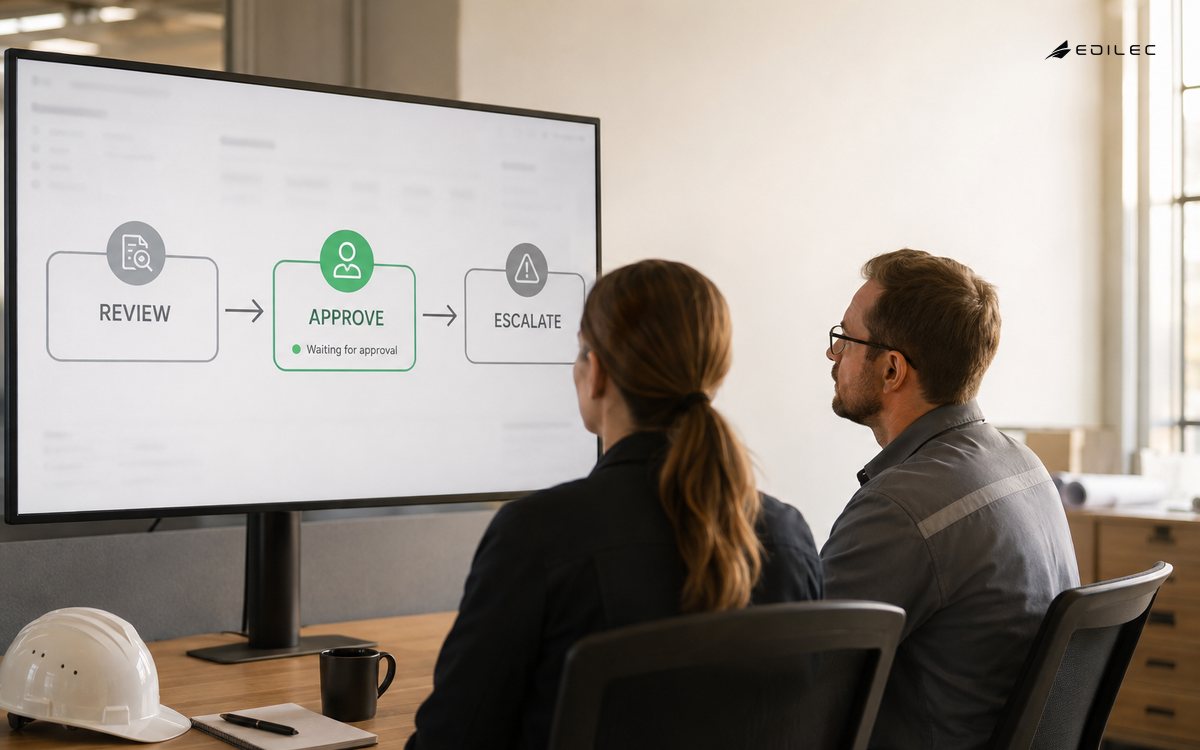
Require approval when an action is difficult to reverse, changes money or access, creates a customer or legal commitment, affects a person's rights, crosses a trust boundary or operates with uncertain evidence. The exact threshold depends on context and applicable law. The AI agent control plan provides a deeper method.
FAQ: What should a business measure after launch?
Track successful outcomes, human acceptance and edits, unsafe-action blocks, exception age, latency and cost per successful task. Pair those with the original business baseline, such as resolution time or reopen rate. Token use alone describes consumption, not value.
Conclusion
AI agents work by repeatedly choosing a bounded next step, acting through tools and incorporating observations until they finish or hand control back. Dependability comes from the surrounding software: explicit state, scoped identity, typed tools, governed context, deterministic approvals, observable traces and task-level evaluations. Start with one understood workflow and let measured evidence earn each increase in autonomy. Edilec's AI automation services can turn that workflow into a pilot architecture, evaluation set and production operating plan.