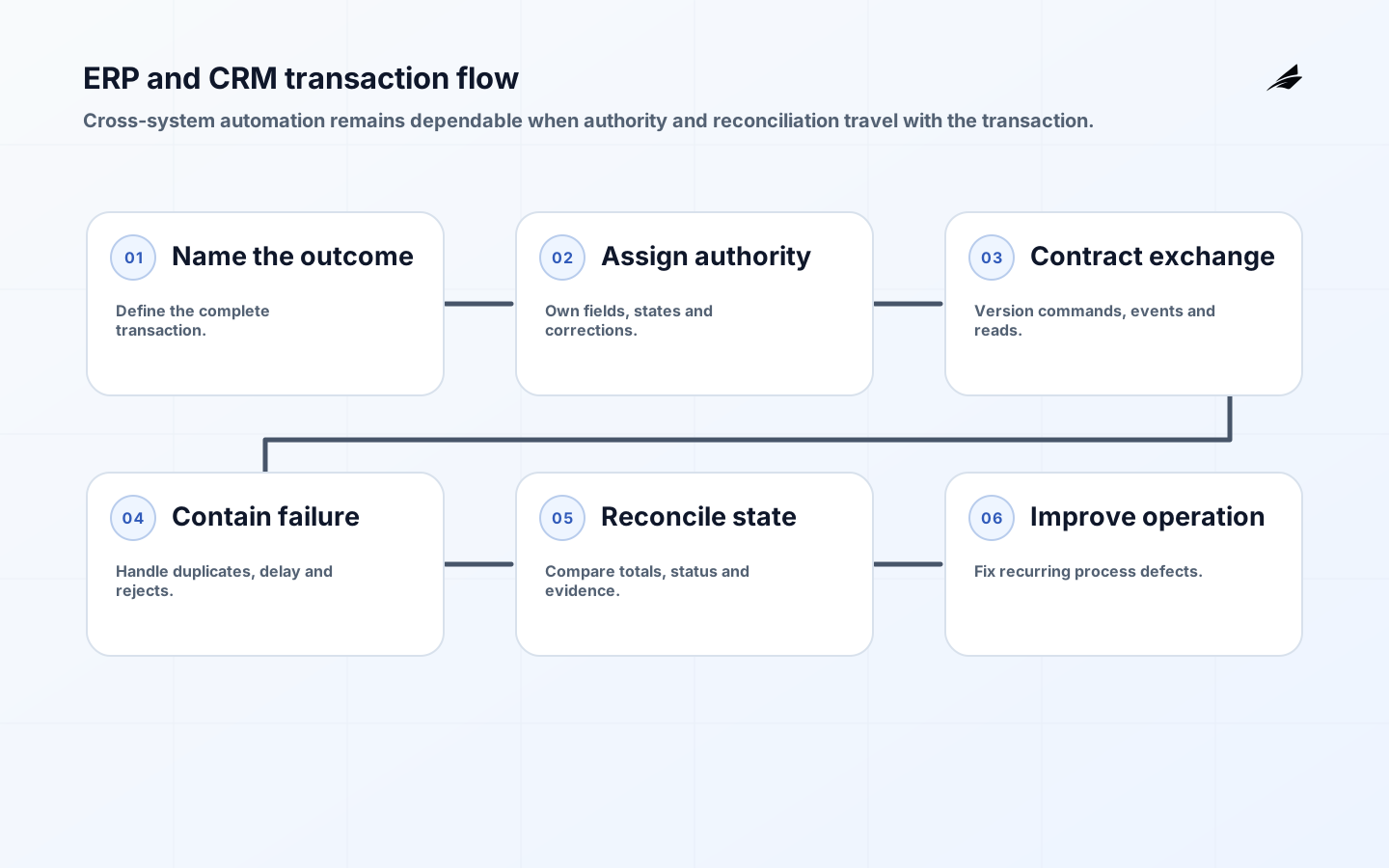
An ERP CRM and workflow integration guide should begin with business authority, not data movement. Integration is an agreement about which system may create or change each business fact, when another system can act on that fact, and how people recover when the exchange is late, duplicated, rejected or only partly completed. Reliable integration preserves those business decisions across product, sales, finance, service and operations.
This guide extends Edilec's ERP and CRM integration guide, record ownership model and business process exception handling guide. Use them to resolve ownership and recovery before a connector, integration platform or automation tool makes an ambiguous process run faster.
Key takeaways
- Assign authority by business fact and lifecycle state, not by entire application.
- Model commands, events and queries separately so consumers understand what a message means.
- Design for duplicates, delay, reordering, partial completion and schema evolution.
- Give exception queues business owners, evidence, deadlines and safe repair actions.
- Reconcile end-to-end outcomes rather than trusting transport success or record counts.
Start with one cross-system business outcome
Choose a path that matters and can be observed, such as converting an accepted quote into a sales order, activating a subscription after payment, or turning a resolved service case into an invoice adjustment. Draw the current states, decisions, waits and human interventions. Name what the customer or operator expects at the end. Avoid beginning with “sync accounts” because one account record usually combines identity, commercial, credit, service and reporting facts with different owners.
Use a process notation when it improves shared understanding. The Object Management Group's BPMN 2.0.2 specification supplies a standard vocabulary for activities, events, gateways and participants. The diagram is only a starting point: supplement it with data ownership, timing, access, error and evidence requirements. Confirm the path with people who enter, approve, correct and report the work.
| Business fact | Typical authority | Downstream use | Conflict rule |
|---|---|---|---|
| Lead qualification | CRM | Forecast and sales workflow | CRM state wins until order acceptance |
| Legal customer identity | ERP or master data service | Billing, tax and credit | Controlled update with review |
| Order fulfillment status | Operations system | CRM visibility and invoicing | Event plus reconciliation |
| Approval decision | Workflow engine | ERP posting and audit | Immutable decision record |
| Financial posting | ERP | Reporting and customer balance | Never overwritten from CRM |
Define record authority at field and state level
For each material fact, record the definition, identifier, authoritative system, allowed writers, validation, effective time, revision, correction route and retention. A system can be authoritative for one state but not the next: CRM may own a draft quote; ERP may own the accepted order; a fulfillment service owns shipment events. This is more precise than declaring one application the universal source of truth.
Adopt durable business identifiers that survive application migrations. Separate them from local database keys and display labels. Define matching and merge rules for customers, products, locations and contracts. When duplicates cannot be resolved automatically, preserve both candidates and route a review rather than silently attaching transactions to the wrong entity. Record alias history so old references remain interpretable.
Design commands, events and queries as explicit contracts
A command requests an action and expects acceptance or rejection. An event states that something happened. A query asks for current information. Do not label all three as a “sync.” Include event or request identifier, business entity, type, schema version, occurred time, producer, correlation and relevant causation. CloudEvents defines a common event envelope that can improve portability, while the business payload and lifecycle meaning remain your responsibility.
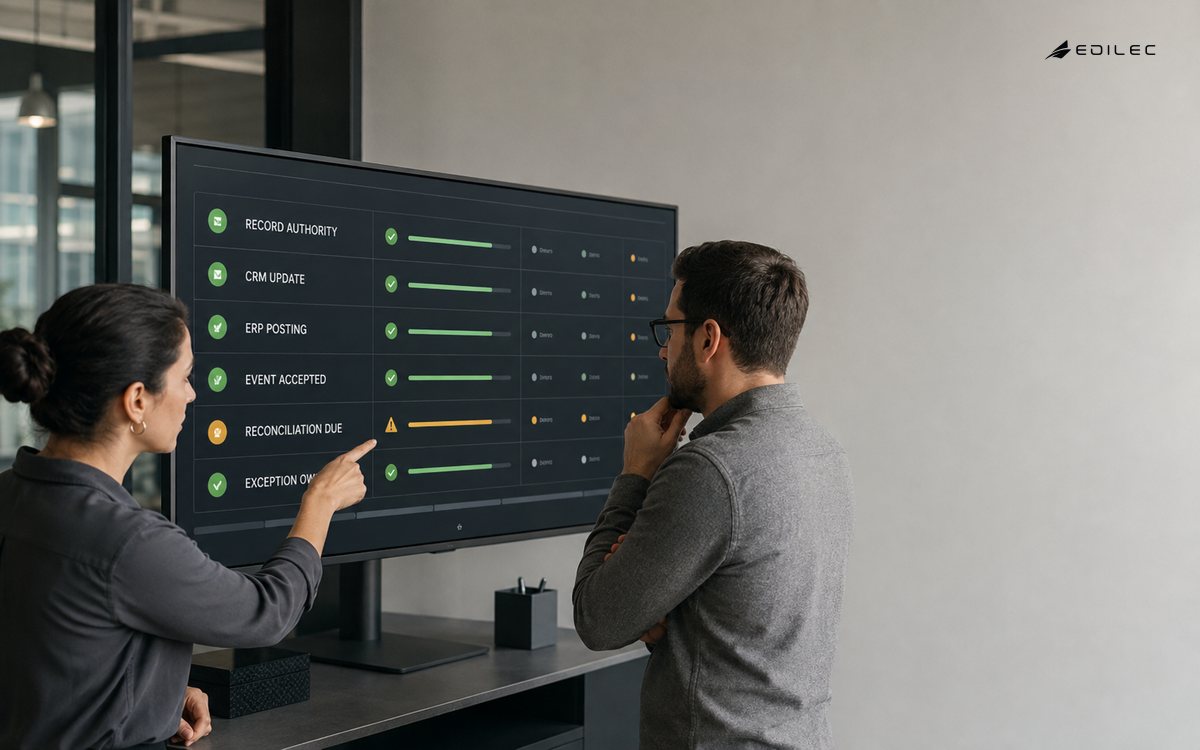
For structured API exchange, specify field semantics, null behavior, precision, units, pagination, concurrency, filters, errors and compatibility. OData's JSON format demonstrates how detailed a machine-readable representation contract can become. Whether or not OData is used, publish examples and consumer-driven tests. Add fields compatibly, never repurpose an existing field, and maintain a measured retirement path for versions.
| Failure | Detection evidence | Safe response | Business owner |
|---|---|---|---|
| Duplicate delivery | Repeated event identifier | Return prior result or ignore | Integration owner |
| Out-of-order event | Entity revision or sequence | Hold, refresh or reject | Process owner |
| Partial transaction | Missing downstream confirmation | Compensate or queue review | Transaction owner |
| Schema incompatibility | Contract validation failure | Quarantine with payload reference | Producer owner |
| Identity mismatch | Unresolved business key | Stop and route stewardship | Data owner |
Engineer idempotency, retries and reconciliation
Assume networks time out after the destination commits. Every retried command needs an idempotency identity scoped to the business operation, and the destination must return the original result for a duplicate. Use bounded retries with jitter for transient faults; permanent validation and authorization errors should go directly to an owned exception path. A dead-letter store is evidence, not a resolution. It needs searchable context, safe replay and retention rules.
Reconciliation answers whether the business outcome is complete. Compare authoritative counts, amounts, statuses and timestamps across a bounded period, then investigate differences. For example, every paid order eligible for fulfillment should have exactly one accepted fulfillment request and a visible customer status. Reconciliation should be repeatable and should not “fix” data before preserving evidence of the discrepancy.
Protect integration identities and business flows
Give each integration a distinct machine identity, least-privilege scope and environment boundary. Rotate secrets, prefer short-lived credentials and authorize object and function access at the destination. RFC 9700 documents current OAuth 2.0 security practice, including stronger client authentication and protections against token misuse. A valid token does not prove that a requested discount, refund or account change is allowed.
Threat-model data received from every upstream service. The OWASP API Security Top 10 covers broken authorization, unrestricted resource consumption, unsafe consumption of APIs and other integration risks. Validate payload size and structure, apply timeouts, restrict destinations, and prevent a compromised supplier from turning your integration into an internal command channel. Mask personal and financial data in operational consoles.
Test the business transaction, not just each connector
Build contract tests for producers and consumers, then run end-to-end scenarios with production-shaped identities and data volumes. Exercise duplicates, delayed events, invalid transitions, clock differences, rate limits, downstream outages, replay, manual correction and version overlap. Verify financial totals, audit records, user-visible status and notifications. A green HTTP response is not proof that the right account was invoiced or the customer can see the result.
Release one bounded transaction path with feature controls and dual-run comparison where practical. Define cutover authority, freeze windows, backlog treatment, rollback or forward-repair plan, and acceptance measures. Preserve correlation across services using traces, metrics and logs. OpenTelemetry provides a vendor-neutral observability foundation, but domain statuses and business identifiers must be intentionally instrumented.
Operate integrations as owned products
Monitor business lag, unresolved exceptions, reconciliation differences, duplicate rate, contract failures and customer impact. Set service objectives for important handoffs and page only when a person can act. Give support a timeline that shows state changes without exposing raw payloads. Review recurring exceptions with process and data owners; many integration incidents reveal a policy ambiguity or missing lifecycle state rather than a transport defect.
Maintain a catalog of interfaces, owners, schemas, credentials, dependencies, service levels and retirement dates. Review consumers before changing a producer. Test recovery from backups and from event replay. Budget for vendor upgrades and API deprecations. Integration is finished only when ownership, correction and change are routine enough that the business can depend on the complete transaction.
Plan migration and cutover around business continuity
Inventory the transactions and records already in flight before cutover. Decide how open quotes, pending approvals, partially fulfilled orders, scheduled invoices and unresolved exceptions will move. For each class, choose conversion, controlled completion in the old path or explicit cancellation and re-entry. Freeze only the writers that must be frozen, and state how urgent business will continue during the window. Rehearse the migration against a production-shaped copy, record duration and reconciliation differences, and verify that source identifiers and historical references remain usable by support and finance.
Use a command center with named decision rights, but keep the evidence in durable systems rather than chat. Track migration batches, checksums or totals, rejected records, interface backlog, service health and customer-impacting cases. Define go, pause and abort conditions before starting. After traffic moves, reconcile a complete business period and sample transactions from entry through posting and customer display. Keep the old environment read-only for the agreed evidence period, restrict access and schedule its retention or disposal.
A successful cutover is not simply an empty integration queue. Business owners should confirm that financial balances, customer commitments and operational work remain correct; support should be able to trace both migrated and new records; security should close temporary access; and engineering should retire duplicate writers. Hold a review after normal cycles such as billing or month end have run, because some defects emerge only when a downstream process consumes the new state.
Frequently asked questions
Should ERP and CRM data always synchronize in real time?
No. Choose freshness from the decision. Customer service status may need seconds, while a planning dimension may be safely refreshed nightly. Faster exchange adds coupling and operating cost, so define an explicit freshness promise.
Does an integration platform solve data ownership?
It can standardize connectivity, transformation and operations. It cannot decide which business record is authoritative or who may correct it. Those remain operating-model decisions.
Is bidirectional synchronization a bad pattern?
It is risky when both systems may change the same fact without a conflict policy. Bidirectional exchange can work when ownership is divided by field or state and loops, revisions and corrections are designed explicitly.
Conclusion
Reliable ERP, CRM and workflow integration starts with transaction ownership and ends with reconciled business evidence. Define authoritative facts, use clear message contracts, constrain machine identities, expect delivery failures and give exceptions accountable recovery. When teams can explain who owns every state and prove every material handoff, integration becomes dependable business infrastructure instead of a collection of fragile sync jobs.