Product Support Tooling: Decisions That Matter Before the First Build
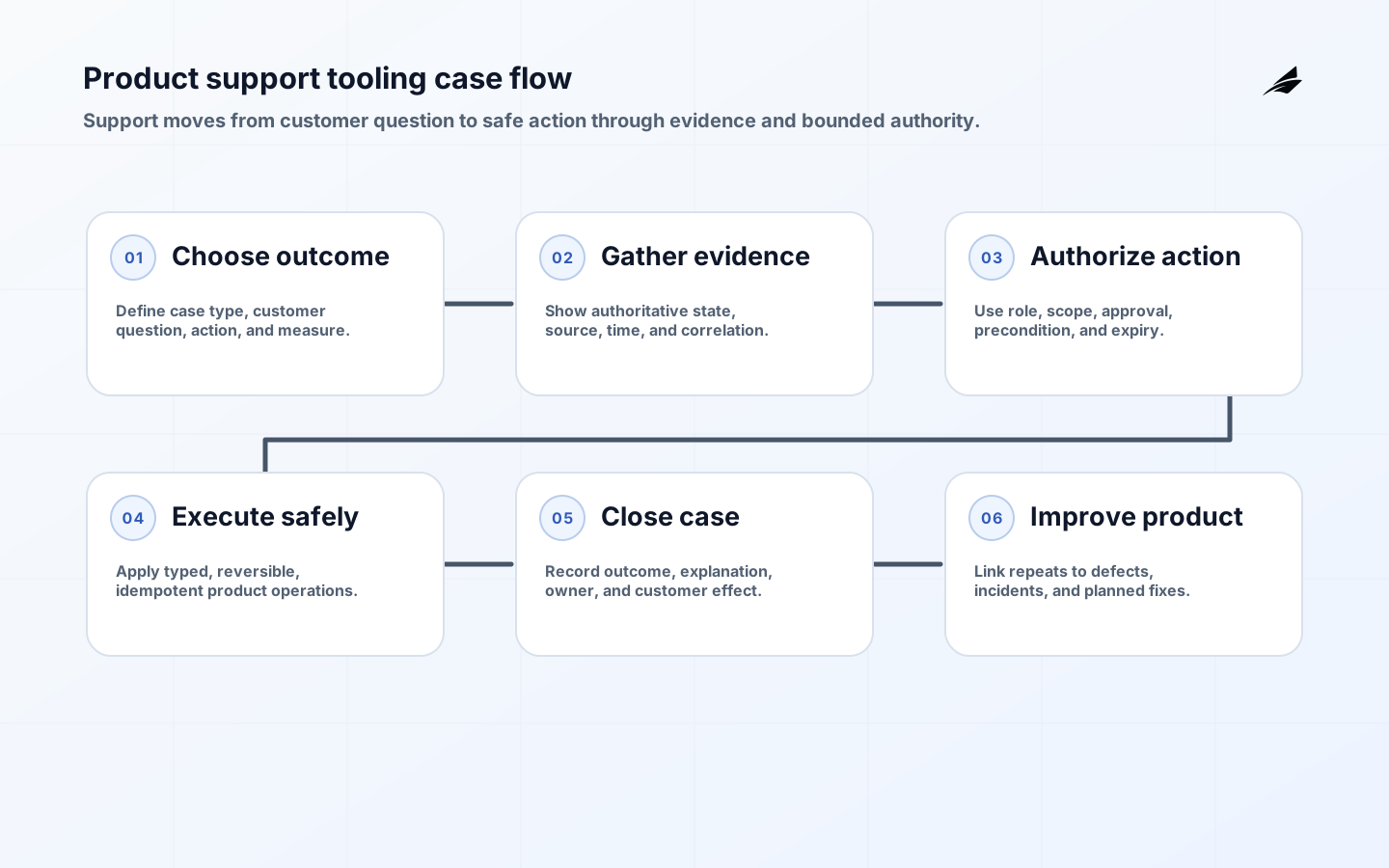
Product support tooling sits between customer trust and engineering authority. It may show account context, search product state, replay an event, grant a temporary permission, create a workaround, or coordinate an incident. That makes it more than an internal dashboard. Start by naming the narrow customer problems the console must resolve, then set the authoritative facts, permitted support actions, audit record, and degraded-mode behavior around those problems. Good tooling gives support clarity without turning privileged access into an invisible second product.
Anchor the tool in repeatable customer outcomes
Choose a small set of repeatable cases: explain a failed transaction, correct a safe customer setting, investigate a missing notification, or coordinate a service incident. Document the customer question, evidence needed, safe action, owner, and completion measure. Avoid beginning with a list of tables support staff would like to browse. A table is useful only when it helps a person make a decision or complete a recovery with bounded authority.
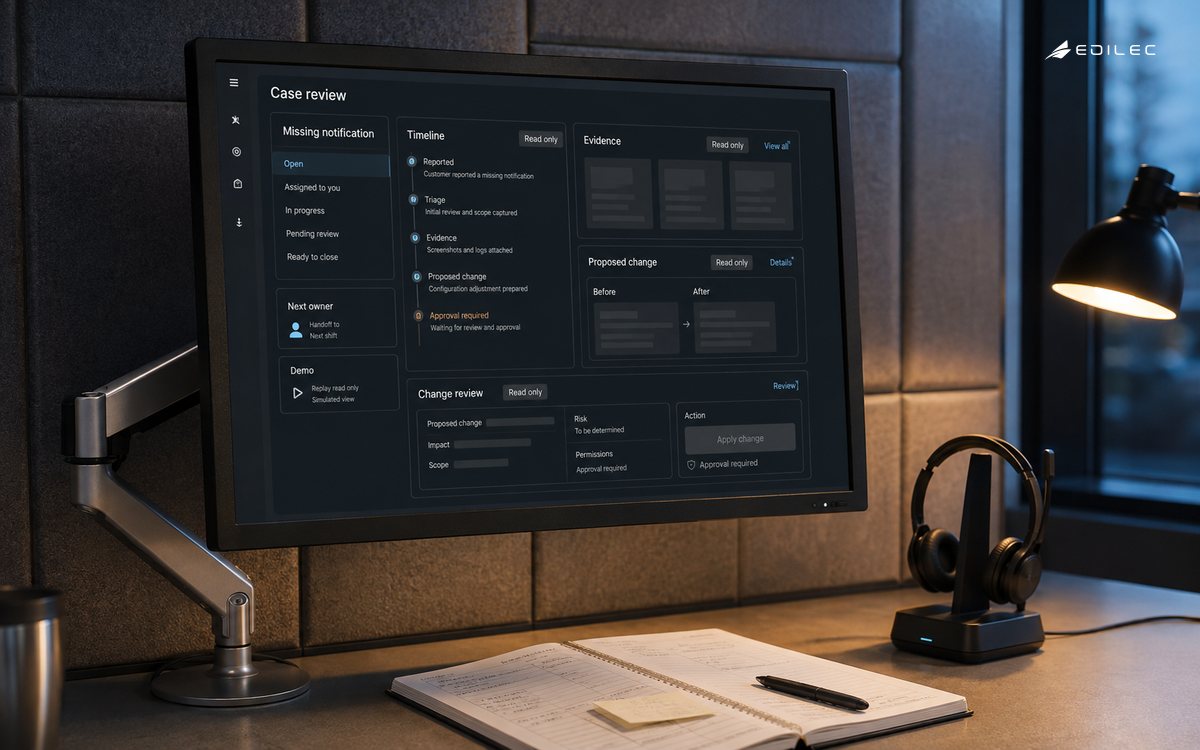
Separate explanation from intervention. A support agent may need to see the state and history of a record without being allowed to mutate it. When a change is necessary, show what will change, why, which customer it affects, whether it is reversible, and who approved it. The Atlassian incident management handbook is a useful reminder to define roles and communication before an incident creates pressure for unsafe improvisation.
| Support capability | Decision | Evidence |
|---|---|---|
| Read context | Which records and histories are safe to view? | Scope, masking, and access log |
| Correct state | Which changes are reversible and who may approve them? | Before/after value and reason |
| Coordinate | How does a case become an incident or engineering task? | Linked case, owner, priority, status |
| Communicate | What customer-facing explanation is accurate? | Approved language and source evidence |
Separate evidence from convenience
Map each support question to an authoritative source. A cache may explain what a screen showed but not whether a payment settled; an event log may explain a transition but not the current account balance; an analytics table may be useful for patterns but unsafe for a customer-specific correction. Label data as current, delayed, derived, or unknown. Show timestamps, source, correlation identifiers, and version when they affect the decision.
Minimize sensitive data. Mask tokens, payment details, personal identifiers, and secrets by default. Use a deliberate reveal or escalation path with a reason and audit. The support tool should make the safe path faster than copying raw data into chat. When evidence must be shared with engineering, prefer a controlled link or sanitized case bundle over an unbounded export.
Constrain every support-side effect
Create a permission matrix for support roles, customer scope, action type, data sensitivity, and environment. Enforce it server-side, deny by default, and test direct endpoints as well as the interface. The OWASP authorization cheat sheet supports this approach. A hidden admin button is not a control; a protected command with current customer scope, approval, expiry, and audit is closer to one.
Prefer narrow operations over unrestricted database access. A command such as resend verification email or re-run a safe reconciliation can validate its preconditions and record an outcome. A generic edit box cannot. Require idempotency for retries, show conflicts when current state changed, and refuse actions that would create a second external side effect without reconciliation.
Give work a case lifecycle and escalation path
A support case should have a durable identifier, customer or workspace scope, issue category, owner, priority, status, evidence links, action history, and next step. Define transitions such as new, investigating, waiting for customer, waiting for engineering, resolved, and closed. An incident should be linked when scope or consequence grows, not created as a duplicate silo. The Atlassian postmortem process is helpful for preserving facts, impact, timeline, contributing conditions, and follow-up.
Keep support and product state separate but connected. A case can be closed while a product defect remains open; a product fix can ship while individual customer reconciliation remains. Make these relationships visible so support does not promise a product change that has not been approved and engineering does not lose the customer impact behind a generic bug title.
| Failure mode | Design control | Review signal |
|---|---|---|
| Wrong customer | Resolve scope from trusted case and current identity. | Cross-account access denials |
| Unsafe edit | Use typed commands with preconditions and approvals. | Overrides and failed preconditions |
| Duplicate side effect | Use idempotency and external outcome reconciliation. | Repeated action keys |
| Sensitive exposure | Mask by default and audit reveal or export. | Reveal volume and access review |
| Lost learning | Link case, incident, defect, and postmortem. | Unlinked repeat cases |
Join case context to product state
Use a correlation ID to connect the customer case, request, job, event, and outcome. OpenTelemetry's logs data model gives the record consistent timestamps, severity, and context. Keep telemetry useful without copying whole customer records. Support should be able to distinguish a timeout, dependency failure, and recorded product result while sensitive payloads remain controlled.
Track verification latency, safe-action success, reopened cases, escalation age, customer-impact minutes, and evidence-backed closures. Review cases that required privileged access and cases that repeated after a supposed fix. These measures tell you whether the tool is reducing uncertainty or simply giving people more places to look.
Release read-only evidence before mutations
Start read-only with one case type, then add the smallest reversible action that removes real toil. Use production-like identities, masking, permissions, audit, and failure behavior from the first slice. Test stale sessions, removed support access, cross-customer identifiers, retries, provider outages, and partial completion. Keep a manual fallback for every action until the team has evidence that the automated path is safe and understandable.
Use Edilec's product support tooling implementation checklist, admin consoles buyer and CTO guide, and customer feedback loops operations playbook to extend the design from support action to administration and learning. The internal links are useful because support tooling should feed product improvement rather than become a permanent workaround layer.
Review permissions, data, and actions together
Support tooling changes can have customer and security consequences. Review new actions, data fields, permissions, integrations, and retention. The NIST SSDF is a useful development reference for secure design, review, testing, and response. Define who approves a high-impact action, how quickly access is revoked, how audit records are retained, and how a bad tool release is disabled without removing the evidence needed for an incident.
Keep a support action catalog. For each operation, record customer scope, required role, preconditions, reversibility, external effects, approval, audit fields, rate limit, and recovery. This lets a growing team add people without teaching each one an unwritten list of dangerous exceptions. Retire actions whose product value has disappeared, and do not leave old endpoints active merely because the interface no longer exposes them.
Make handoffs explicit. A case moving from frontline support to technical support or incident response should retain the customer question, verified evidence, attempted action, current impact, and next decision. The receiving team should not have to ask the customer to repeat the story. Good handoff data reduces time to resolution and improves the quality of the product defect that follows.
Protect the support team from misleading success states. An action that returns an HTTP success may still be queued, partially applied, or waiting on an external provider. Show durable outcome and next check time. If the result is unknown, label it unknown and create follow-up work. Honest uncertainty is more useful than a green badge that makes the customer and agent believe a problem is solved.
Review access and action usage at a regular cadence. Look for roles that have become broader than intended, repeated manual corrections, old support accounts, and actions that are commonly reversed. Pair the review with customer feedback and incident evidence. The safest support console is not the one with the most controls; it is the one whose controls have clear purpose and owners.
Give support tooling a clear relationship to the customer-facing product. If an internal action changes a state that customers can see, use the same domain rules, validation, and audit outcome where possible. Do not create a private definition of success that the product cannot represent. Consistent state reduces customer confusion and makes product fixes easier to verify.
Design the tool for investigation under time pressure. Put the customer question, current status, key evidence, known impact, safe next action, and escalation route in one view. Keep deeper data available but controlled. When the first screen answers the important question, support is less likely to copy sensitive details into untracked channels or ask engineering to repeat basic diagnosis.
Support tooling should help a growing team distinguish a product defect, a customer configuration, a data correction, and an operational incident. Give the case workflow those categories and let evidence change the category without losing the original question. This classification improves routing and reporting, and it prevents a customer-impacting defect from disappearing into a sequence of successful one-off fixes.
Protect the customer relationship when the tool cannot resolve a case. Show what is known, what is uncertain, what has been attempted, and when the next update is due. A support agent should be able to create a useful escalation without overstating certainty or exposing private implementation detail. The case record should preserve that explanation so the next person can continue the work without restarting the investigation.
Design the support console so policy is visible at the moment of action. If an operation is reversible only within a short period, show the expiry. If it affects an external provider, show that the result may be delayed. If approval is required, make the approver and reason part of the workflow. These cues reduce accidental misuse while keeping the safe action efficient.
Make the action history useful during a handoff. Show the original customer question, evidence reviewed, operation attempted, result, and next owner. This is especially important when a support case crosses time zones or becomes an incident. Durable context reduces repeated work and lets a reviewer assess whether the tool encouraged a safe decision.
Key takeaways
- Start with repeatable customer outcomes, not a generic internal dashboard.
- Separate explanation from intervention and keep authoritative data visible.
- Use narrow, typed, reversible commands instead of unrestricted edits.
- Enforce customer scope, least privilege, masking, approval, expiry, and audit server-side.
- Connect cases to product telemetry, incidents, defects, and postmortems.
- Ship read-only and reversible slices with a manual fallback and negative tests.
Frequently asked questions
Should support staff have database access?
Direct database access should be an exceptional, controlled path rather than the normal product. Prefer scoped views and typed operations that enforce current authorization, validate preconditions, record reasons, and produce an auditable outcome. If database access remains necessary, limit it, monitor it, and provide a safer replacement plan.
What should a support action audit record contain?
Keep actor, customer or workspace scope, action, target class and identifier, reason, approval if required, before and after state where safe, correlation ID, policy or tool version, timestamp, and outcome. Retain only the sensitive detail needed for accountability and investigation.
Conclusion
Product support tooling earns trust when it shortens the path from customer question to verified action without widening authority invisibly. Start with outcomes, use authoritative evidence, enforce narrow permissions, connect cases to product learning, and treat every privileged operation as production code. The result is support that is faster, safer, and easier to improve.