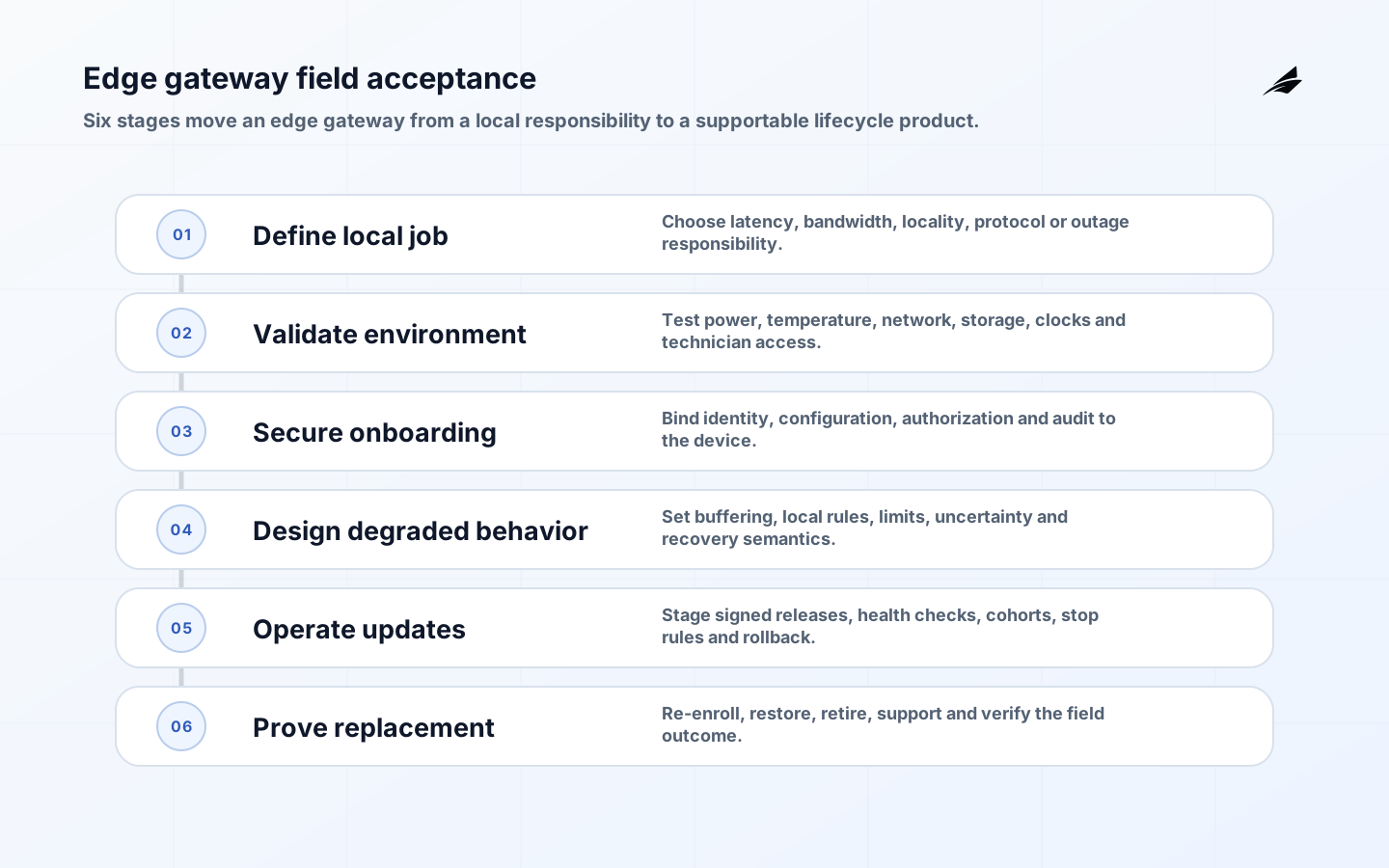
An edge gateway is a managed computing and connectivity point placed near devices or a physical process. It can translate protocols, filter or aggregate data, run local rules, retain data through outages, and provide a controlled route to upstream services. Product teams should not choose one because edge is fashionable. Choose it when local execution changes a real constraint: latency, bandwidth, disconnected operation, data locality, legacy integration, or controlled administration. The edge computing buyer guide offers broader placement choices; this guide concentrates on turning a gateway into a supportable product capability.
Give the edge gateway a narrow local responsibility
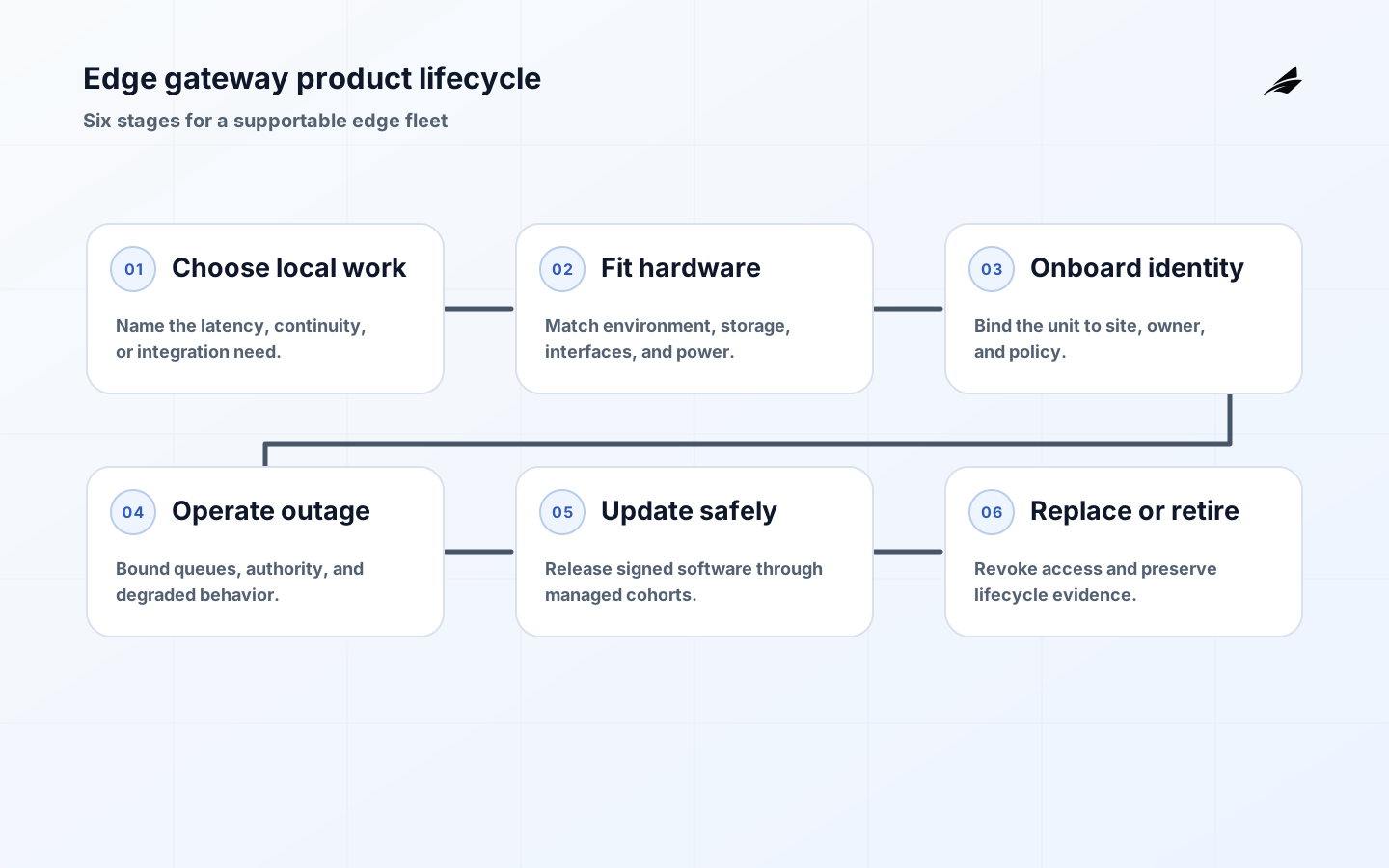
State which work happens locally and why it cannot simply be central. For example, a gateway may normalize several industrial protocols, buffer readings during a four-hour outage, and evaluate a local safety interlock. It should not become the undocumented home for every useful script or a general remote desktop. Map inputs, outputs, local storage, command authority, upstream dependencies, and the consequence of a missed, delayed, or duplicated action. This contract helps product managers choose hardware and software limits while giving security and support teams a concrete boundary. It also reveals whether a simpler managed device, protocol converter, or central service would meet the need with less lifecycle burden.
Select hardware for the actual environment
Evaluate processor, memory, storage endurance, interfaces, radio, power, clock behavior, enclosure, temperature range, vibration, service access, and expected lifespan against the deployed workload. Capacity needs include headroom for operating-system updates, local queues, diagnostic logs, certificate stores, and the next supported software version, not only today's application. Avoid removable or fragile storage for data that must survive power loss unless the design provides a recovery path. Decide how an installer will identify the unit, attach it safely, replace it, and verify the correct configuration. A lab device on a clean network rarely exposes the constraints of a cabinet, vehicle, warehouse, or customer site.
| Decision | Product question | Evidence to request |
|---|---|---|
| Local workload | What must continue when upstream is absent? | Outage scenario and recovery test |
| Storage | How much data and state must survive? | Retention calculation and power-loss test |
| Interfaces | Which device protocols and ports are required? | Compatibility matrix and isolation design |
| Environment | What physical stress applies? | Installation assumptions and environmental qualification |
| Replacement | Can a technician swap a unit safely? | Enrollment and restore runbook |
Make onboarding a product flow
Every gateway should arrive with a unique, verifiable identity or a controlled method to establish one. The onboarding flow should prove that the right physical unit is joining the right customer or site, assign the minimum permissions, retrieve approved configuration, and register support ownership. Do not make installers paste shared credentials into a local interface. Provide a deliberate recovery path for a device that was delivered to the wrong site, loses network access mid-enrollment, or must be transferred to a new owner. Record serial number, hardware revision, installed image, certificates, site, asset relationship, and enrollment history. This inventory is the foundation for security, support, update targeting, and retirement.
Design outage behavior and data limits
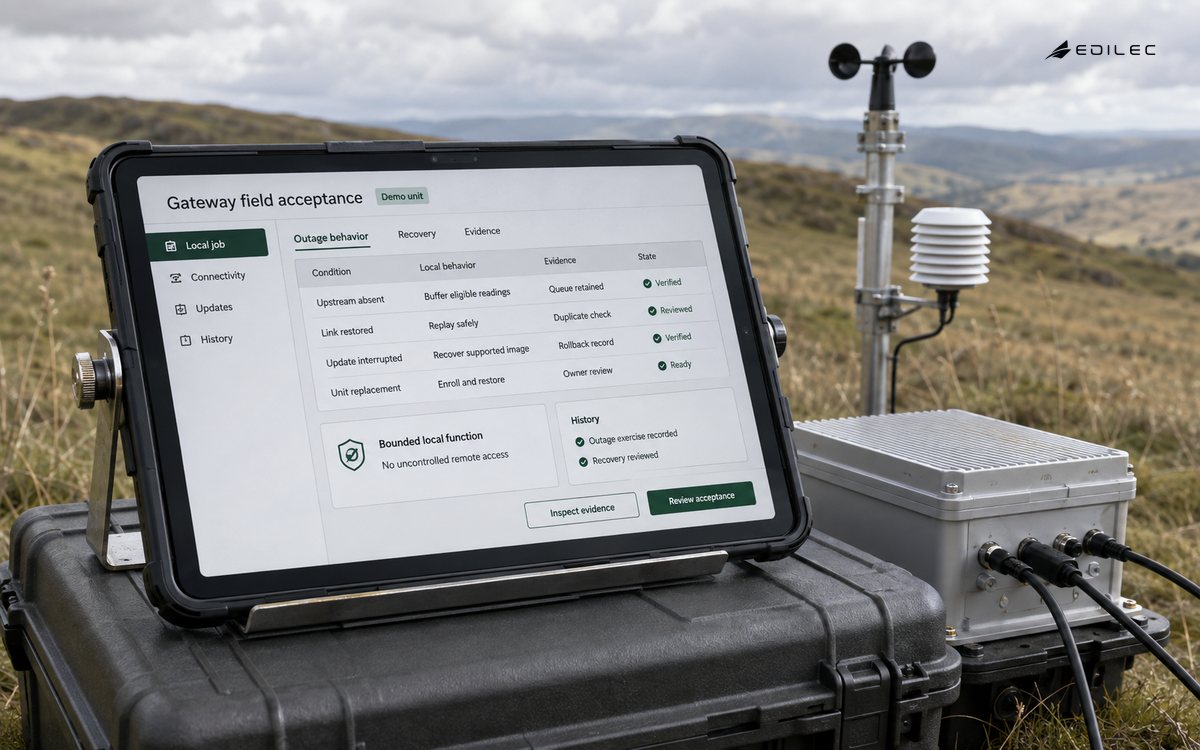
Define what continues locally when upstream services, DNS, time, or cellular connectivity fail. Specify queues by message class, storage quotas, expiration, ordering, replay, and the customer-visible state during the outage. A gateway may safely buffer telemetry but should not blindly replay aged commands after connectivity returns. If local logic changes a physical process, define its authority limits and how a human can inspect or override it. Rehearse prolonged partition, disk-full, clock drift, power interruption during a write, and replacement while a queue exists. These tests make product trade-offs concrete and help support teams explain behavior without guessing from implementation details.
| Failure | Gateway behavior | Product requirement |
|---|---|---|
| Upstream unavailable | Continue bounded local function and queue eligible data | Freshness and queue status visible |
| Storage reaches limit | Apply documented eviction or stop policy | Critical records protected first |
| Certificate expires | Renew before expiry or enter controlled restricted state | Renewal monitoring and repair path |
| Hardware fails | Isolate unit and restore replacement | No secret copying from failed device |
Plan remote management and updates
Remote management should be an explicit, narrow interface, not an always-on vendor tunnel. Use named access, strong authentication, session records, and time-bound approval for exceptional support. Release signed software through cohorts, check prerequisites, preserve a recovery image or other documented rollback, and verify actual post-install health. Manage configuration as versioned desired state with auditable exceptions. Product telemetry should reveal version, uptime, resource pressure, connectivity, update status, and local service health without exposing customer payloads. The firmware update playbook gives a useful release discipline that applies to gateway software as well.
Include support in the product economics
The lifetime cost of a gateway includes provisioning, connectivity, monitoring, patches, certificate renewal, technician visits, spares, support tooling, and retirement. Estimate those costs per site and per fleet segment, then identify which product choices reduce recurring manual work. A custom protocol adapter may win a demonstration but become a high-cost dependency if only one engineer can diagnose it. Build support artifacts alongside the first deployment: install guide, network requirements, inventory view, health dashboard, replacement procedure, and escalation boundaries. Track mean time to enroll, update completion, replacement success, unresolved offline units, and manual support touches. These measures show whether the gateway is becoming an operating burden or a reliable local capability.
Key takeaways for edge gateways
- Choose an edge gateway for a named local constraint and bounded responsibility.
- Select hardware, storage, and interfaces for the deployed environment and lifecycle.
- Make identity, enrollment, replacement, and ownership part of the product flow.
- Specify queue, command, and degraded behavior before connectivity fails.
- Budget management and support effort alongside the gateway hardware price.
Product teams can ground the lifecycle in NIST SP 800-213, NISTIR 8259 Rev. 1, and NIST SP 800-82 Rev. 3. The NIST Cybersecurity Framework 2.0 adds a risk-governance lens, and the NIST Cybersecurity for IoT Program connects product requirements to deployment and support context.
Frequently asked questions about edge gateways
Is a gateway required for every IoT product? No; use one when local integration or continuity changes the outcome. Can a gateway use a shared fleet credential? It should not, because revocation and accountability become weak. How much data should it buffer? Enough for the defined outage and recovery use case, with a documented limit and eviction policy. Who owns the gateway after launch? Product, operations, security, and field support need explicit responsibilities; no single team can carry every layer alone.
Conclusion: ship a lifecycle, not a box
An edge gateway becomes a product advantage when its local work, failure behavior, and lifecycle are all intentional. Build the identity and recovery path as carefully as the first protocol integration, then the team can place computation near the process without inheriting an unmanageable fleet of little servers.
Create an acceptance fixture that resembles the worst credible site, not the office network. Include a constrained link, power interruption, an unsupported peripheral, a delayed certificate service, an old hardware revision, and a technician who follows only the install guide. Use it to validate image size, queue behavior, safe boot, enrollment clarity, diagnostic access, and replacement time. Keep the fixture as a regression environment for every gateway release. This small investment catches lifecycle defects before they are multiplied across dispersed locations where diagnosis costs much more.
Product requirements should state the operational limits customers can plan around: supported outage duration, local storage ceiling, software support window, update frequency, expected service access, and hardware end-of-life route. Those limits are more honest than vague claims of resilience or remote manageability. Publish them in language that sales, installers, and customers can use during design, then feed field evidence back into the next hardware and software revision. When a site cannot meet a prerequisite, offer an approved alternative or say that the product is unsuitable. Clear limits keep a gateway from being deployed into a role its hardware, network, or support model cannot safely carry.
Edge gateway acceptance checks
- Local workload and its authority remain within a documented gateway boundary.
- Hardware capacity covers normal work, updates, logs, and outage buffers.
- Installer enrollment proves intended site and records the active owner.
- A prolonged partition shows bounded queue behavior and visible freshness state.
- Power loss during an update or write leaves a safe recoverable unit.
- Remote support is controlled, named, audited, and unnecessary for normal use.
- A cohort update verifies version and application health before expansion.
- Replacement revokes the old unit and restores only approved configuration.
- The field team can identify a unit without exposing its secrets or broad access.
Test the gateway where the product will live
A gateway that works on a bench may fail in the actual environment because of temperature, intermittent links, power interruption, protocol variation, local access constraints, or a rushed replacement. Acceptance should therefore include the physical enclosure, boot and recovery path, clock behavior, storage pressure, network loss, certificate expiry, and technician workflow. NIST's IoT guidance is a useful baseline for turning device cybersecurity capabilities into requirements that fit the mission and the product lifecycle.
| Field test | Pass condition | Evidence to retain |
|---|---|---|
| Network loss | Local function follows the documented degraded policy | Timestamped local outcome and replay result |
| Power interruption | Boot resumes without corrupting state | Recovery log and integrity check |
| Update failure | Device remains recoverable and supportable | Cohort record and rollback proof |
| Credential event | Access is denied or renewed safely | Audit record without secret material |
Suppose a cold-chain gateway samples temperature and forwards readings upstream. It may buffer measurements while the link is down, but it must define how much storage is available, how timestamps are established, what happens when the buffer is full, and how an operator knows data is incomplete. The product promise is not 'the gateway is online'; it is the credible local behavior and the honest upstream state when conditions are imperfect.
Treat replacement as a designed workflow. Record the device identity, approved configuration, software cohort, installation evidence, and previous unit's retirement state. A support technician should be able to enroll a replacement without receiving a permanent shared credential or copying customer data unnecessarily. Remote administration should be time-bound and attributable, with signed updates, staged rollout, health checks, and a documented stop rule.
For adjacent Edilec context, compare the edge computing buyer and CTO guide, firmware updates operations playbook, and gateway security engineering notes. Together they connect placement, software lifecycle, and onboarding decisions.
Edge gateway operating decisions
Define what the gateway must never do locally. A device may buffer telemetry and apply a safe fallback, but it may not silently invent a reading, bypass a safety interlock, or retain data beyond the approved limit. Write these exclusions beside the local responsibilities and test them during network loss, clock drift, storage exhaustion and partial configuration. Clear non-goals keep edge logic from becoming an unreviewed second control plane.
Commercial support assumptions belong in the product design. Estimate replacement time, field travel, connectivity charges, certificate renewal, update bandwidth, spare inventory, remote-session staffing and end-of-life retrieval. A gateway with a low purchase price can be expensive to operate if every recovery requires a specialist visit. Use the lifecycle evidence from the pilot to set the support promise and to decide whether the responsibility belongs at the edge, upstream, or with a human operator.