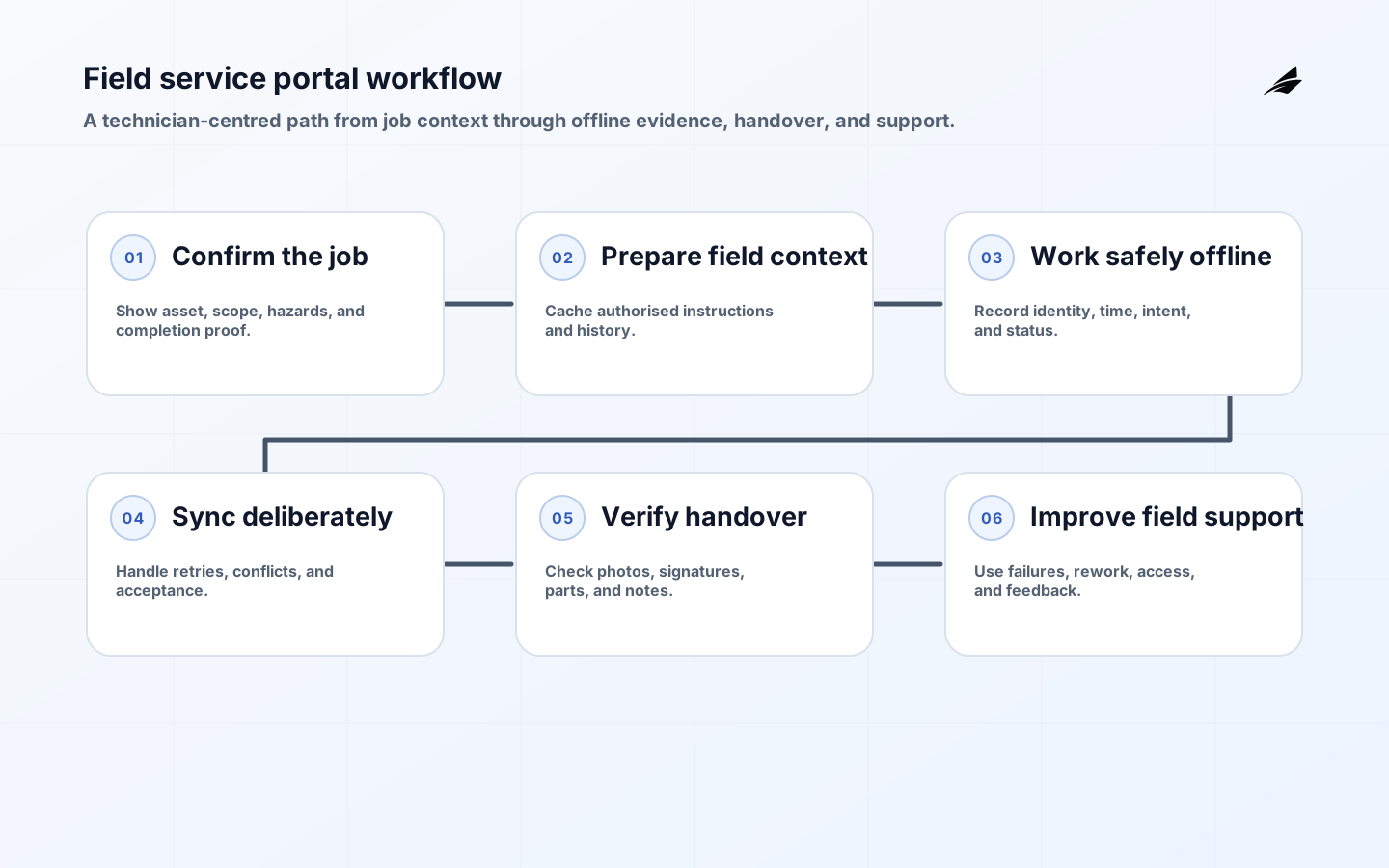
A field service portal is a work surface for people maintaining or installing assets away from a desk. Its value is not the number of screens it contains; it is whether a technician can understand the job, work safely with current information, record evidence once, and hand a defensible result to the next person. In connected operations, the portal often combines asset history, telemetry, manuals, work orders, photographs, parts, approvals, and customer information. That makes it a workflow boundary as well as an interface. The offline sync planning guide is essential reading when the portal must work through unreliable connectivity.
Map the technician workflow before the screens
Observe an actual job from dispatch through travel, arrival, diagnosis, action, customer handover, and closeout. Capture the questions the technician asks at each point: is this the right asset, what is its current state, what was attempted before, which procedure applies, what authorization is required, and what evidence is needed to close the work? Include exceptions such as missing serial plates, unsafe conditions, unavailable parts, an incorrect work order, and another person changing the asset while the technician is on site. A portal designed around these moments reduces calls and handwritten notes. A portal designed from a back-office data model often hides the decision context behind several fragile searches.
Create a dependable asset and work model
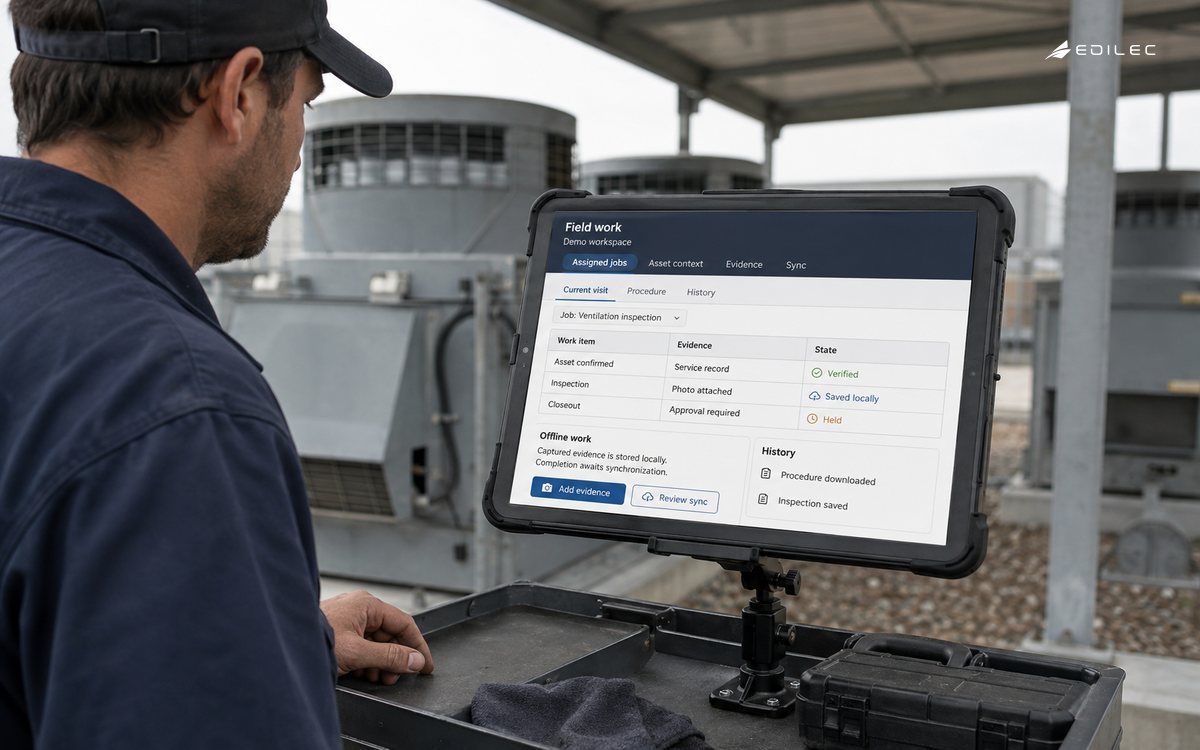
Choose durable identifiers for customer, site, asset, component, work order, visit, and service evidence. Show human-readable labels but do not rely on them as keys: serial numbers can be mistyped and locations can change. Define the source of truth for asset status, warranty, procedure revision, parts availability, and customer permissions. Then show freshness and conflicts where a technician needs them. A history view should distinguish an observed sensor condition, a technician diagnosis, and a completed action; collapsing them into one generic note damages later analysis. Link photos, signatures, measurements, and replaced-part identifiers to the exact activity that created them so a reviewer does not have to reconstruct the story from timestamps.
| Portal information | Who needs it | Control to add |
|---|---|---|
| Asset identity and location | Technician and dispatcher | Barcode or QR confirmation with correction route |
| Approved procedure | Technician and quality reviewer | Revision, applicability, and acknowledgement |
| Live telemetry | Technician diagnosing a condition | Observed time, quality, and source label |
| Customer contact | Technician arranging access | Minimum fields and role-based visibility |
| Completion evidence | Customer, operations, and audit | Time, user, asset, and immutable attachment link |
Make offline work explicit
Do not present stale content as current just because it is cached. Mark what was downloaded, when it was last confirmed, and which actions are pending upload. Store a durable local operation with an identifier so retrying a completed form does not create duplicate work, charges, or parts consumption. Define conflict behavior for the few records that users can change in the field: a safety observation may need to be appended, while a scheduling decision might require a server-side resolution. Keep essential procedures and job context available before travel, but avoid replicating every customer record to every device. Test storage exhaustion, an expired session while offline, clock changes, and a partial upload of photos or signatures.
Use identity to protect work and people
Technicians should use individual identities, with permissions based on role, assignment, and where appropriate the selected customer or site. Shared accounts make it impossible to establish who viewed a customer record, approved a workaround, or altered a service report. Limit remote wipe, export, and administrative functions to a small set of people, and protect sessions on lost or shared devices. The portal should not expose a broad directory of assets merely because a user can service one of them. Review access changes when contractors start, change assignments, or leave. NIST identity guidance and the OWASP ASVS provide practical reference points, but the critical product choice is to make the least-privilege path convenient enough that staff do not bypass it.
| Field event | Portal response | Owner |
|---|---|---|
| Technician cannot identify asset | Offer controlled search and flag identity mismatch | Asset data steward |
| Network drops during completion | Queue signed operation and show pending state | Mobile platform owner |
| Procedure does not fit site | Pause required step and capture exception request | Service engineering owner |
| Customer disputes work | Present linked evidence and approval history | Service operations lead |
Release with service operations in the room
Pilot one job type with technicians who handle normal and difficult sites. Train them on the exact recovery path, then shadow the first jobs and review where they leave the portal for calls, paper, or personal notes. Support staff need a view of pending sync, failed attachments, assignment changes, and device status without the ability to rewrite field evidence. Publish a clear change notice when a procedure or form changes, especially if it affects compliance. Measure time to prepare a visit, rework caused by incomplete evidence, unsynced work age, and the frequency of manual correction. These measures expose whether the portal reduces coordination rather than simply moving it to another queue.
Choose the commercial model with exit paths
A portal purchase is also a commitment to identity integration, mobile device support, offline storage, form governance, and data export. Ask vendors to demonstrate bulk asset import, versioned procedures, data retention controls, accessible export, audit logs, and how a customer can retrieve its history if the contract ends. Distinguish configurable workflow from custom code that only the vendor can maintain. Budget for content stewardship and support as well as licenses. The most important cost question is often how many people must reconcile data after a job, not the price per technician. A small, well-governed workflow can establish value before the portal becomes the default front end for every service process. Compare the offline sync planning guide with the sensor data pipelines guide and the field operations checklist when defining support and recovery boundaries.
Use adjacent offline-work guidance only after the field job and evidence handover are clear; this guide stays centred on safe portal use in real service conditions.
Confirm the field job and its completion proof
A field job needs identity controls that survive the physical environment. Use the NIST Digital Identity Guidelines as a reference for authenticating technicians and binding sessions to people or managed devices. Pair that with assignment, site, and customer context so a valid login cannot automatically expose every job. Record who captured each material action and make device replacement or revocation a rehearsed support path.
Prepare the field context before departure
The NIST Privacy Framework is useful when the portal collects location, photographs, signatures, or customer contact data. Define why each field is needed, who can view it, how long it remains available, and how a person can request correction. Keep customer and technician information separate from broad operational queues.
Work offline without overstating completion
Use the OWASP Application Security Verification Standard to shape checks around session handling, authorization, and input validation. The NIST Cybersecurity Framework 2.0 adds a governance and recovery lens. Test a lost device, stale work order, upload retry, and unauthorized site request before expanding the portal.
- Name the field service portals decision, owner, timing, evidence, and unacceptable failure.
- Distinguish current, provisional, blocked, corrected, and recovered states.
- Test normal, late, duplicate, denied, partial, and recovery outcomes before expansion.
- Keep source, identity, policy, version, and authority close to consequential actions.
- Review one real exception with operators and record the correction.
Continue with offline sync planning guide, alert routing architecture guide, connected operations playbook. These field-service references help a reader compare offline work, alerting, connected operations, and technician support decisions.
Key takeaways for field service portals
- Design around the technician's decisions and exceptions, not a back-office screen inventory.
- Use stable asset and work identifiers with evidence attached to the creating action.
- Show offline freshness and pending state; make retries idempotent.
- Apply individual identity and assignment-aware access to customer and asset information.
- Pilot difficult field jobs and measure rework, pending work, and manual escape routes.
Frequently asked questions about field service portals
Must a portal work fully offline? It must support the jobs performed in its expected connectivity conditions, which may be a deliberate subset. Should technicians edit asset master data? Permit controlled corrections where needed, but retain source, approval, and history. Can a customer sign on a shared device? Yes, with a clear consent and evidence flow; do not let that signature become an authenticated technician session. What is the first integration to prove? Usually work order and asset identity, because weak joins undermine every later feature.
Conclusion: make field work easier to prove
A useful field service portal brings the right context to the job and returns reliable evidence to the operation. Keep its workflows grounded in the field, protect the people and records involved, and treat offline recovery as a core product behavior. That creates a service system that is easier to operate, review, and improve.
Plan adoption as carefully as implementation. Give a representative crew a supported device, job type, and escalation contact, then collect the places where their normal work cannot proceed. Some requests will be legitimate workflow additions; others reveal poor asset data, unclear policy, or a missing back-office handoff. Triage those causes separately so the portal does not become a dumping ground for every organizational problem. A visible release calendar, short feedback loop, and evidence-based priority rule help technicians trust that reporting a defect changes the product rather than adding to their workload.
Define evidence retention before launching camera, signature, and customer-contact features. Set which files are essential to a completed job, who can view them, whether they may be edited, when they expire, and how legal or customer requests are handled. Link the retention policy to the correct job, asset, and jurisdiction instead of relying on a single global device setting. Test the export path with a realistic closed work order so operations can produce a readable packet without exposing unrelated customer data. These controls protect both the technician, who needs proof of work, and the customer, who should not receive a permanent shadow archive of every field interaction.
Field portal acceptance checks
- A technician confirms the physical asset before completing the work record.
- Procedures show revision and applicability before a required step begins.
- Offline actions display pending state and retry without duplicate completion.
- A changed assignment updates access without exposing unrelated customer records.
- Photos and signatures link to the action, user, time, and asset.
- Support can inspect failed sync without editing field evidence.
- A corrected asset identity leaves a visible approval and history trail.
- A closed job exports its evidence without unrelated customer information.