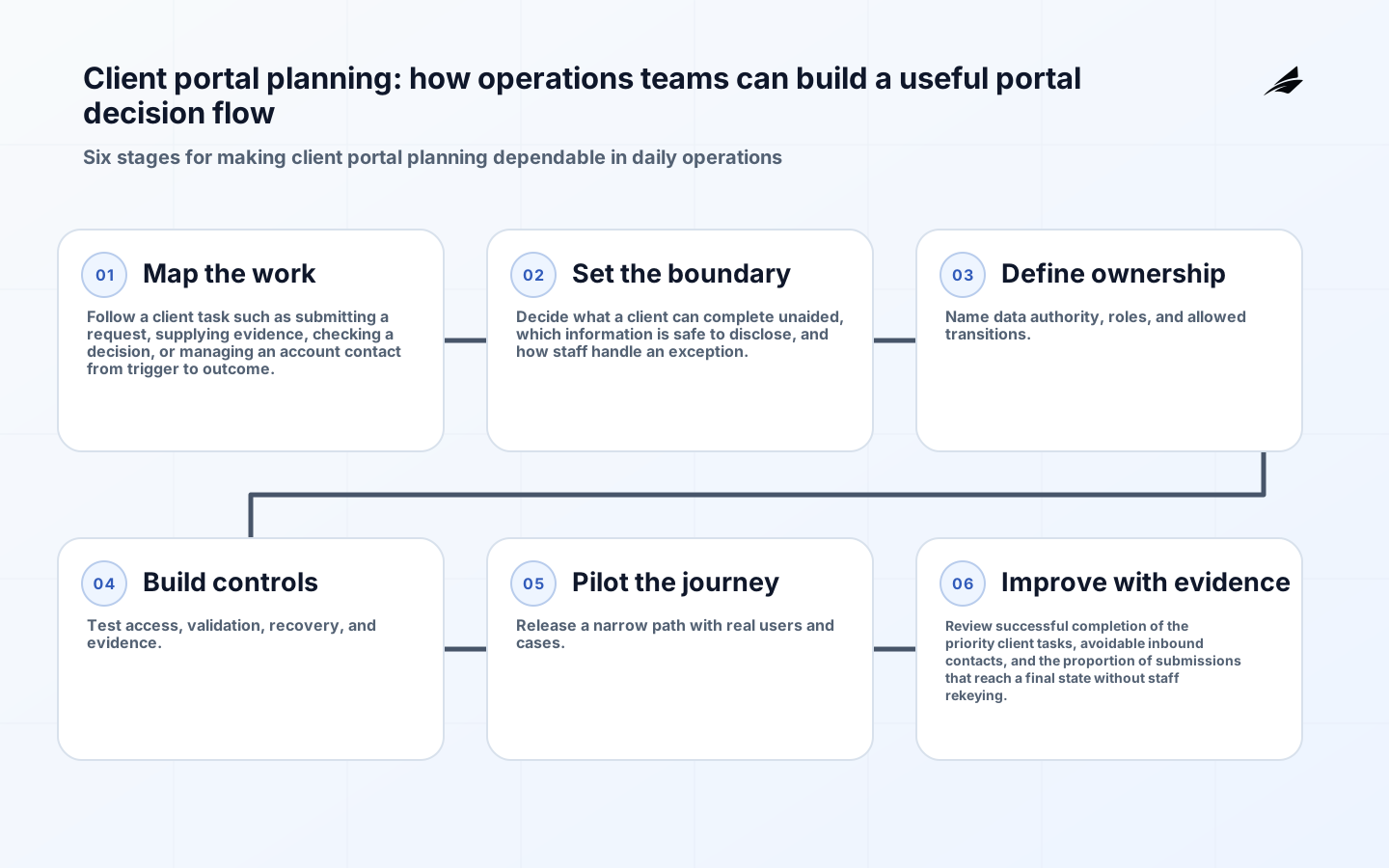
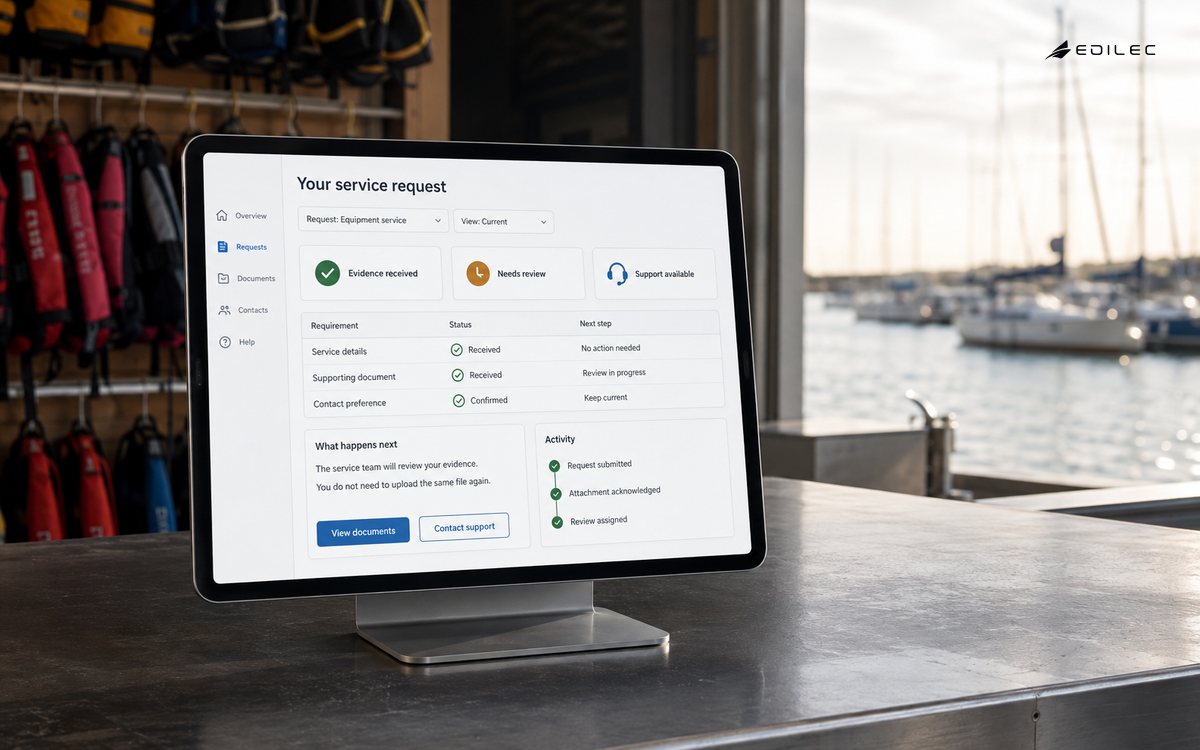
Client portal planning are worth building when they make a real operating decision safer, faster, or easier to explain. A client who cannot tell whether a document was received often emails, calls, and uploads the same file twice. A portal is valuable when it makes the next valid action and the current status dependable, not when it mirrors every internal screen. Operations teams should begin with a client task such as submitting a request, supplying evidence, checking a decision, or managing an account contact, because that exposes the people, systems, policy constraints, and evidence a useful product must connect. The objective is not a prettier version of a spreadsheet. It is a dependable path for work that leaves enough context for the next person, survives an integration failure, and can be measured after release.
Key takeaways
- Start with a client task such as submitting a request, supplying evidence, checking a decision, or managing an account contact, not a collection of screens.
- Make explicit what a client can complete unaided, which information is safe to disclose, and how staff handle an exception.
- Keep a named source of truth for important facts and record consequential changes.
- Enforce permissions on the server and test denied paths as carefully as allowed paths.
- Use release evidence and production signals to improve client portal planning after launch.
Map the client portal planning decision
The first workshop should follow a concrete example from beginning to end. Ask who initiates it, what information is needed, what rule determines the next step, who owns a delay, and what a satisfactory outcome looks like. Capture the ordinary path and the exceptions that staff already solve by email or chat. This creates a shared operating model and avoids a common delivery error: building a surface that looks complete while leaving the most consequential handoff outside the system. The resulting map should name what a client can complete unaided, which information is safe to disclose, and how staff handle an exception.
| Planning element | Question to answer | Useful evidence |
|---|---|---|
| Outcome | What business result should this journey produce? | A completed example with a clear owner. |
| State | What changes and who may make that change? | A transition rule and audit entry. |
| Data | Which system owns the fact? | Field lineage and refresh expectation. |
| Exception | What happens when the ordinary path fails? | A queue, timer, and recovery owner. |
Set a deliberate client portal planning boundary
Start with a small number of externally meaningful journeys. Define the actor, preconditions, accessible form fields, confirmation, service-level status, and recovery path for each. Avoid exposing internal workflow labels that confuse clients or reveal information about other accounts.
Make data and access explicit
Establish an identity-to-account rule before designing pages. A contact may belong to several client organizations, and a delegated colleague may need limited access to one case. Keep authorization decisions server-side, link every displayed status to its source, and log document access and material submissions without putting confidential content in application logs.
| Condition | Control | Release check |
|---|---|---|
| User requests a protected action | Evaluate role, record scope, and action on the server. | Attempt the action with an unentitled account. |
| An integration is retried | Use a durable identifier and record the prior outcome. | Send the same command twice. |
| A record changes concurrently | Detect a stale version or reconcile deliberately. | Submit an edit after another change. |
| A support issue is investigated | Link logs, events, and audit history by correlation ID. | Trace a test item across the workflow. |
Build security and usability in
Treat accessibility and security as design constraints. WCAG 2.2 provides testable criteria for web content; use semantic controls, programmatic labels, keyboard operation, and clear error recovery. For protected actions, re-check authorization on the server and present a useful problem response without disclosing implementation details. The NIST Secure Software Development Framework is a practical reference for making secure design, verification, release integrity, and vulnerability response part of normal delivery. For browser-facing work, WCAG 2.2 gives testable accessibility guidance that also improves day-to-day task completion.
Assign ownership and change control
Operations teams need a lightweight but explicit ownership model for client portal planning. Name the business owner who decides what good looks like, the service owner who is accountable for availability and recovery, the data owner who approves material changes, and the person who may accept residual risk. Keep a dated decision log for policy changes, interface changes, and temporary exceptions. When a rule changes, identify records already in flight and decide whether they remain under the old rule, are recalculated, or need a human review. That discipline prevents a routine release from silently changing the meaning of work already promised to a customer or colleague.
Verify before expanding access
Before widening client portal planning to another team, tenant, or workflow, rehearse the conditions that usually create expensive support work. Use representative data, deliberately incomplete inputs, slow or unavailable dependencies, duplicate requests, and a user whose permission should be denied. Confirm that the team can find the event, explain the state, correct it without hidden database edits, and communicate the next step. A release gate should include functional acceptance, accessibility checks where relevant, authorization tests, integration contract evidence, and a documented limit on what can be rolled back. Passing a demonstration is useful; passing these operating checks is stronger evidence.
Prepare support and recovery
Write a short support playbook before the pilot. It should state the service objective, ownership hours, dashboards or searches to use, expected state transitions, escalation contact, and safe repair actions for client portal planning. Include a communication template for a client-facing delay and a reconciliation step for any action that may have completed in one system but not another. Runbooks should be tested with a realistic case, not left as an aspirational document. This is particularly important when an application coordinates several teams: a fast technical restart does not resolve an item whose business owner, evidence, or downstream status remains unclear.
Release with operating evidence
Run moderated task sessions with real clients and include common low-confidence moments: a missing attachment, an expired invitation, a status that needs explanation, and a submission that fails. Track task completion, duplicate contacts, failed submissions, and the time staff spend resolving portal-originated exceptions. Observability should distinguish a client error from an upstream outage. Use OpenTelemetry documentation as a reference when agreeing how services emit traces, metrics, and logs. Monitoring should answer an operational question: which step is delayed, for whom, and why? It should not be a collection of technical charts disconnected from the work the application is meant to improve. Related delivery practices are also covered in this web application performance plan.
Avoid common client portal planning failures
Teams often treat the portal as a publishing project, then discover that its data is late or its forms create hidden staff work. Do not promise real-time status until the data flow supports it. Name a fallback message, ownership route, and reconciliation procedure for each integration.
Measure and improve
Choose measures that connect software behavior to the operating problem. For this work, inspect successful completion of the priority client tasks, avoidable inbound contacts, and the proportion of submissions that reach a final state without staff rekeying. Establish a baseline before the pilot, segment results by workflow type or role where that changes the meaning, and pair numbers with sampled cases. A lower average time can conceal more work being pushed into an unowned exception queue. Review the evidence with the people responsible for the outcome, then change the policy, interface, integration, or training that the cases actually support.
Keep decisions explainable
As client portal planning mature, the difficult question is rarely whether the application can execute a rule. It is whether a supervisor, auditor, support colleague, or affected user can understand the decision later. Preserve the facts used at the time, the rule or policy version, the actor or automated service that acted, and the reason an exception was accepted. Explainability does not require exposing private implementation details; it means the accountable team can distinguish a valid decision, an incomplete request, a stale input, and a system failure. Review a small sample of completed and exceptional cases every release. Those reviews reveal ambiguous policy, misleading interface language, and integration assumptions long before aggregate metrics make the problem obvious. For operations teams, this review is also the clearest way to decide whether the next investment belongs in policy, process, data quality, or software.
Frequently asked questions
Should the first release include every role and exception? No. For client portal planning, support one complete, valuable journey and the controls needed to operate it responsibly. Defer a role only when there is a safe, owned way to handle its work outside the new application; do not defer the authorization or audit rule that protects the released path.
How should the team handle errors from connected systems? In client portal planning, decide whether a request is rejected, accepted for later processing, or completed with a warning. Give callers a stable, useful response. RFC 9457 standardizes problem details for HTTP APIs, but error messages should help a user correct an issue without exposing internal implementation or sensitive information.
Conclusion
Client portal planning become durable when the team can explain the work, data authority, permission boundary, exception route, and evidence of benefit. Begin with the smallest accountable journey, release it with observability and recovery in place, and let measured operating experience determine the next investment. That approach protects both users and delivery capacity while producing software that can grow with the business.