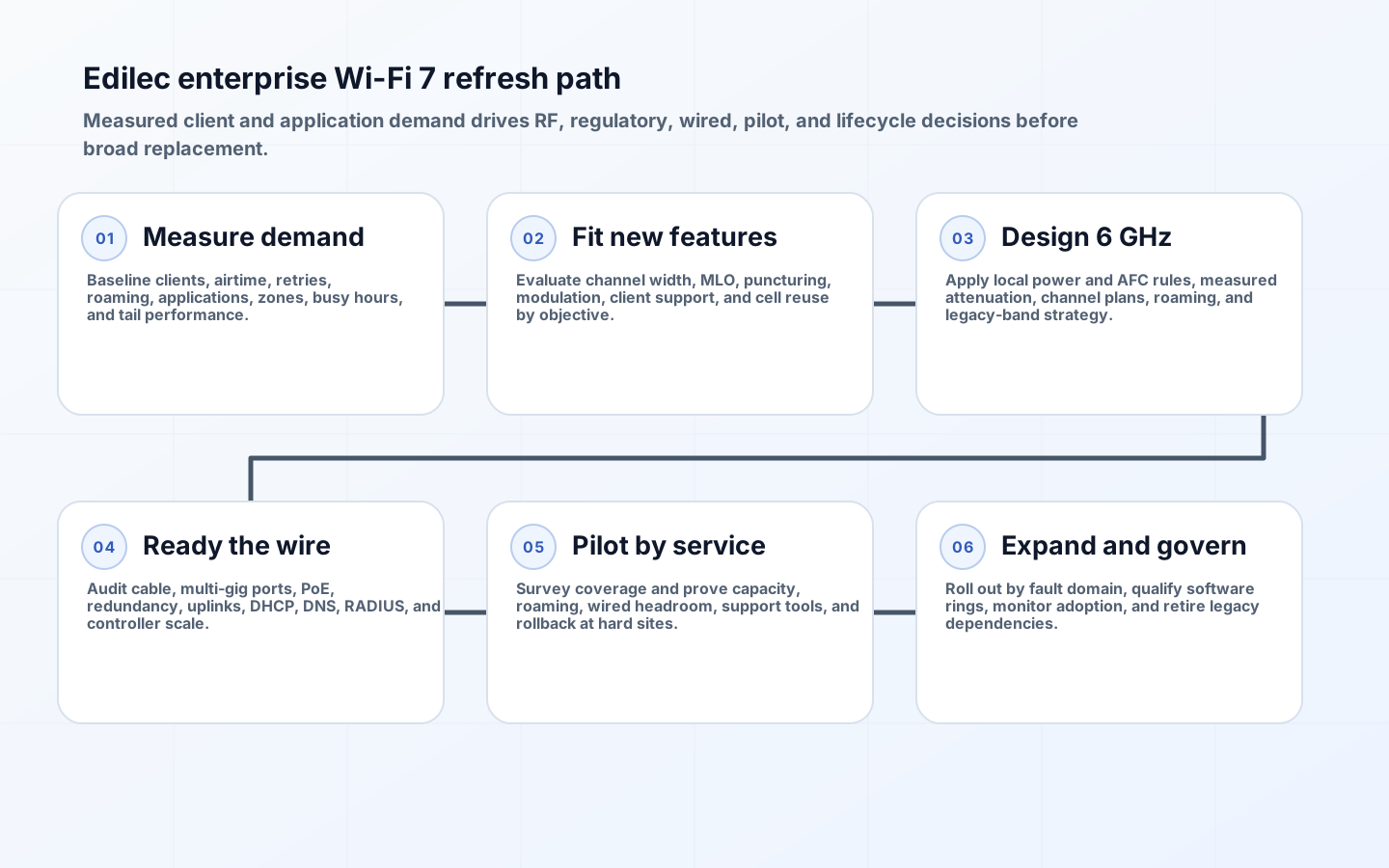
An enterprise Wi-Fi 7 migration should solve measured capacity, latency, reliability, or lifecycle problems, not chase a radio headline. Peak physical rates assume favorable channel width, modulation, spatial streams, signal quality, and client capability. In offices, campuses, hospitals, warehouses, and venues, usable performance depends on airtime contention, cell design, spectrum rules, client mix, roaming, interference, cabling, switch power, uplinks, authentication, and application behavior.
IEEE 802.11be-2024 is an active standard, published in July 2025 after approval in September 2024. Its IEEE standards page describes extremely high throughput operation with backward compatibility and improved worst-case latency and jitter. A refresh plan should translate those capabilities into site objectives and verify them with production-shaped clients. Most fleets will remain mixed for years.
Baseline wireless demand and the real client mix
Collect per-radio and per-client evidence across representative weeks: active clients, channel utilization, retries, PHY rates, spatial streams, band, signal and noise, roaming, authentication time, application throughput, latency, packet loss, and failure tickets. Segment by location, time, device model, driver, operating system, and application. A crowded conference area, voice corridor, robotic warehouse, and quiet office need different designs. Map upcoming devices and lease or support cycles so projected Wi-Fi 7 adoption is realistic.
Define service objectives per zone: concurrent clients, median and tail latency, packet loss, roaming interruption, per-client throughput, multicast or discovery behavior, location accuracy if required, and availability. Measure wired application paths too; a slow service can look wireless. Inventory devices limited to 2.4 or 5 GHz, WPA mode, channel width, power-save behavior, and 6 GHz regulatory support. Do not retire legacy coverage until critical clients have a tested migration path.
| Input | Measure | Decision informed | Common mistake |
|---|---|---|---|
| Client capability | Bands, streams, channel width, MLO, security, drivers | Expected feature adoption and cell mix | Assuming AP capability equals client capability |
| Airtime demand | Busy time, retries, payload, concurrency by zone | Radio count, channel plan, density | Sizing only from speed tests |
| RF environment | Attenuation, interference, noise, incumbent use | Placement, power, band strategy | Reusing old AP locations without survey |
| Wired edge | Cable class and length, switch ports, PoE, uplinks | Upgrade sequence and oversubscription | Buying APs before checking power budget |
| Applications | Latency, loss, roaming, discovery, peak transfer | Acceptance tests and QoS | Using aggregate internet throughput as success |
Translate Wi-Fi 7 features into deployable value
Wider channels can raise peak throughput but consume spectrum and reduce channel reuse. Use 320 MHz only where regulation, clean 6 GHz spectrum, client support, and low contention justify it; many enterprise cells benefit from narrower reusable channels. Multi-link operation can use links across bands to improve throughput or latency behavior, but mode, client support, power, roaming, and controller implementation matter. 4K-QAM requires excellent signal quality and should be treated as a close-range bonus, not a coverage assumption.
Preamble puncturing can use portions of a wide channel around interference, while multi-resource-unit behavior improves scheduling flexibility. Verify actual certified features and software release behavior for both AP and clients. The Wi-Fi Alliance Wi-Fi CERTIFIED 7 overview is useful for program capabilities, but certification does not replace site testing. Design for application service at cell edges and under contention, not for a single nearby benchmark client.
Plan 6 GHz around local regulation and RF physics
Available spectrum, power classes, indoor restrictions, and automated frequency coordination vary by country. In the United States, the FCC opened 1,200 MHz in the 5.925-7.125 GHz band for unlicensed use in its 6 GHz order; low-power indoor and standard-power AFC-controlled operation have different rules. Validate current rules in every deployment jurisdiction and ensure controller, location, and AFC operations match the selected power class.
Six GHz generally has higher path loss and less wall penetration than lower bands at comparable design assumptions, so an old 5 GHz cell layout may not provide equivalent 6 GHz service. Conduct predictive design followed by measured surveys with representative client devices. Plan channel reuse, transmit power symmetry, minimum data rates, roaming boundaries, and 2.4/5/6 GHz steering. Preserve 2.4 GHz for devices that need it without allowing slow rates and excessive cell size to consume avoidable airtime.
| Gate | Evidence | Pass condition | Failure response |
|---|---|---|---|
| Coverage | Survey by band with representative clients | Required signal, noise, and service at all critical locations | Adjust placement, power, channel width |
| Capacity | Busy-hour load and controlled concurrency | Tail latency, loss, retries, and throughput meet zone objective | Add/rebalance radios or narrow channels |
| Roaming | Voice and application journeys across boundaries | Interruption within application tolerance | Tune cells and client/roaming features |
| Wired readiness | AP draw, switch budget, port rate, uplink load | Headroom under failure and peak scenarios | Upgrade power, ports, cabling, or uplinks |
| Operations | Upgrade, rollback, alert, packet capture, location workflow | Support team resolves injected faults | Fix tooling and runbooks before expansion |
Upgrade switching, cabling, power, and services in sequence
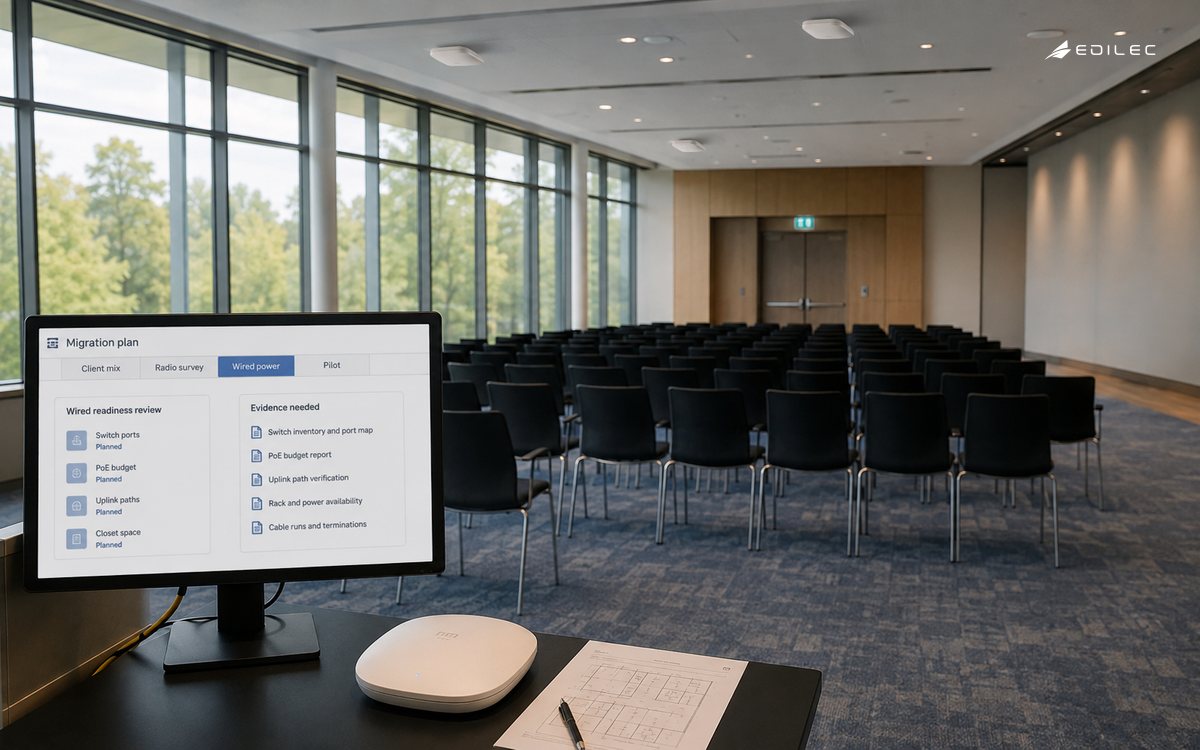
Inventory every AP cable run, termination, switch-port speed, PoE standard, total chassis power, redundancy, UPS runtime, and uplink oversubscription. Multi-gigabit AP ports may require 2.5, 5, or 10 GbE depending on design, but do not upgrade blindly: calculate realistic aggregate demand and failure cases. Validate existing cabling at required rates and power, including bundle heat and length. Reserve power for radio growth, USB or IoT modules, and degraded operation after a power-supply failure.
Test DHCP, DNS, RADIUS, certificates, network access control, firewall policy, controller capacity, telemetry, and IP addressing under reconnect surges. Wi-Fi 7 does not fix slow authentication or undersized address pools. Align WPA3 and 6 GHz requirements with managed and unmanaged clients; create an explicit exception network for devices that cannot migrate, with segmentation and retirement. Keep management access, AP identity, configuration signing, logs, and administrator roles under enterprise controls.
Execute a phased refresh with rollback
Pilot zones representing each building and use case, not only headquarters. Capture baseline before change and compare by client cohort. Stage controller and AP software, verify configuration compatibility, then expand by floor or fault domain while retaining spare capacity. Avoid replacing all APs and switches in one maintenance window. Define rollback for software, channel plan, authentication policy, and physical placement, and keep the prior configuration export and known-good image.
After migration, monitor client band distribution, Wi-Fi 7 and MLO adoption, channel utilization, retries, roam failures, authentication, tail latency, switch power, port rates, uplinks, and tickets. Revisit channel widths and radio settings as client mix changes. Procurement should score support horizon, security updates, controller dependency, licenses, APIs, telemetry export, regulatory coverage, hardware replacement, and feature maturity, not advertised aggregate throughput alone.
Key takeaways
- Base the refresh on busy-hour client and application evidence by zone.
- Treat 320 MHz, MLO, 4K-QAM, and puncturing as conditional capabilities requiring compatible clients and RF conditions.
- Validate 6 GHz rules and power classes separately for each jurisdiction.
- Audit cabling, multi-gigabit ports, PoE, uplinks, identity services, and controller scale before AP purchase.
- Pilot representative sites and expand with measurable service gates and reversible configurations.
FAQ
Should an enterprise replace every AP with Wi-Fi 7?
Usually not at once. Prioritize lifecycle-expired hardware and zones with demonstrated capacity or latency needs. Mixed generations can coexist when controller support, channel planning, security policy, and operations are tested.
Should enterprise Wi-Fi 7 use 320 MHz channels?
Only in suitable 6 GHz environments with enough spectrum, compatible clients, and low reuse pressure. Dense deployments commonly gain more from narrower channels reused across cells. Validate application outcomes rather than peak link rate.
Does multi-link operation guarantee lower latency?
No. MLO creates options for using multiple links, but mode, scheduler, client implementation, RF conditions, power behavior, roaming, and network load determine the result. Test tail latency under contention with target clients.
Govern lifecycle cost and operational readiness
Build a cost model for APs, brackets, surveys, cabling remediation, switch ports, PoE capacity, uplinks, controller or cloud subscriptions, licenses, identity services, spares, installation, training, support, monitoring, and refresh labor. Include the cost of keeping a segmented legacy SSID for devices that cannot adopt the security baseline. Compare a full refresh with targeted density upgrades and software optimization. Attribute benefits to fewer tickets, better application outcomes, energy or space savings, and avoided switch replacement only when measured.
Train service desk and network operations on the new evidence: band, link, MLO state, channel width, association, authentication, roam, driver, AP radio, switch power, and wired path. Ensure packet-capture and spectrum tools support the deployed features. Rehearse an AP or switch failure during peak demand and verify that neighboring cells have capacity without violating channel reuse. Document who can change radio automation settings and how an automated change is correlated with user impact.
Set firmware qualification rings because AP, controller, switch, and client-driver updates can change feature behavior after launch. Hold known-good versions, test mixed releases, and monitor after expansion. Track regulatory and AFC dependencies as external services with alerts and contingency. Finally, publish a client retirement roadmap with device owners; otherwise old 2.4 GHz clients and weak security modes can define network design long after the access-point investment.
Conclusion
A successful Wi-Fi 7 refresh is a capacity and lifecycle program spanning radio, clients, wire, power, identity, and operations. Measured zone objectives and phased evidence keep useful new features grounded in the service employees and devices actually receive.