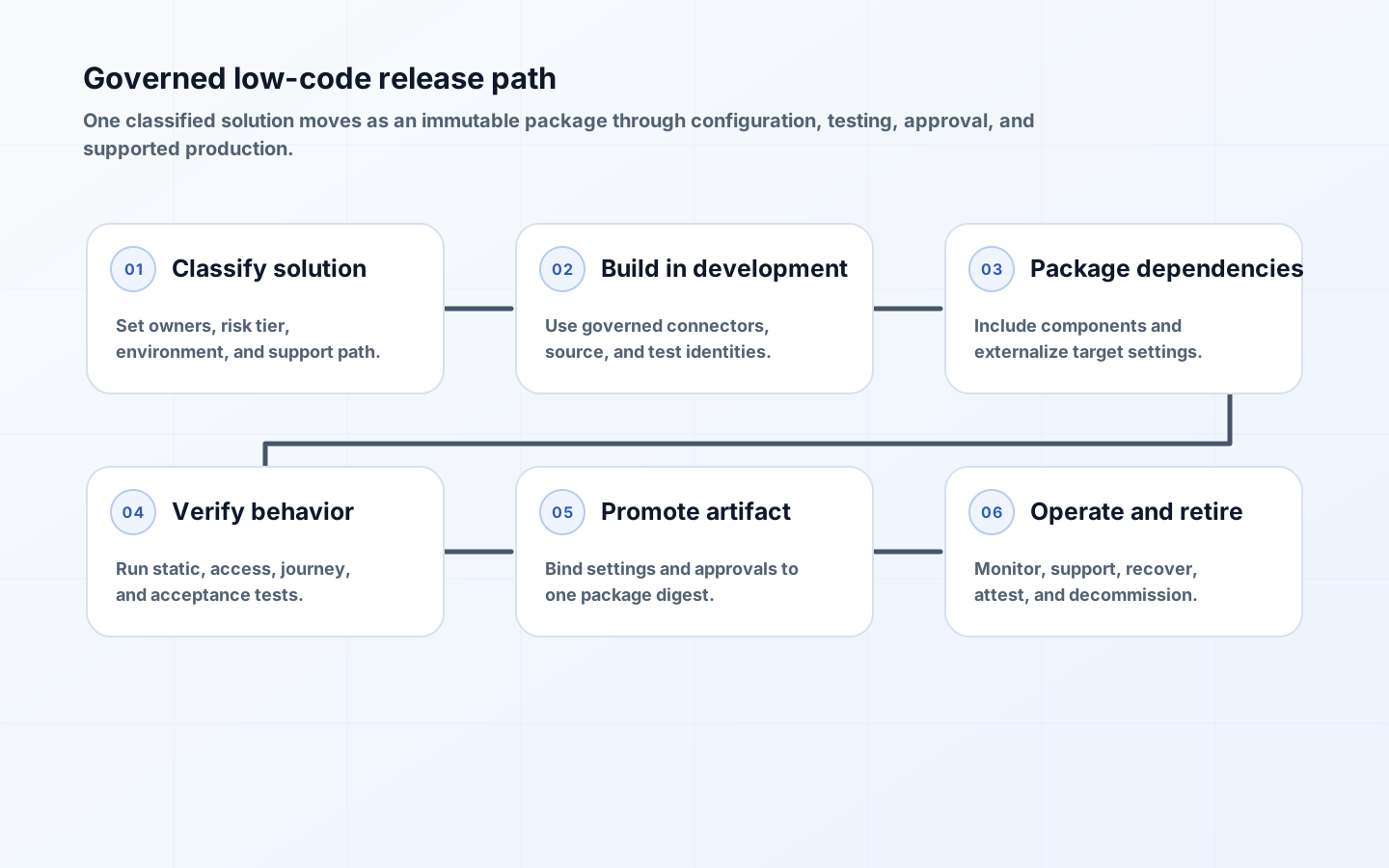
Low-code application lifecycle management brings intentional change control to apps and automations that run real business operations. Visual authoring does not remove dependencies, security, testing, configuration, or rollback. In fact, easy publishing can blur the boundary between experimentation and production unless the platform supplies a clear path from a maker's workspace to a supported release.
A practical low-code ALM system uses separated environments, packaged solutions, source-controlled artifacts, target-specific configuration, automated validation, and governed promotion. It scales controls by risk so a personal productivity flow is not managed like a revenue-critical application, while shared and material solutions receive evidence comparable to coded systems. The aim is repeatable delivery that makers can actually use.
Classify solutions before choosing the delivery path
Classify by audience, data sensitivity, external exposure, financial or legal effect, privilege, process criticality, transaction volume, and recoverability. Record a process owner, technical owner, support tier, data owner, and lifecycle state. A prototype with synthetic data may use a disposable developer environment. A departmental app needs test and production separation. A customer or regulated workflow may need isolated development, formal acceptance, independent approval, and tested continuity.
Reassess when scope changes. Adding a premium connector, external user, automated decision, new dataset, or production dependency can move a solution into a stronger path. Put the classification in the inventory and make it drive environment, data policy, test, approval, monitoring, and retention requirements. Avoid a generic citizen-developer label: risk comes from what the solution does and touches, not whether its maker writes code.
| Solution class | Environment path | Release authority | Operating expectation |
|---|---|---|---|
| Personal productivity | Constrained personal or productivity environment | Maker within policy | Named owner, review date, no material shared dependency |
| Team utility | Development and governed shared target | Domain product owner | Basic regression test, monitoring, handover |
| Department application | Development, test, production | Business and technical owners | Packaged release, acceptance, rollback, support queue |
| Material enterprise process | Isolated development, integration or UAT, production | Independent release authority | Security and resilience evidence, change record, continuity exercise |
Design environments around purpose and trust
An environment is a security, administration, data, and deployment boundary, not just a folder. Define approved purposes such as personal productivity, developer, shared development, test, UAT, training, and production. For each, specify who can create resources, allowed data and connectors, identity rules, network access, managed features, retention, capacity, backup, and support. Protect the default environment from becoming an invisible production estate.
Use repeatable provisioning and expiry. Developer environments should be easy to obtain with baseline policies, sample data, and no production credentials. Production creation should require an owner, classification, support commitment, and deployment path. Group environments with comparable policy and monitor drift. Microsoft currently recommends an enterprise environment strategy using managed capabilities, environment groups, and rules; the broader principle is to make environment purpose enforceable and visible.
Package all deployable components and dependencies
Place apps, flows, tables, forms, custom connectors, environment-variable definitions, connection references, security roles, and other supported components in a named solution or equivalent package. Microsoft documents solutions as the mechanism for transporting components between Power Platform environments and recommends managed solutions outside development. Define publishers and ownership early, because inconsistent prefixes, unmanaged customizations, and overlapping packages create difficult dependency layers.
Keep package boundaries aligned with ownership and release cadence. One enormous solution couples unrelated teams; many tiny solutions create dependency ordering and operational overhead. Generate a dependency report and fail a build on missing components. Do not move production data inside a configuration package. Seed reference data through a versioned, idempotent deployment step with explicit ownership, validation, and rollback.
Make source control the durable change record
Export and unpack solutions into a reviewable source representation using supported platform tools. Commit generated manifests and definitions consistently, but exclude secrets, transient caches, and user-specific connection IDs. Tag releases and store the built artifact with its source commit, tool version, dependency manifest, and digest. The deployed package should be built once and promoted; rebuilding separately for production can introduce unreviewed differences.
Visual artifacts can produce noisy diffs, so pair mechanical comparison with design evidence: changed screens, formulas, flows, permissions, connectors, schemas, and configuration keys. Require meaningful change descriptions and issue links. Define how simultaneous maker changes are integrated, because a shared development environment can overwrite work before source control sees it. For higher-change teams, use isolated development and a controlled merge path supported by the platform.
| Artifact or value | Source control | Deployment handling | Never store |
|---|---|---|---|
| Solution definitions | Unpacked, reviewed, versioned | Build immutable managed package | Unreviewed production export as source |
| Environment-variable definition | Schema name, type, description | Supply target value through settings | Production secret value |
| Connection reference | Logical connector reference | Bind to target-owned connection | Maker refresh token or password |
| Reference data | Versioned seed or migration | Idempotent load with validation | Uncontrolled snapshot of live personal data |
| Release evidence | Test definitions and policy configuration | Attach results and artifact digest | Mutable screenshots as sole proof |
Externalize configuration and connection ownership
Separate environment-specific values from app logic. URLs, feature switches, identifiers, thresholds, and non-secret configuration belong in typed environment variables or an equivalent configuration service. Microsoft notes that environment variables transport definitions while values can change by target environment. Validate required values before import and after deployment. Version meaningful policy values rather than allowing an administrator to change them without release evidence.
Connection references identify the connector binding; the actual connection carries authentication and ownership. Bind production to service or workload identities where supported, not a departing maker's account. Grant only required operations and data scope. Keep secret material in an approved secret store and inject references through the release system. Include an ownership and credential rotation check in production readiness and periodic attestation.
Build layered tests around business risk
Start with static checks for unsupported connectors, policy violations, dependency gaps, insecure sharing, hard-coded environment values, delegation or performance warnings, and solution health. Add component tests for formulas, rules, transformations, and reusable flows. Exercise connector error paths with controlled doubles where the platform permits. Test role and row-level access using representative personas, including users who must not see or change data.
Automate critical user journeys and business outcomes, not every pixel. Power Apps Test Studio supports low-code test cases for canvas apps and can participate in deployment processes, though product capabilities and maturity should be assessed for the chosen app type. Preserve manual exploratory and accessibility testing for complex interaction. In UAT, use realistic but protected data, verify notifications and downstream records, and obtain acceptance from the accountable process owner.
Promote one artifact through controlled stages
A release pipeline should export or build, unpack and inspect, run solution checks, resolve dependencies, package, deploy to test, bind configuration, seed controlled data, execute tests, produce evidence, obtain required approval, and promote the same artifact to production. Microsoft Power Platform pipelines enforce sequential stages and preserve the exported solution artifact across them. Equivalent controls can be implemented with supported command-line and CI/CD tools.
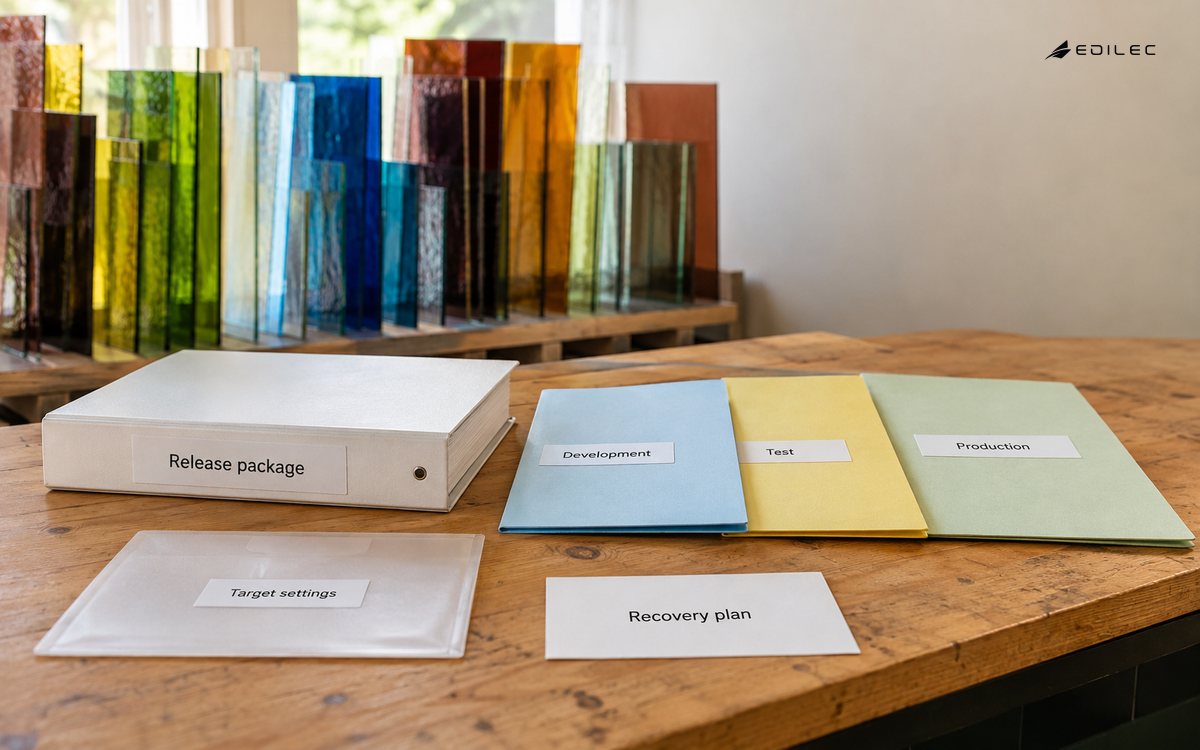
Give makers a simple deployment experience while keeping policy centrally managed. Low-risk solutions can receive automated approval after checks; material releases require named acceptance and separation of duties. Prevent direct production edits or detect and reconcile them as emergency changes. Record artifact digest, source commit, maker, approver, environment, settings version, connection bindings, test results, deployment time, and post-deployment verification.
Plan rollback, recovery, and production support
Rollback is constrained by data and dependency changes. A prior package may restore app definitions but cannot safely reverse a deleted column, transformed record, sent notification, or external transaction. Classify each release as code-only, additive schema, destructive schema, data migration, connector change, or policy change. Prefer backward-compatible expand-and-contract changes and feature flags. Test restore or forward-fix procedures using a production-shaped environment.
After deployment, run a smoke test under a production-like service identity, verify connection references, inspect errors, and confirm the business record changed as expected. Monitor run failures, latency, connector throttling, dependency health, usage, abandoned queues, and owner status. Publish support ownership and a user-facing incident route. Retire unused solutions through staged disablement, dependency checks, data disposition, credential revocation, and inventory closure.
Key takeaways
- Scale low-code ALM by solution consequence and data exposure, not by maker title.
- Use environments as governed trust boundaries and packages as immutable promotion units.
- Keep target configuration and authentication outside solution logic, with accountable production identities.
- Combine static, component, access, journey, and business acceptance tests, then promote the same built artifact.
- Treat rollback as a data-aware recovery design and provide real production ownership after release.
Frequently asked questions
Do personal low-code apps need ALM? They need proportionate lifecycle control: ownership, allowed data and connectors, a review or expiry date, and a route to stronger governance if sharing or impact grows. Full multi-stage promotion is unnecessary for a truly low-risk personal tool.
Should production contain managed or unmanaged solutions? In Power Platform, Microsoft recommends managed solutions for environments outside development. The general control is to prevent ad hoc editing and preserve a traceable package. Confirm product-specific constraints before adopting a blanket rule.
Can a maker deploy directly to production? A governed pipeline can let a maker initiate deployment while centrally enforced checks, stage order, target permissions, and approvals control what reaches production. High-risk changes should retain independent release authority.
Conclusion
Low-code speed becomes durable when the path to production is easier than working around it. Purpose-built environments, complete packaging, source provenance, layered tests, immutable promotion, and accountable support give makers a usable delivery system while protecting material operations. That is application lifecycle management adapted to low-code rather than omitted from it.