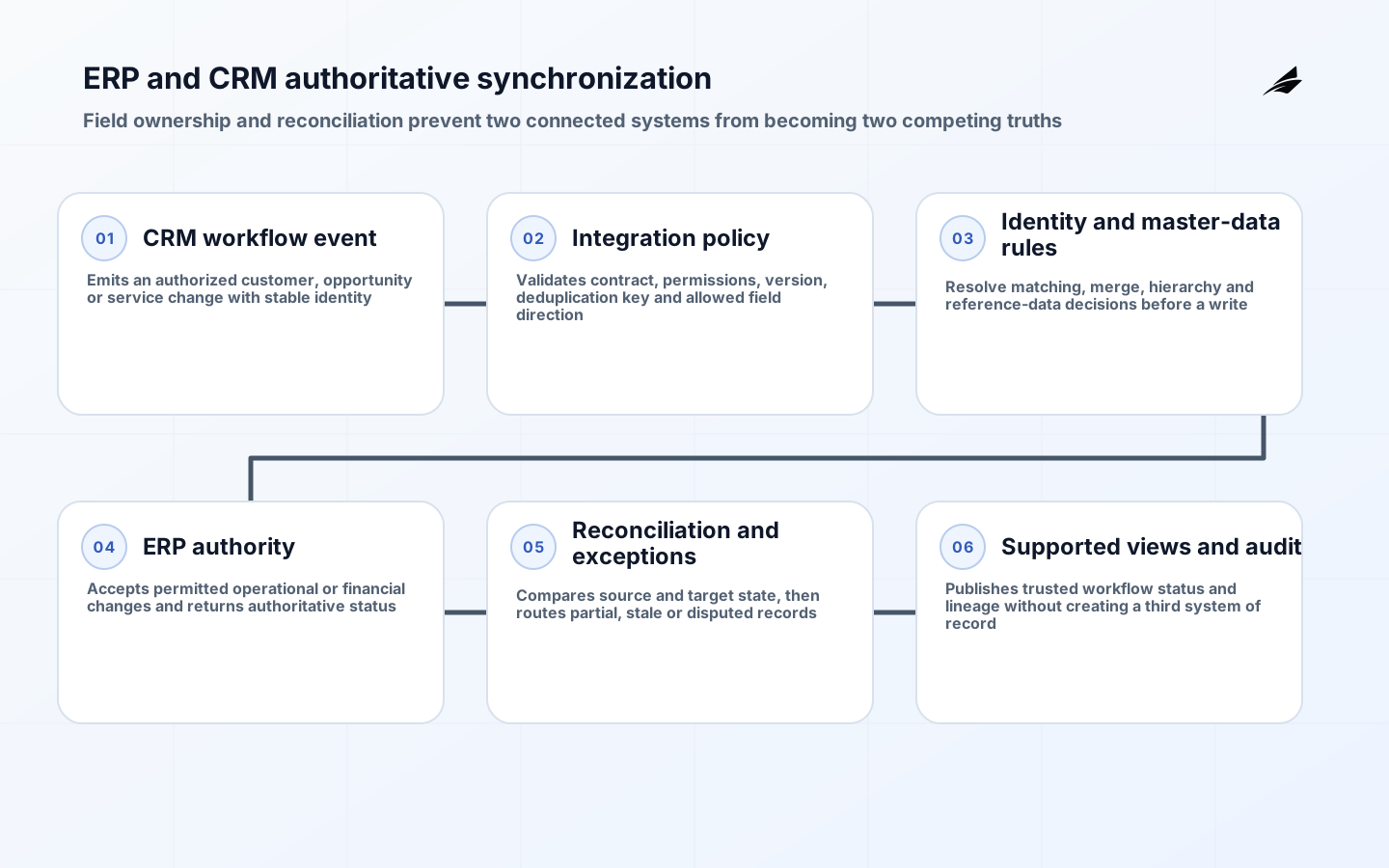
Founders often assume ERP and CRM integration is a simple matter of connecting two systems, but the reality is far more complex. Unlike traditional software, modern ERP and CRM platforms operate on fundamentally different data models and security frameworks. This guide focuses on practical, founder-level decisions that avoid technical over-engineering while ensuring compliance and data integrity. We’ll explore real-world constraints that make integration challenging, such as legacy system dependencies, data silos, and regulatory requirements, without getting lost in API specifications or architecture diagrams.
Why ERP and CRM integration fails for founders
The most common failure point in ERP-CRM integration is the assumption that data flows linearly from ERP to CRM. In reality, business processes often require bidirectional data exchange—such as sales forecasts from CRM feeding back into ERP for inventory planning. When founders skip this step, they end up with outdated inventory levels or misaligned sales targets. For example, a small manufacturing company using SAP ERP and Salesforce CRM could see persistent inventory discrepancies when sales orders are not reflected in the authoritative operational record. This disconnect isn’t just about data; it’s about trust in the system’s accuracy.
- Founders often prioritize speed over data accuracy, leading to temporary fixes that cause long-term issues
- Legacy ERP systems may not support modern API standards, requiring custom adapters
- Applicable legal, contractual, and financial-control obligations can be overlooked during integration
The data model mismatch problem
ERP systems typically use transactional data models optimized for financial and operational processes, while CRM systems focus on customer-facing interactions. This mismatch creates significant challenges when trying to map fields like 'customer ID' or 'order status' between systems. For instance, an ERP might store customer IDs as internal codes, whereas CRM uses external identifiers like email addresses or phone numbers. Without proper mapping, integration efforts become a race against time rather than a strategic initiative.
| ERP Field | CRM Field | Typical Mapping Challenge | Example |
|---|---|---|---|
| Customer ID (Internal) | Customer Email | Different identifiers require manual mapping | SAP uses 'Customer Number' (e.g., 12345), Salesforce uses 'Email' (e.g., john.doe@example.com) |
| Order Status | Lead Status | Status definitions differ across systems | ERP: 'Shipped', CRM: 'Converted' |
| Product Code | Product SKU | Code formats vary by region | ERP: 'ABC-123', CRM: 'SKU-456' |
Security and compliance risks
Integration projects often ignore security and compliance requirements, which can lead to serious consequences. For example, when integrating an ERP system with a CRM, founders must ensure that sensitive customer data isn’t exposed to unauthorized users. The Digital Identity Guidelines (NIST SP 800-63-4) provide critical insights into authentication and authorization protocols that must be followed. Without these, even a seemingly simple integration can result in data breaches or regulatory violations.
When integrating systems, founders must verify that data flows only to authorized users and that sensitive information isn’t stored in unsecured locations. For instance, if a CRM system is used to store customer payment details, integrating it with an ERP that handles financial transactions could expose payment data to non-compliant endpoints. This isn’t just a technical issue—it’s a legal risk that can lead to fines or loss of customer trust.
Phased integration approach
Rather than attempting a full integration at once, founders should adopt a phased approach. Start with high-impact, low-risk areas like customer data synchronization, then gradually expand to more complex processes like order fulfillment or financial reporting. This method minimizes disruption and allows for iterative improvements based on real-world feedback. For example, a startup using QuickBooks ERP and HubSpot CRM might begin by syncing customer contact information before moving on to order tracking.
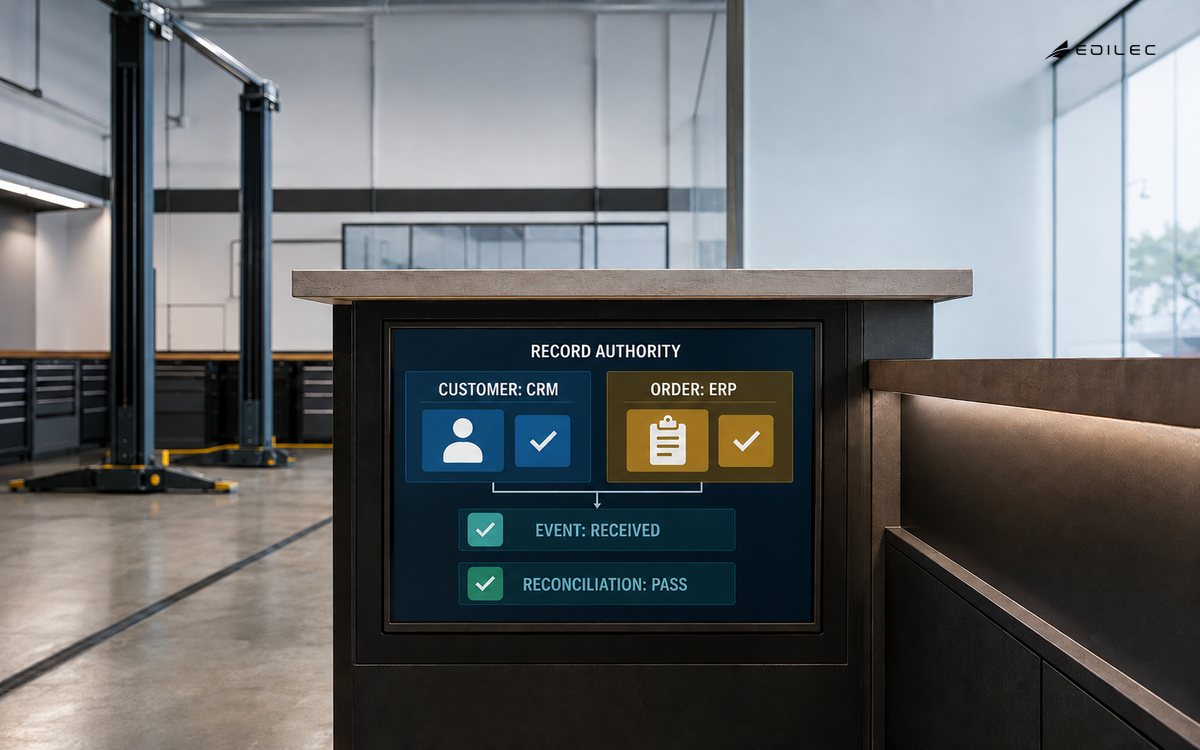
- Phase 1: Sync customer data (names, emails, phone numbers)
- Phase 2: Align sales forecasts with inventory levels
- Phase 3: Implement automated invoice generation
API limitations and workarounds
Many ERP and CRM systems have API limitations that make direct integration difficult. For example, Salesforce’s REST API might not support real-time updates for certain financial data, while Oracle ERP’s API requires complex authentication tokens. Founders should use middleware solutions like Zapier or MuleSoft to bridge these gaps without building custom code from scratch. However, these tools can add cost and complexity if not chosen carefully.
| Integration concern | Question to resolve | Evidence before release |
|---|---|---|
| Customer identity | Which system creates, merges and retires customer records? | Golden-record rules and duplicate test cases |
| Order and financial state | Which ERP events may update CRM and which remain read-only? | Field authority matrix and reconciliation results |
| Authentication and authorization | How are user and service identities scoped at both ends? | Allowed and denied API tests plus credential-rotation evidence |
| Failure and replay | How are partial writes, duplicates and delayed events handled? | Idempotency tests, exception queue and replay runbook |
Testing and validation
Testing is often an afterthought in integration projects, but it’s critical for ensuring data accuracy and system stability. Founders should conduct end-to-end testing with a small subset of data before rolling out the integration to the entire system. For example, a company using NetSuite ERP and Zoho CRM might test order processing with 100 sample transactions to verify that inventory levels are updated correctly. This approach helps catch issues early and reduces the risk of system-wide failures.
- Run test cases for critical business processes
- Validate data consistency across systems
- Simulate failure scenarios to ensure system resilience
Real-world examples of successful integration
Consider a bounded rollout that synchronizes approved customer identifiers and account status before orders or inventory. The team first resolves duplicate and merge rules, runs the connector in observation mode, and compares proposed changes with both systems. It then enables one directional update for a limited population, reconciles every write, and keeps failed records in an owned exception queue. Order and inventory events are added only after authority, idempotency, latency, and rollback behavior are proven. This is a planning example, not a claim about a named company or product outcome.
Common pitfalls and how to avoid them
Founders often fall into traps like over-engineering the integration, skipping security checks, or assuming all systems support the same data formats. To avoid these pitfalls, focus on the business outcomes rather than technical details. For instance, instead of trying to integrate every possible field, prioritize the ones that directly impact revenue, such as order processing speed or customer retention rates.
- Avoid creating unnecessary data pipelines
- Prioritize security and compliance from the start
- Use real-world data to validate integrations
Data modeling considerations
Align ERP and CRM data models to avoid siloed information. Use common key fields like customer ID, order ID, and product SKU across both systems. For Dynamics 365, leverage the built-in customer entity with its unique customer ID field. In Salesforce, map to the Account object using the Account ID. Ensure that critical business processes such as order fulfillment and customer service interactions are represented consistently. This alignment reduces data duplication and streamlines reconciliation efforts.
- Use the same customer ID format across both systems (e.g., UUIDs) to prevent mapping errors
- Map order IDs from ERP to CRM using a unique order sequence number to track order status
- Include product SKU in both systems to ensure accurate inventory and pricing synchronization
Real-time data synchronization strategies
Implement event-driven synchronization using webhooks for critical updates. Configure Dynamics 365 to trigger webhooks on customer account updates and order creation events. For Salesforce, use the REST API to push updates to the ERP system when new orders are placed. This ensures that customer information and order statuses are updated in near real-time without overloading the system with constant polling.
Key takeaways
ERP and CRM integration is not about connecting two systems but about aligning business processes. Founders should focus on phased implementation, data accuracy, and compliance to avoid costly mistakes. The most successful integrations start with simple, high-impact tasks and scale gradually, ensuring that each step improves business outcomes without compromising security.
Frequently asked questions
What are the biggest challenges in ERP-CRM integration for small businesses?
Small businesses often struggle with legacy system dependencies and limited technical resources. For example, an older ERP system might not support modern API standards, requiring custom adapters. Additionally, small teams may lack the expertise to test integrations thoroughly, leading to data inconsistencies. The solution is to start with simple data synchronization and use middleware tools to bridge gaps without heavy customization.
How can founders ensure data security during integration?
Data security should be a priority from the start. Founders must verify that sensitive information isn’t exposed to unauthorized users and that authentication protocols comply with standards like NIST SP 800-63-4. For example, when integrating a CRM with an ERP, ensure that customer payment details are only accessible to authorized personnel and that data is encrypted during transmission.
What is the most common mistake founders make during integration?
The most common mistake is prioritizing speed over data accuracy. Founders often rush to connect systems without validating data consistency, leading to issues like outdated inventory levels or misaligned sales forecasts. This can result in financial losses and customer dissatisfaction. The solution is to test integrations with a small sample of data before full deployment.
How do I choose the right middleware for my integration?
Choose middleware based on your specific needs. For example, if you need real-time updates, look for tools that support webhooks. If you’re dealing with complex authentication, consider platforms like MuleSoft that offer pre-built adapters. Always evaluate the cost and scalability of the solution to ensure it fits your business size and growth plans.
Conclusion
ERP and CRM integration is a critical yet complex process for founders. By focusing on practical, phased approaches and prioritizing data accuracy and compliance, founders can build integrations that drive real business value without unnecessary technical debt. The key is to start small, validate results, and scale gradually—ensuring that each step aligns with business goals rather than technical constraints.