Backup and restore planning is not only a technology topic; it is a practical concern for product leaders. It is a planning question about users, data, permissions, integrations and the operating rhythm behind the work. For enterprise teams, the useful version of backup and restore planning is the one that improves stable releases, observable systems and lower operational surprises without adding another disconnected process.
Why this decision changes delivery outcomes
Key takeaways
- Treat backup and restore planning as an operating capability with named owners, not a tool purchase or one-time project.
- Make the important decision, its evidence and the conditions for pause or reversal visible before broad rollout.
- Use small, controlled changes to test technical behavior and the real support or operating path together.
- Keep security, access, reliability and recovery expectations inside ordinary delivery work.
- Review outcomes with the people who own the customer, service and financial consequences.
- Define the business outcome before selecting tools for backup and restore planning.
- Map the real workflow for a cloud migration, including exceptions and approvals.
- Identify the systems of record, integration points and data freshness needs.
- Decide which actions can be automated and which require human review.
- Create a measurement plan so the project is judged by adoption, quality and time saved.
Design the operating path before selecting tools
| Decision | What to define | Why it matters |
|---|---|---|
| Workflow boundary | Where backup and restore planning starts, pauses, escalates and finishes | Prevents the system from becoming too broad to launch |
| Data ownership | Which records are trusted and which fields can be updated | Reduces duplicate data and reporting conflicts |
| Access model | Roles, permissions and approval points for a cloud migration | Keeps sensitive actions controlled and auditable |
| Operating model | Who monitors, supports and improves the workflow after launch | Makes the system dependable beyond the first release |
Controls that preserve speed and accountability
The two common risks are weak monitoring and missing backup tests. These are not solved by design polish alone. They need operating controls such as infrastructure as code, alerts with owners, ownership, monitoring and a review habit that continues after deployment.
- Document the assumptions behind backup and restore planning before build begins.
- Keep audit trails for important state changes and automated decisions.
- Use clear fallback paths when data is missing, confidence is low or approvals are delayed.
- Review permissions and reports with real users before production rollout.
- Add internal links, schema metadata and media alt text so the page and assets can be crawled cleanly.
Measure the behavior that should improve
| Metric | Signal | Review cadence |
|---|---|---|
| Cycle time | How long the workflow takes before and after launch | Weekly during rollout |
| Error rate | How often records, approvals or handoffs need manual correction | Weekly until stable |
| Adoption | How many intended users rely on the system for real work | Monthly |
| Business impact | Time saved, revenue protected, cost avoided or visibility improved | Monthly or quarterly |
Backup and restore planning works best when the workflow is clear enough to operate and simple enough to improve.
Edilec Research
Choose a small, evidence-producing first step
If your team is evaluating backup and restore planning, create a one-page workflow map with users, records, decisions, permissions, risks and target metrics. That map becomes the starting point for scope, architecture, cost and delivery planning with Edilec.
Start with the real operating context
Backup and restore planning is useful only when it is tied to a real operating decision. In this guide, the practical center is release and platform operations: which release path gives the team speed without hiding rollback, ownership or production health. That framing keeps the article away from empty terminology and closer to the questions a buyer, founder or engineering lead has to answer before money is spent on software.
Make constraints and boundaries explicit
A strong architecture for backup and restore planning should include versioned infrastructure, automated checks, observable services, rollback paths and incident routines. The important data is build metadata, deployment state, service health, incidents, costs and customer-impact signals. These details sound small, but they decide whether the system can be tested, secured and improved after launch. If they are left vague, the product team ends up debating behavior through support tickets instead of through a shared model.
| Area | Decision to make | Delivery evidence |
|---|---|---|
| Workflow | What status tells a user what should happen next? | States, owners, handoffs and exception paths are visible |
| Data | Which record proves mean time to restore changed? | Fields, timestamps, lineage and source ownership are documented |
| Integration | What happens when a dependency fails? | Retry rules, visible queues and alert ownership are designed |
| Security | How does the system reduce unrehearsed rollback? | Role checks, policy review and audit events are part of the release |
Build through controlled increments
- Collect real examples of release and platform operations from current work, including normal cases and uncomfortable edge cases.
- Write the decision rules in plain language before turning them into screens, policies, prompts or services.
- Define the service dashboard before building the interface so permissions, data and reporting have a shared reference.
- Build the first release around one valuable path, including the unhappy path, the support path and the rollback path.
- Instrument mean time to restore, cloud cost per active user, open exceptions and manual bypasses from the beginning.
- Review feedback after launch and expand only when the first workflow is stable enough to operate.
Review quality with production in mind
The main risks to review are unrehearsed rollback and manual deployment drift. These are not solved by adding more screens. They are solved by making responsibility visible: who can act, who must review, what evidence is stored, how errors are escalated and how permissions are revisited as the team changes. Useful governance appears inside the workflow instead of living only in a document nobody opens.
| Risk | Control | What to monitor |
|---|---|---|
| unrehearsed rollback | Make ownership and review rules explicit in the product. | Unassigned items, blocked states and approval delays |
| manual deployment drift | Keep audit trails and source metadata close to the action. | Missing evidence, stale records and unresolved exceptions |
| shipping faster while making production harder to understand when something goes wrong | Design the product around repeated daily work instead of presentation alone. | deployment frequency, change failure rate, mean time to restore and alert quality |
Practical checklist
Measure this topic through behavior, not only delivery. Track mean time to restore, cloud cost per active user, exception age, user feedback, integration errors and how often people leave the system to complete the work elsewhere. These signals reveal whether the system is becoming part of operations or just another place where data must be entered.
- Gather five real examples of the workflow before estimating the build.
- Name the users, reviewers, system owners and support owner.
- List the systems that must be connected in release one and the systems that can wait.
- Decide which report or metric proves the project is working.
- Document what happens when data is missing, stale or disputed.
- Keep deployment frequency, change failure rate, mean time to restore and alert quality visible during review so the team can improve the system after launch.
Put the operating decision into practice
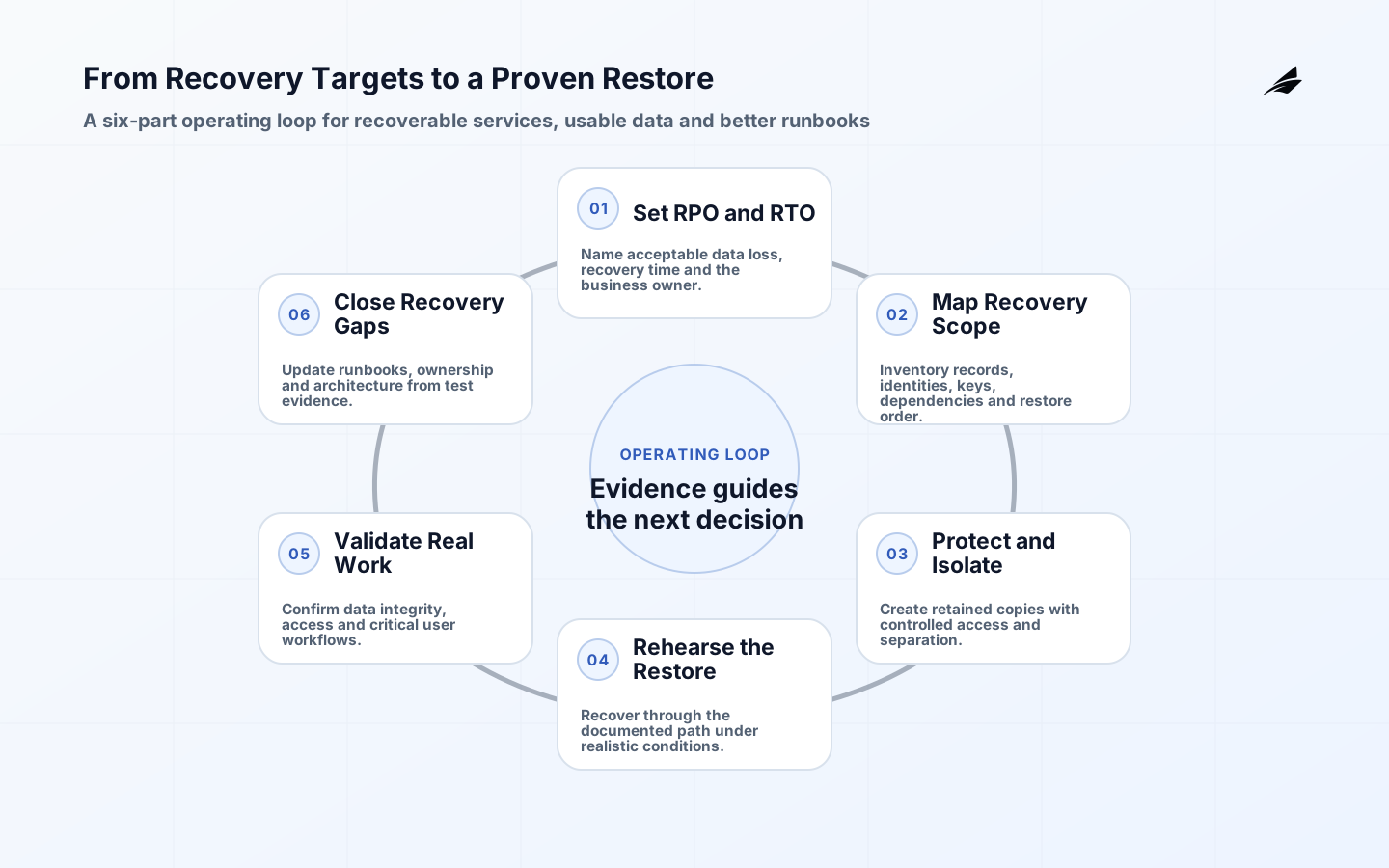
Backup and restore planning is a recovery capability, not a storage setting. It links business priorities to protected records, recovery objectives, tested procedures and communication.
Classify the service, authoritative records, dependencies and recovery sequence before choosing a tool. A valid backup is still insufficient if identities, keys, configuration or upstream data cannot be restored in the required order.
| Decision | Evidence to gather | Accountable owner |
|---|---|---|
| Scope | A defined user, service or workflow boundary and excluded work | Product or service owner |
| Risk and recovery | Failure modes, operating constraints and a tested response path | Engineering and operations leads |
| Readiness | Quality, security and support evidence appropriate to the change | Release decision owner |
| Outcome | A measurable service, customer or business signal after release | Named business owner |
Frequently asked questions
What is the difference between RPO and RTO?
A recovery point objective describes the acceptable amount of data loss measured in time. A recovery time objective describes how long recovery may take. Both need a business owner and an achievable technical plan.
How often should restores be tested?
Test after material architecture or data changes and on a regular schedule appropriate to the service. The test should include real authorization, dependencies and evidence that recovered data is usable.
Do snapshots replace a recovery plan?
No. Snapshots can be useful recovery artifacts, but a plan also defines priority, dependencies, roles, communications, validation and the conditions for returning to normal operation.
Conclusion
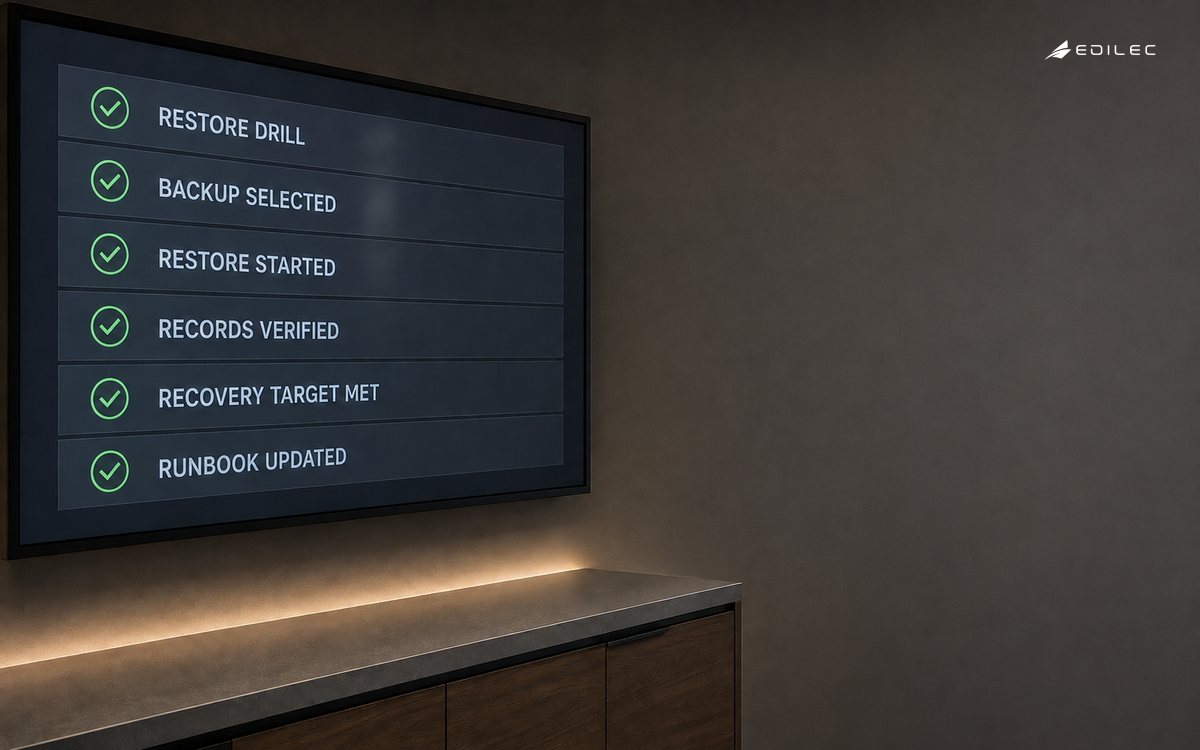
Schedule restore exercises that resemble the failures the business actually fears. Record duration, missing prerequisites, data gaps and decision delays, then update the plan while those findings are still concrete.